

Question

How to update multiple Google Sheets row with a single value?

  • July 20, 2023
  • 2 replies
  • 251 views

kiri

I’m trying to use the Google Sheets - Update Spreadsheet Row(s) action - from a previous action I have the Row Numbers that I want to update, but I want to have the same information filled into those rows, and that information isn’t in line item format. So I have single values here:
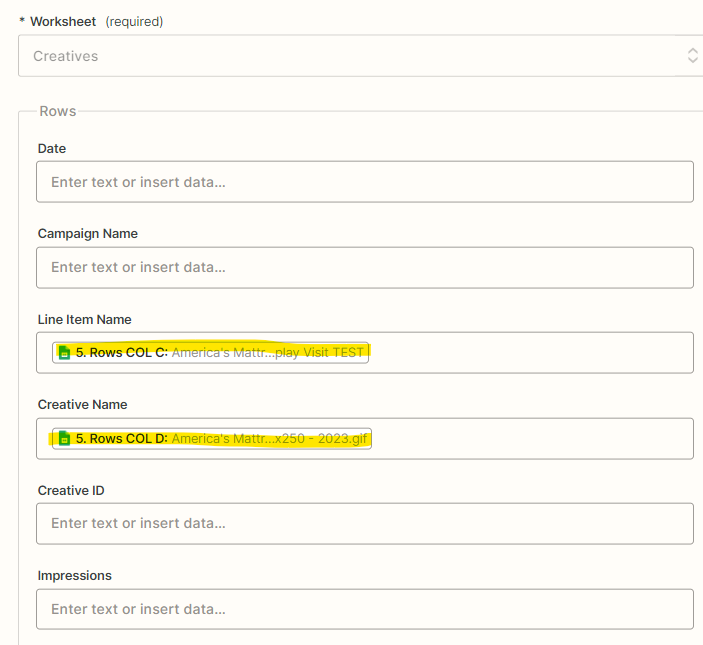
 

But multiple values here:
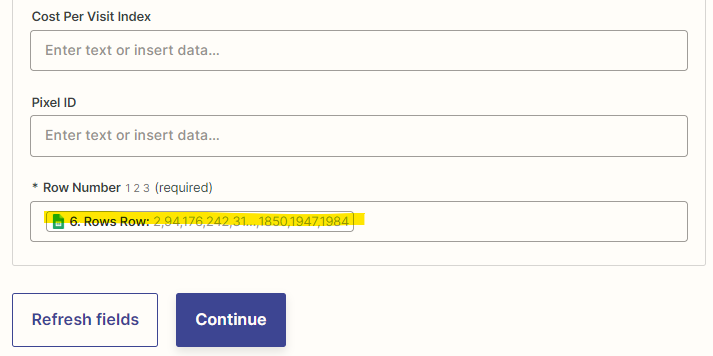
 

So only the first row is getting data. Is there a way to repeat the same data for all rows, without them being line items? Alternatively, is there a way using Formatter-Utilities or another tool to make these single values into line items?


Thanks!

This post has been closed for comments. Please create a new post if you need help or have a question about this topic.

2 replies

Troy Tessalone
Zapier Orchestrator & Solution Partner
Forum|alt.badge.img+14
  • Zapier Orchestrator & Solution Partner
  • July 20, 2023

Hi @kiri 

Good question.

2 options to try:

  1. Create an array of items the same length as the number of rows
  2. Use the Looping app to loop thru each row

SamB
Community Manager
Forum|alt.badge.img+11
  • Community Manager
  • July 25, 2023

Hey there @kiri! Just checking in to see how you got on with Troy’s suggestions here. Were you able to use a Looping by Zapier action to duplicate the values in the Line Item Name and Creative Name fields across each of the rows? 

Keen to ensure you’re all set here so please do let us know how it went! 🙂



