Question

How to sync Google Sheets data with a Notion table using Zapier

  • August 21, 2025
  • 6 replies
  • 72 views

First Zap build in years

I have a Team Tracker in Google Sheets that my team keeps updated. It has multiple columns. Column D is Status and has a dropdown. When PreApproved is chosen from that dropdown, I want three columns of info to feed to a Table in Notion. 

Can someone assist me with the necessary steps? 

This post has been closed for comments. Please create a new post if you need help or have a question about this topic.

6 replies

Troy Tessalone
Zapier Orchestrator & Solution Partner
Forum|alt.badge.img+14
  • Zapier Orchestrator & Solution Partner
  • August 21, 2025

Hi ​@adamblackmortgage 

Try these Zap steps:

  1. Trigger: GSheets - New or Updated Row
  2. Action: Filter
    1. Conditions
      1. Check Column D = Preapproved
        AND
      2. Check Column XXX does not exist
    2. Help: https://zapier.com/apps/filter/integrations#help
  3. Action: Notion - Create Database Item
  4. Action: GSheets - Update Row
    1. Add a Column XXX to indicate you’ve already processed this row by logging the created Notion Item ID

@Troy Tessalone 

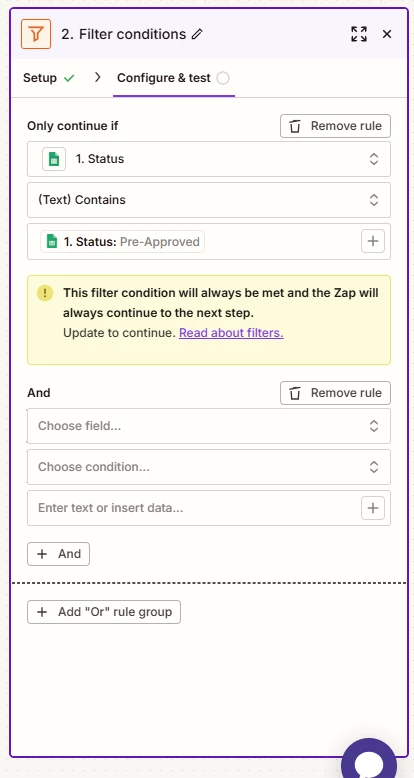
  1. Thanks for the help on the Zap. I'm still not having any luck and I'm sure it's user error. I follow you until I get to Filter in Step 2. I get the first Only Continue if but when you say  “Check Column XXX does not exist” I’m not sure how to proceed. This is a snipit of where I am


Troy Tessalone
Zapier Orchestrator & Solution Partner
Forum|alt.badge.img+14
  • Zapier Orchestrator & Solution Partner
  • August 21, 2025

@adamblackmortgage 

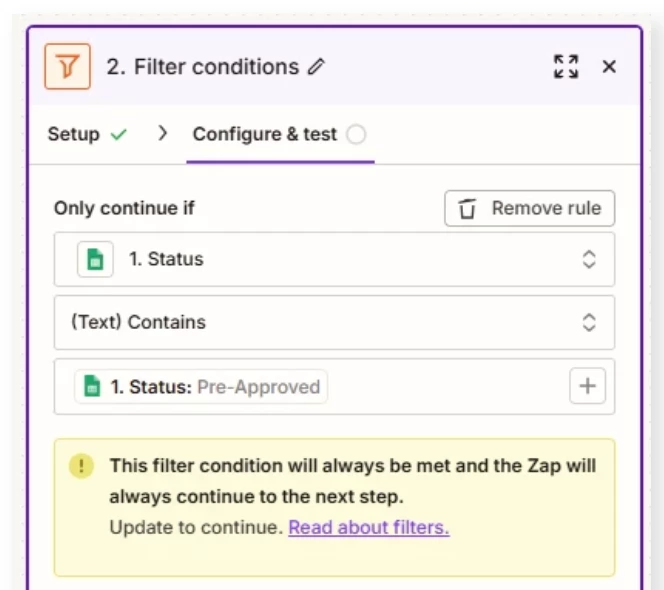
Check the Filter step warning.

You have the same variable checking against itself.

Thus, the condition will always evaluate to true.

For the bottom field of the condition, enter a static value.


Thanks again for trying to help but you’re talking over my head. i don’t know what you mean “For the bottom field of the condition, enter a static value.”


Troy Tessalone
Zapier Orchestrator & Solution Partner
Forum|alt.badge.img+14
  • Zapier Orchestrator & Solution Partner
  • August 21, 2025

@adamblackmortgage 

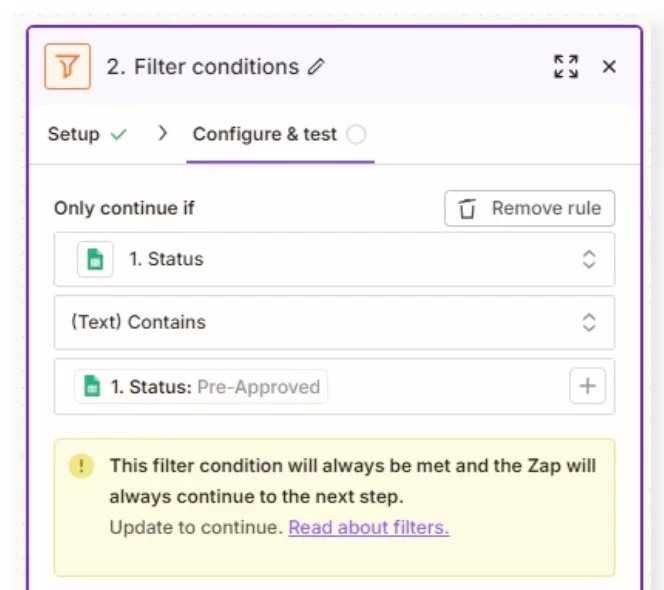
In the screenshot below there are 3 fields that make up a Filter condition...

Left/Top: leave this as the dynamic variable for “Status”

Middle: operator (e.g. contains)

Bottom/Right: set this as a static value that you manually type in (e.g. Pre-Approved)


SamB
Community Manager
Forum|alt.badge.img+11
  • Community Manager
  • September 22, 2025

Hey ​@adamblackmortgage, just checking in! 👋 Did Troy’s latest reply help you to get the filter setup sorted?

Let us know how it went - happy to lend a hand if you’re still stuck at all! 🙂