Question

How to stop multiple Gmails from sending from a "When drive worksheet is updated" trigger?

  • January 20, 2024
  • 3 replies
  • 24 views

Hello all,

I have a zap created which send emails to my clients whenever their associated file on Google Drive is updated. 

The issue is that sometimes we update multiple data fields on the file over a short span of time, and it triggers many emails to them.

Is there any way that I could limit the amount of emails sent, so that it does not flood their email account? Or even implement something that only sends 1 e-mail a day for such updates?

Thanks in advance for the help!

This post has been closed for comments. Please create a new post if you need help or have a question about this topic.

3 replies

Troy Tessalone
Zapier Orchestrator & Solution Partner
Forum|alt.badge.img+14
  • Zapier Orchestrator & Solution Partner
  • January 20, 2024

Hi @consignscc 

You would have to do some sort of logging logic.

You could look into using a Digest: https://zapier.com/apps/digest/help


  • Author
  • Beginner
  • January 21, 2024

Thank you! 

Based on what i understand, Digest helps to collate the output (eg. emails), and fire the zap at a certain time of the day?

If so, how will i be able to make it so that it fires at 2 specific timings a day?


Troy Tessalone
Zapier Orchestrator & Solution Partner
Forum|alt.badge.img+14
  • Zapier Orchestrator & Solution Partner
  • January 21, 2024

@consignscc 

You can use another Zap with these steps

  1. Trigger: Schedule
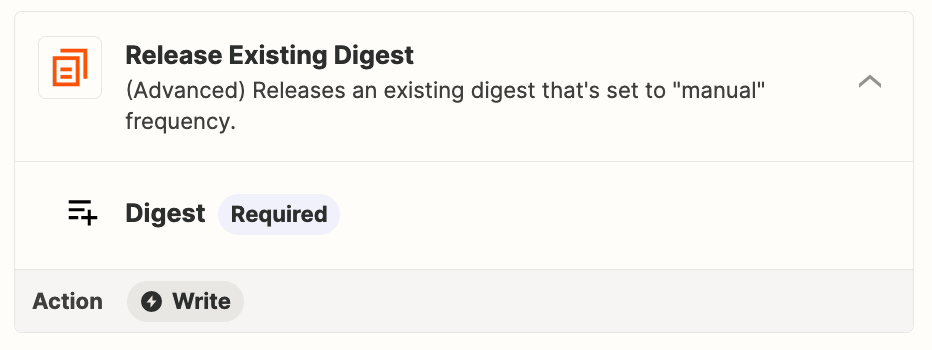
  2. Action: Digest - Release Existing Digest
  3. Action: Filter
    1. Check to make sure the Digest is NOT empty
  4. Action: Gmail - Send Email