

Question

How to set end dates for Google Calendar events synced to Todoist in Zapier

  • March 6, 2025
  • 8 replies
  • 64 views

michael291
Forum|alt.badge.img+4

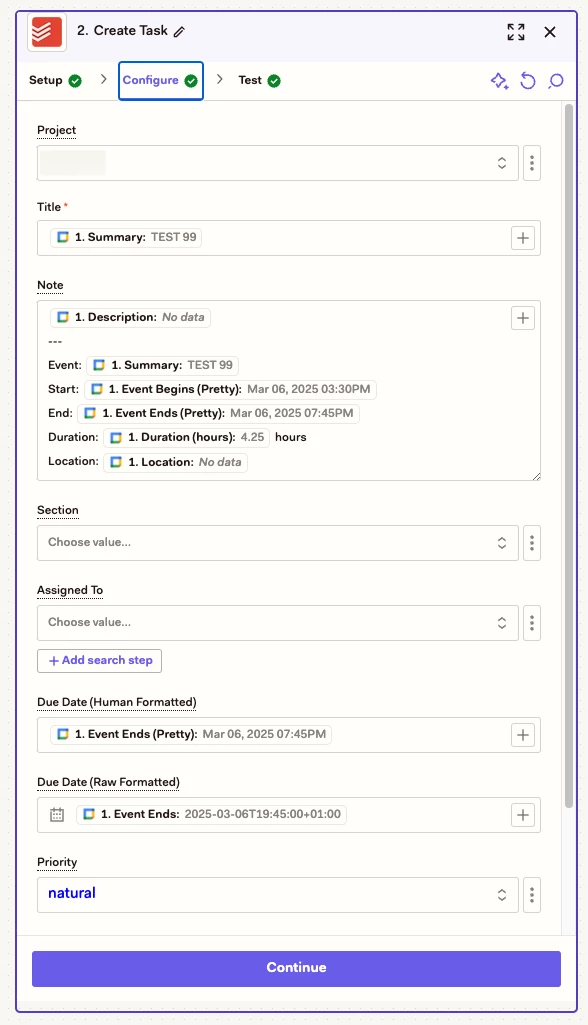
I am trying to sync Google calendar events to Todoist. Everything works fine but I do not know how to set the end date in Zapier (duration). 

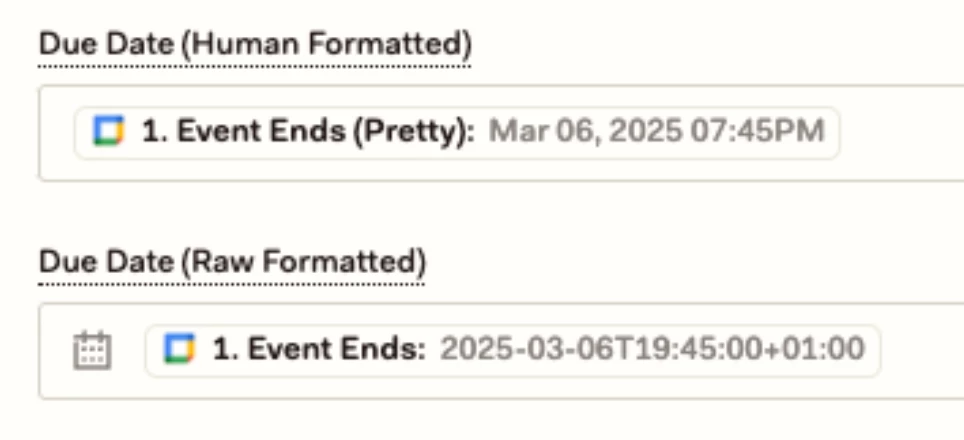
There are only fields for the “Due Date (Huiman formatted)” and “Due Date (Raw Formatted)”. 

Any suggestions? 

Thanks for your help. 

This post has been closed for comments. Please create a new post if you need help or have a question about this topic.

8 replies

Troy Tessalone
Zapier Orchestrator & Solution Partner
Forum|alt.badge.img+14
  • Zapier Orchestrator & Solution Partner
  • March 6, 2025

Hi ​@michael291 

Help us have more context by posting screenshots showing how your Zap steps are outlined and configured in EDIT mode with the field mappings visible.

TIP: Click field labels that are underlined to see tooltips with more info that may provide guidance.


michael291
Forum|alt.badge.img+4
  • Author
  • Builder
  • March 6, 2025

Hello ​@Troy Tessalone 

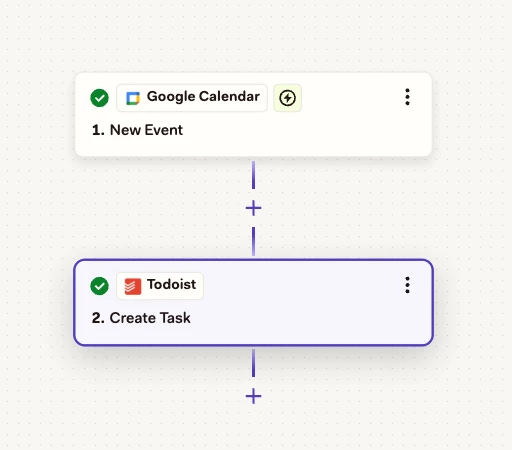
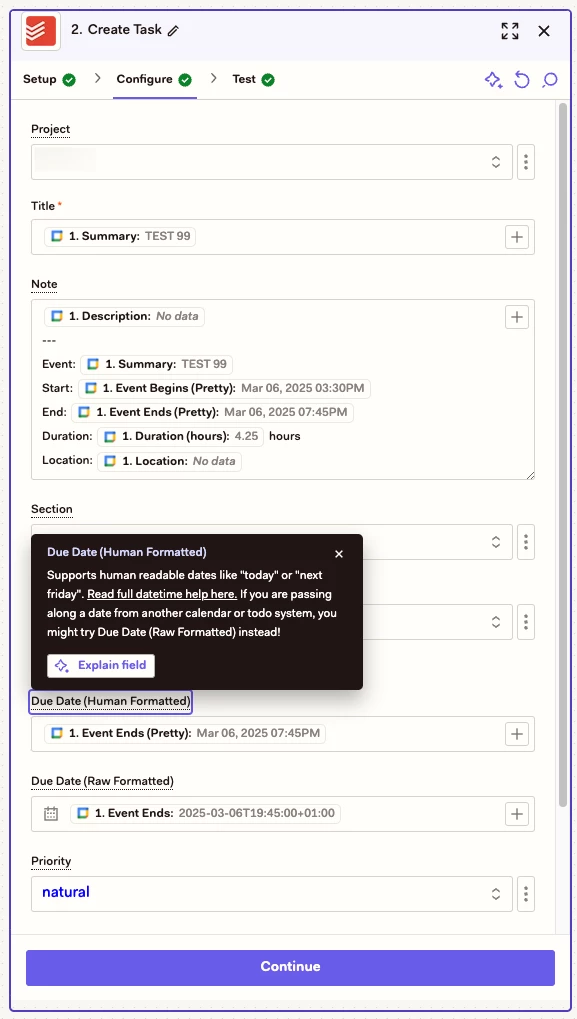
thanks for your reply. This is what my Zap looks like (please see screenshots below). I tried every combination in the “Due Date” Fields (i.e. “Start Date”-”End Date”) but nothing did work.  

Thanks for your help, M.


Troy Tessalone
Zapier Orchestrator & Solution Partner
Forum|alt.badge.img+14
  • Zapier Orchestrator & Solution Partner
  • March 6, 2025

@michael291 

The 2 Due Date fields are optional.

Did you try clicking on the field labels to see tooltips?

Post screenshots showing each field tooltip to give us more context.


michael291
Forum|alt.badge.img+4
  • Author
  • Builder
  • March 6, 2025

Hello ​@Troy Tessalone 

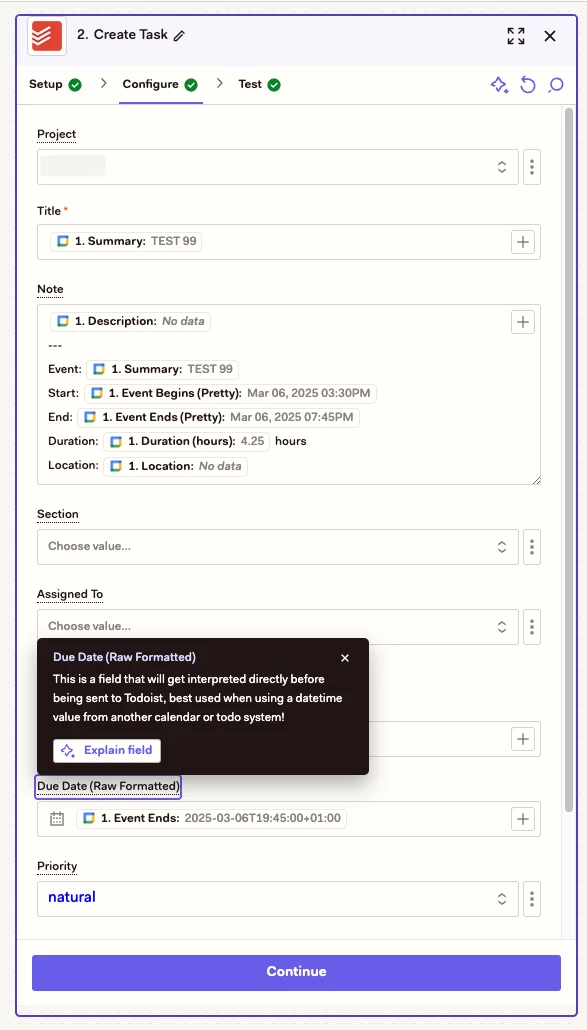
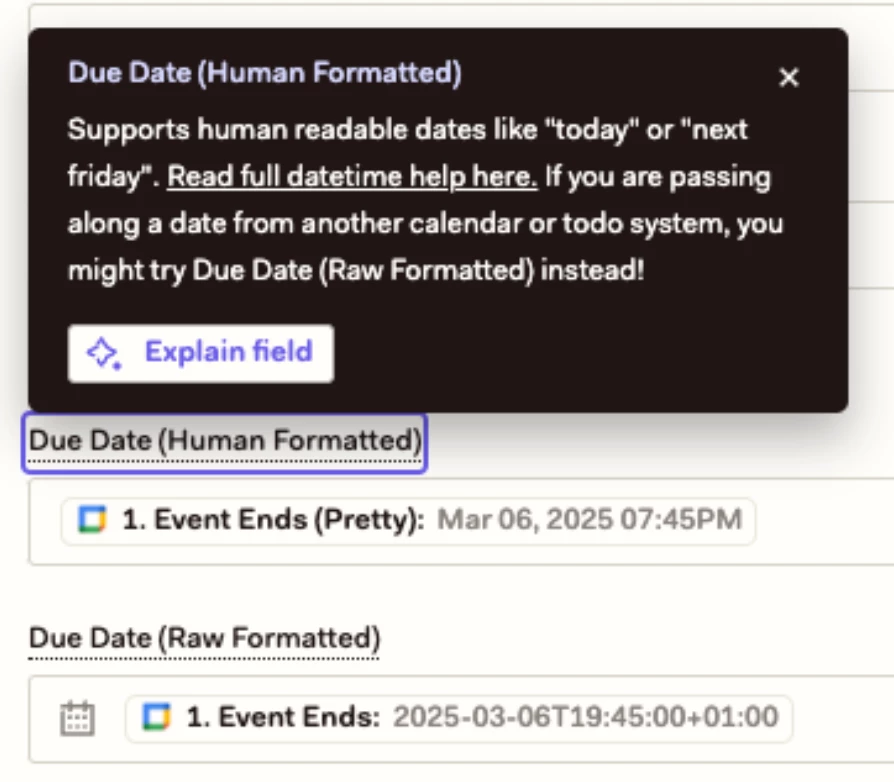
here are the tooltips of both date fields…


Troy Tessalone
Zapier Orchestrator & Solution Partner
Forum|alt.badge.img+14
  • Zapier Orchestrator & Solution Partner
  • March 6, 2025

@michael291 

Based on the tooltips, sounds like only 1 is needed.

Try using just the Due Date (Raw Formatted)


michael291
Forum|alt.badge.img+4
  • Author
  • Builder
  • March 6, 2025

@Troy Tessalone 

Okay, but then I will only have the end date (and time), not the start date (and time). I need to have the duration in Todoist. So if an event starts at 5pm and has a duration of 2 hours it should end at 7pm. 


Troy Tessalone
Zapier Orchestrator & Solution Partner
Forum|alt.badge.img+14
  • Zapier Orchestrator & Solution Partner
  • March 6, 2025

@michael291 

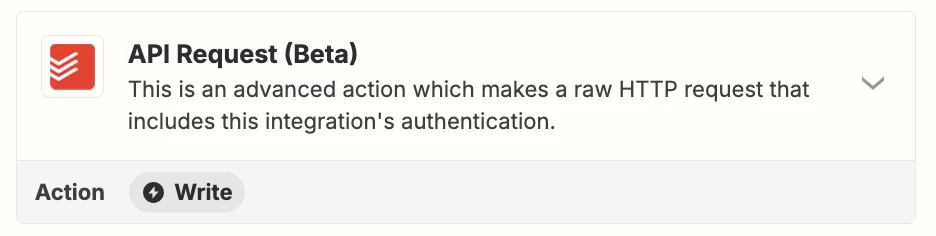
Appears the Todoist Create Task action is configured to not expose the Duration.


You may have to explore using one of the options:


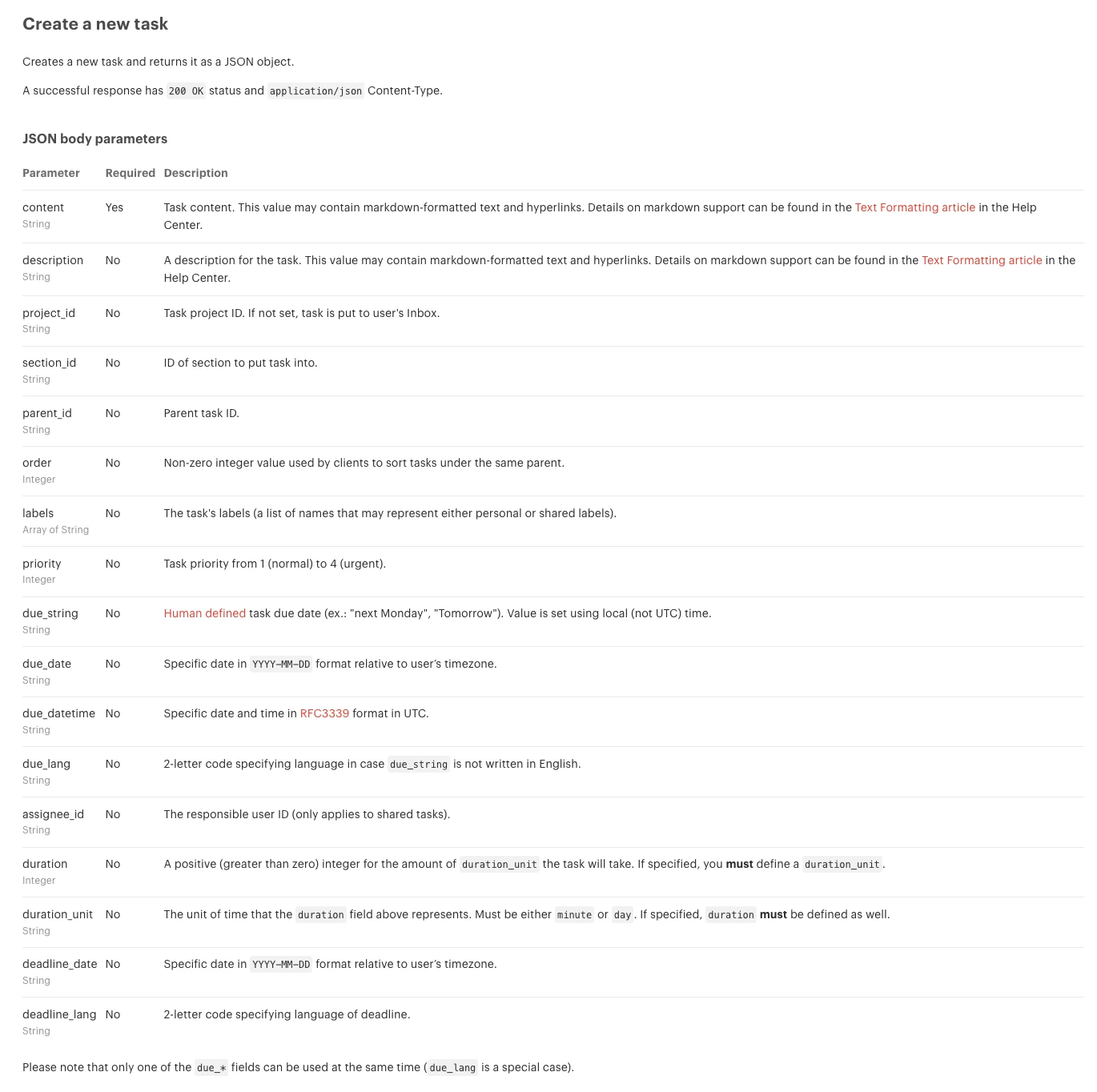
Todoist API Endpoint for creating Task that lists all of the available fields:

https://developer.todoist.com/rest/v2/#create-a-new-task


michael291
Forum|alt.badge.img+4
  • Author
  • Builder
  • March 7, 2025

@Troy Tessalone 

Thanks a lot. I will test that.