
Best answer

How to set 90 days ago in filter?

  • May 27, 2023
  • 6 replies
  • 328 views

selfhelpdoctor

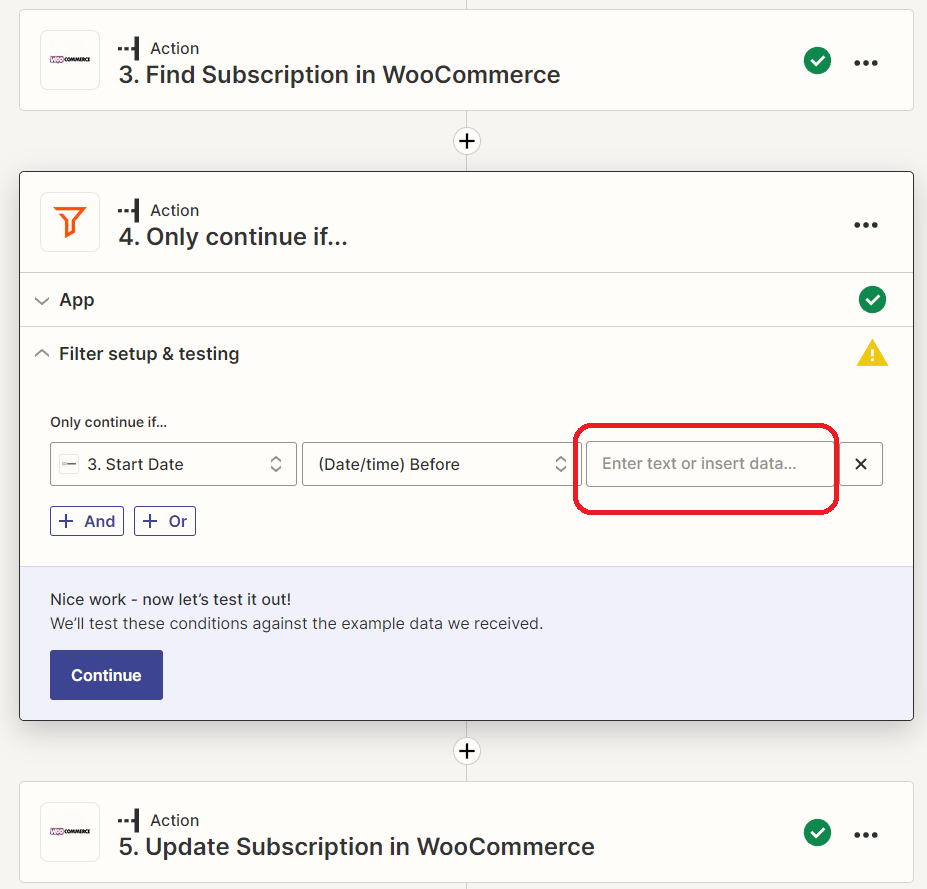
I am trying to configure a Filter action (“Only continue if...”) wherein a certain action takes place only if the date pulled from the previous action (“Find Subscription in WooCommerce”) took place at least 90 days ago before the current date.


What do I need to fill in the text field for “Only continue if… [Start Date] [(Date/time) Before] [text]”?


Best answer by shahidul

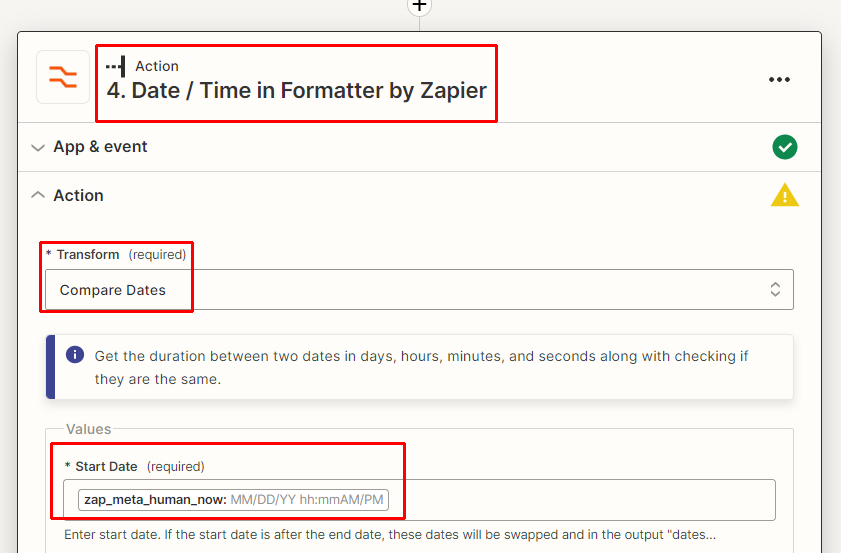
Use Compare dates: Format > Time / Date > Compare Dates.

In the value field, put this {{zap_meta_human_now}}


This post has been closed for comments. Please create a new post if you need help or have a question about this topic.

6 replies

shahidul
Forum|alt.badge.img+1
  • Beginner
  • May 28, 2023

Use current date, subtract 90 days, and use the resulting date as a filter to check if the startdate is within the last 90 days.


selfhelpdoctor

Use current date, subtract 90 days, and use the resulting date as a filter to check if the startdate is within the last 90 days.


Not sure where/how I’m supposed to enter the current date to subtract 90. Can you elaborate?


shahidul
Forum|alt.badge.img+1
  • Beginner
  • Answer
  • May 28, 2023

Use Compare dates: Format > Time / Date > Compare Dates.

In the value field, put this {{zap_meta_human_now}}


selfhelpdoctor

Ok, I’ll experiment with that, thanks!


selfhelpdoctor

Ok I think that worked, thank you!!


shahidul
Forum|alt.badge.img+1
  • Beginner
  • May 28, 2023

Welcome