Question

How to resolve issues with updating a member's plan using webhooks in Memberstack

  • April 3, 2026
  • 3 replies
  • 16 views

While adding a new member using webhook i failed to updated the plan of the user its showing that the data is not matching or its or what memberstack want how can i solve this issue

 

3 replies

wisdomdavid

Hi ​@smallbizprompts  
The data not matching error usually means the plan ID you're sending in the webhook payload doesn't match the exact format Memberstack expects. Make sure you're passing the Plan ID exactly as it appears in your Memberstack dashboard, it's typically a string like `pln_xxxx`, not the plan name.
Check the Memberstack API docs for the exact field name and format required when updating a member's plan, as the field key itself also needs to match precisely.


Sparsh from Automation Jinn
Forum|alt.badge.img+6

Hey ​@smallbizprompts,

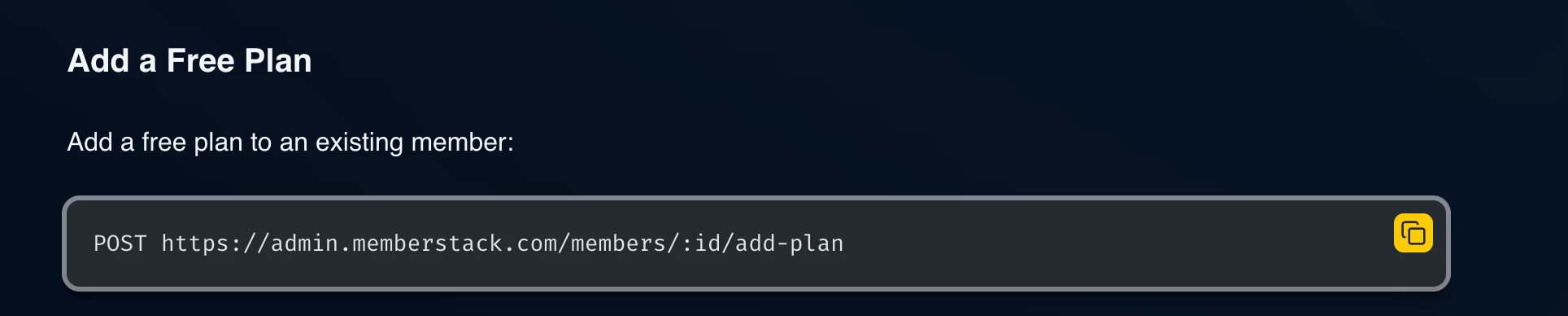
I think it’s because Memberstack doesn’t allow directly updating their plans if you see their API. See more about it here- https://developers.memberstack.com/admin-rest-api/member-actions#plan-management. But you achieve it by adding a new plan and deleting the previous one.


Your sample workflow will look something like this-

  • Trigger 
  • Find Member
  • Add plan with Webhooks by Zapier
  • Remove plan with Webhooks by Zapier

I know it can get a bit tricky but if it’s important for you, you can give this approach a try. Hope it helps!

PS: If you need more active help, I’m happy to connect through my Zapier Solution Partner page if you’d like to reach out here- https://zapier.com/partnerdirectory/automation-jinn


Forum|alt.badge.img+2
  • Zapier Solution Partner
  • April 3, 2026

Hi ​@smallbizprompts 

Memberstack's API doesn't have a direct "update plan" endpoint. You need to add the new plan then remove the old plan as two separate webhook actions.

Fix for your "data not matching" error:

  1. Use the Plan ID (starts with pln_xxxx), not the plan name

  2. Structure your Zap like this:

    • POST to /members/{MEMBER_ID}/add-plan with body {"planId": "pln_new"}

    • POST to /members/{MEMBER_ID}/remove-plan with body {"planId": "pln_old"}

Required headers:

  • X-API-KEY: your secret key

  • Content-Type: application/json

Note: This only works for free plans. Paid plans (Stripe) must be changed via Stripe Customer Portal.

Documentation: Memberstack API Docs - Plan Management

If you're still running into issues, drop a screenshot of the error and a quick description of what your Zap is doing, happy to take a look!

And if you'd rather just get it sorted quickly, I offer a free 20-min Zapier troubleshooting call. Book it under Resources on my Zapier Directory profile: https://zapier.com/partnerdirectory/automatemybiz

!-->