Answer

How to lookup and send a serial number from Google Sheets after a new sale?

  • October 15, 2024
  • 2 replies
  • 48 views

This post has been edited by a moderator to remove personal information. Please remember that this is a public forum and to remove any sensitive information prior to posting.

I'm trying to do the following.
After a new sale, pick a serial number from a Google Sheet and send this serial number and the buyer as an email including that serial number.

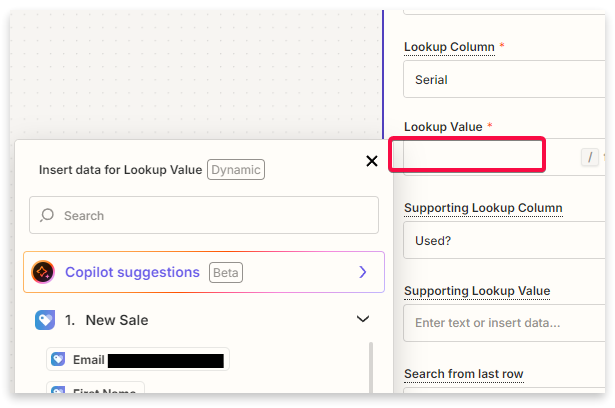
I'm stuck at “lookup value” .. I'm not able to choose the value which is serial number from Google Sheet.

I have two columns in Google Sheet, serial numbers and used yes or no.
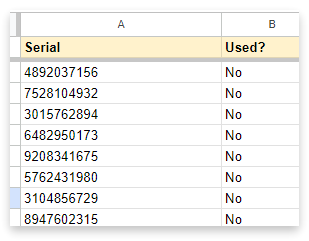


Can someone help me to do this setup? Basically, a new sale, pick a serial number from these, mark it as used, send this as an email to the customer.


Best answer by ken.a

Hi there @THE-MZ,

Welcome to the Community! 🎉

We have a similar workflow from the Community post here: 

Could you please try following the post and please let me know how it goes.

I'll be keeping an eye out for your response!

This post has been closed for comments. Please create a new post if you need help or have a question about this topic.

2 replies

ken.a
Forum|alt.badge.img+6
  • Zapier Staff
  • Answer
  • October 16, 2024

Hi there @THE-MZ,

Welcome to the Community! 🎉

We have a similar workflow from the Community post here: 

Could you please try following the post and please let me know how it goes.

I'll be keeping an eye out for your response!


  • Author
  • New
  • October 16, 2024

Thank you for the answer.