Best answer

How to get the group name of a monday.com item

  • October 4, 2024
  • 9 replies
  • 164 views

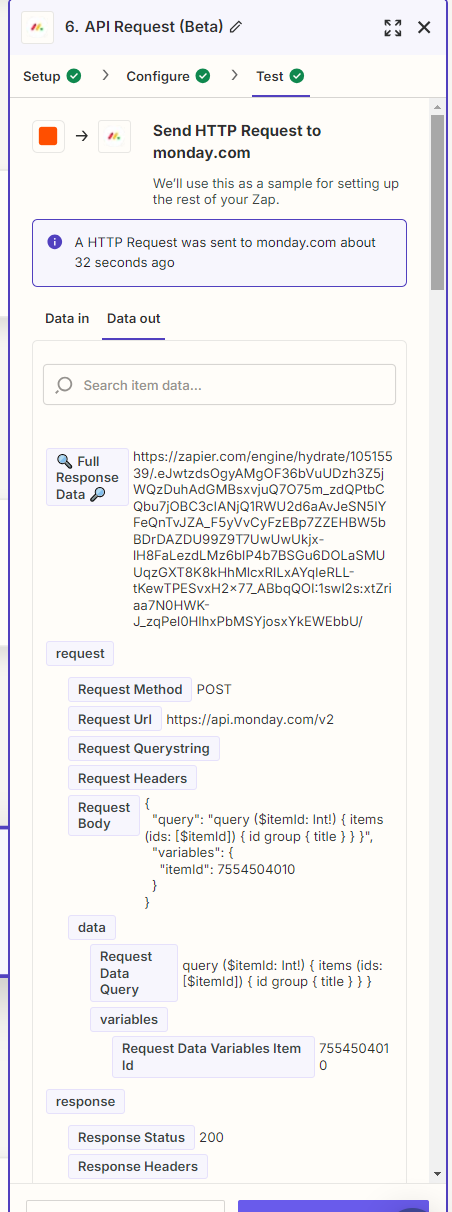
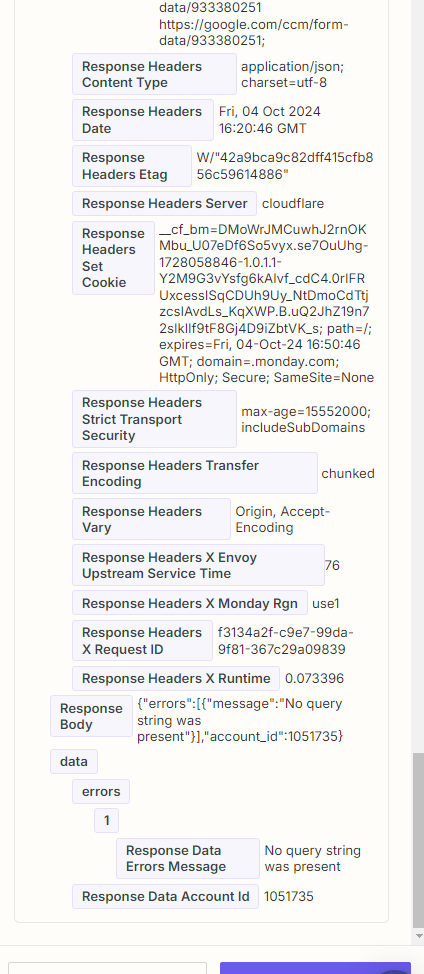
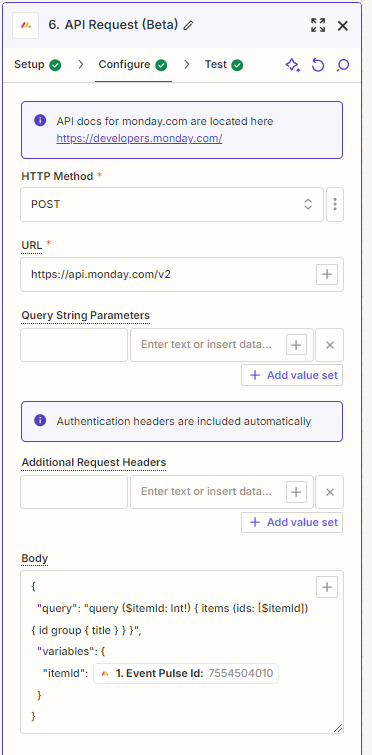
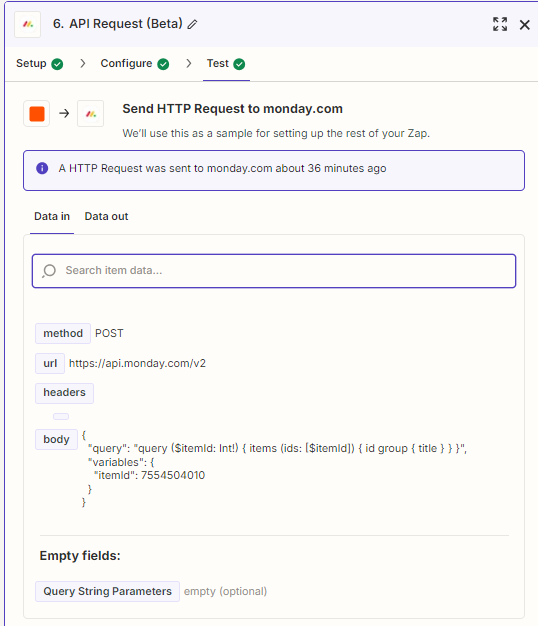
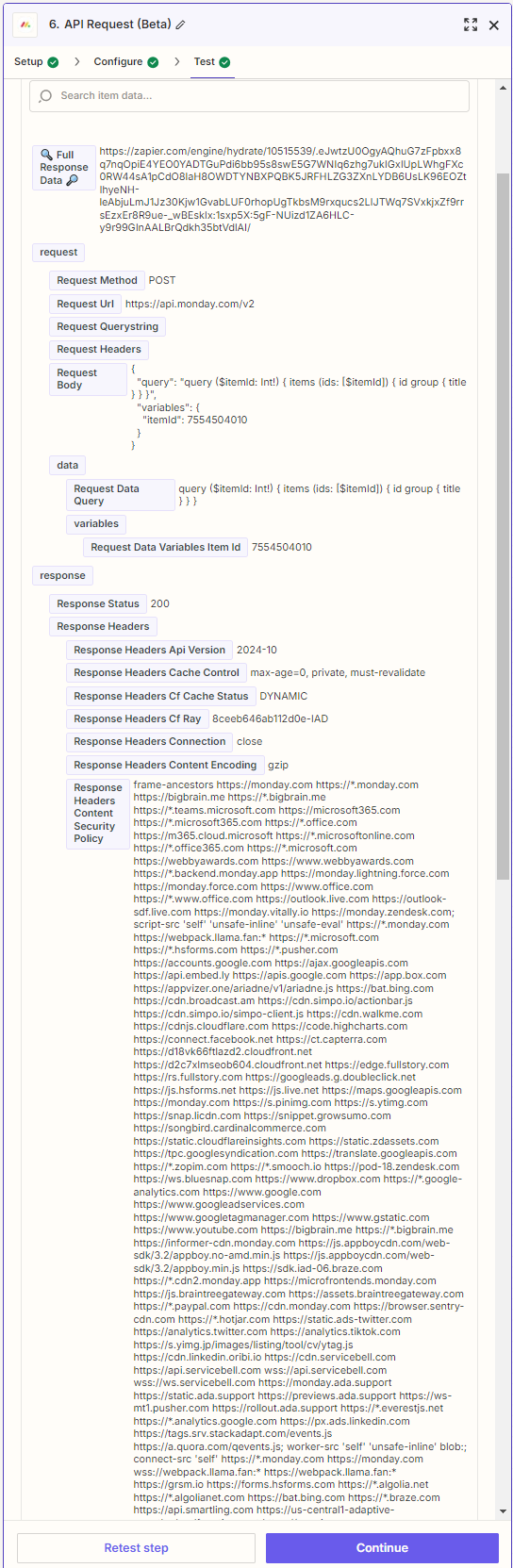
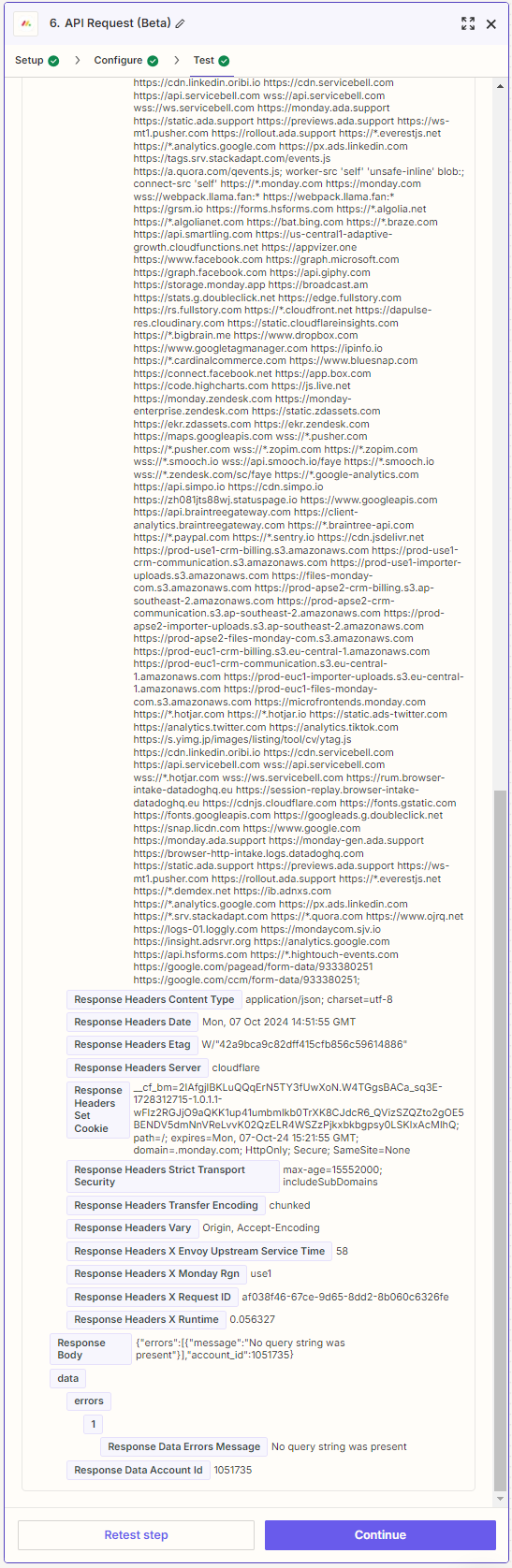
I don’t see any of the predefined actions that do this so I’m trying to use the Monday API request.   I’m getting an error and not the result I want.  Attaching screenshots.  What am I doing wrong? 
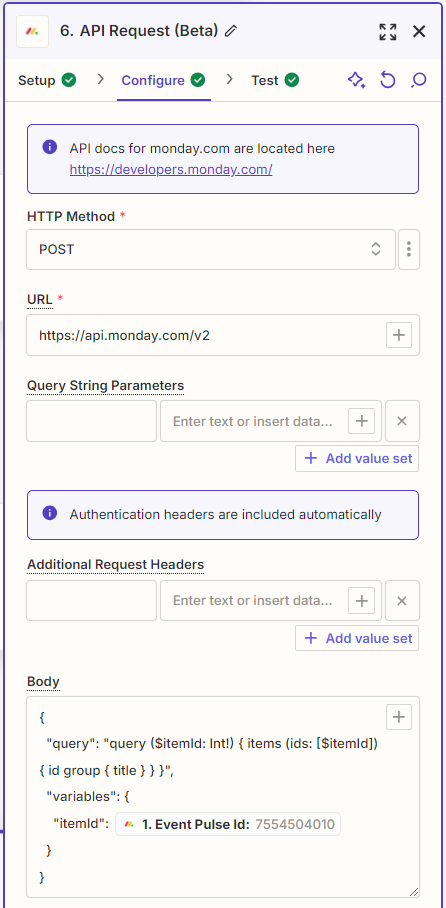
Item Config
Results - Screenshot 1
Results - Screenshot 2


Best answer by Troy Tessalone

@Mary_S 

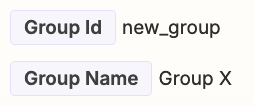
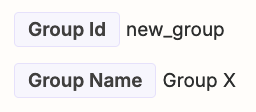
For the Monday Zap trigger you are using, it should return these fields related to the Group:

  • Group ID
  • Group Name


That means you should not need other Monday Zap steps to get the Group info.
 

This post has been closed for comments. Please create a new post if you need help or have a question about this topic.

9 replies

Troy Tessalone
Zapier Orchestrator & Solution Partner
Forum|alt.badge.img+14
  • Zapier Orchestrator & Solution Partner
  • October 4, 2024

Hi @Mary S 

What Zap trigger step are you using for Monday?

Many Monday triggers/actions will return the Group ID/Name.


  • Author
  • Beginner
  • October 7, 2024

I’m using “Get Column Values”

I’ve tried them all.  I can’t find any there return the Group Name or ID for a specific Item


Troy Tessalone
Zapier Orchestrator & Solution Partner
Forum|alt.badge.img+14
  • Zapier Orchestrator & Solution Partner
  • October 7, 2024

@Mary S 

For us to have more info, post screenshots showing how your Zap steps are outlined and configured in EDIT mode.


Forum|alt.badge.img
  • Beginner
  • October 7, 2024
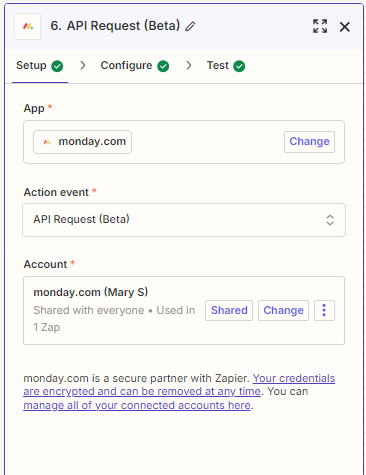
Setup Screen
Configure Screen
Test Data In Screenshot
Test Screenshot 1 - Data Out
Test Screenshot 2 - Data Our


Troy Tessalone
Zapier Orchestrator & Solution Partner
Forum|alt.badge.img+14
  • Zapier Orchestrator & Solution Partner
  • October 7, 2024

@Mary_S 

The recent screenshots only show Zap step 6.

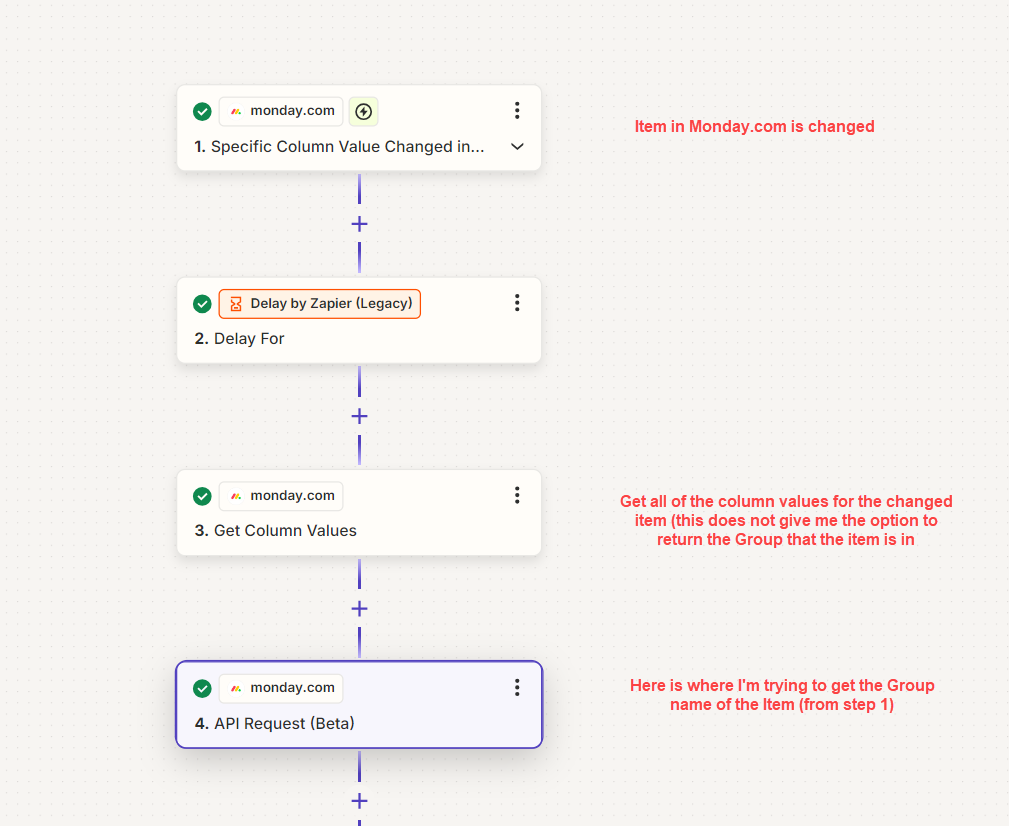
Can you post screenshots showing how all of your Zap steps are outlined starting with Zap step 1?


  • Author
  • Beginner
  • October 7, 2024


Assume the previous screenshots where step 4 (I was playing with a few other ways to get the info and have since deleted them) 


Troy Tessalone
Zapier Orchestrator & Solution Partner
Forum|alt.badge.img+14
  • Zapier Orchestrator & Solution Partner
  • Answer
  • October 7, 2024

@Mary_S 

For the Monday Zap trigger you are using, it should return these fields related to the Group:

  • Group ID
  • Group Name


That means you should not need other Monday Zap steps to get the Group info.



Forum|alt.badge.img
  • Beginner
  • October 7, 2024

I see it.  It’s in the results of step 1, not in step 4.  Thank you


SamB
Community Manager
Forum|alt.badge.img+11
  • Community Manager
  • October 8, 2024

That’s great @Mary_S 🎉 So pleased you were able to located the group name with @Troy Tessalone’s help here - thanks Troy! 🧡

I’ll go ahead and mark their latest reply as the best answer which will help to better surface this information to other folks coming across this thread. Seems like you're all sorted for now, but if you need anything else, just reach back out to the Community. We're here to help whenever you need! 🙂