


Best answer

How to get the current date and time

  • October 4, 2024
  • 3 replies
  • 4727 views

Forum|alt.badge.img


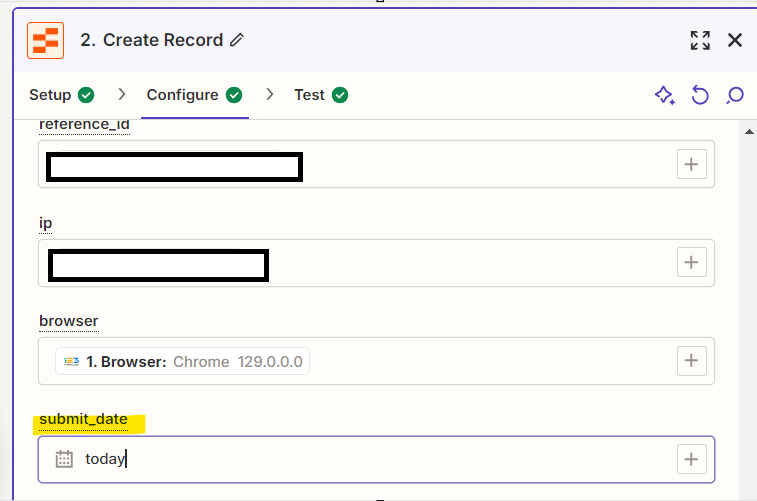
I want to create and store one record in the zapier table when data is submitted from 123form.
At that time, I want to store the current date in YYYY-MM-DD format.
I set the date of transmission format in the zapier table to “Asia/Tokyo”, but it is in UTC.


How can I set the date in the Zapier table to get the current date in Japan time?


Best answer by Troy Tessalone

Hi @Murinhardt 

Zap action: Formatter > Date & Time > Format

This allows you to set the format and the time zones for the to/from timestamp.

Insert system timestamp: https://zapier.com/help/create/customize/insert-the-time-your-zap-runs-into-a-field

This post has been closed for comments. Please create a new post if you need help or have a question about this topic.

3 replies

Troy Tessalone
Zapier Orchestrator & Solution Partner
Forum|alt.badge.img+14
  • Zapier Orchestrator & Solution Partner
  • Answer
  • October 4, 2024

Hi @Murinhardt 

Zap action: Formatter > Date & Time > Format

This allows you to set the format and the time zones for the to/from timestamp.

Insert system timestamp: https://zapier.com/help/create/customize/insert-the-time-your-zap-runs-into-a-field


Forum|alt.badge.img
  • Author
  • Beginner
  • October 4, 2024


Hi @Troy Tessalone 


Thanks again for all you do to teach us!
I was able to implement it the way you taught me.


SamB
Community Manager
Forum|alt.badge.img+11
  • Community Manager
  • October 4, 2024

YAY! That’s awesome news @Murinhardt! Thanks so much for popping back in here to mark a best answer, it’s much appreciated! 🧡

And thank you @Troy Tessalone for helping out here! 🤗





