Question

How to Filter Form Responses and Send Emails Based on User Choices in Zapier?


I'm fairly new to Zapier, and I'm trying to use Zapier to filter answers in a form on a website so that I can send emails to people who have selected the right answers. I'm stuck on the "if continue" action. I have tried many ways to fix this, but I can't figure out how to extract the user's response from a radio button or checkbox. I have created three different forms with different types of responses (radio button or checkbox) and none of them seem to work. 

This post has been closed for comments. Please create a new post if you need help or have a question about this topic.


13 replies

Troy Tessalone
Zapier Orchestrator & Solution Partner
Forum|alt.badge.img+14
  • Zapier Orchestrator & Solution Partner
  • November 27, 2023

Hi @NicolaJordan 

Good question.

Which Form app are you using?

We would need to see detailed screenshots with how your Zap steps are configured in order to have true context.


I tried creating a form within the Wix website builder and in the Tally.

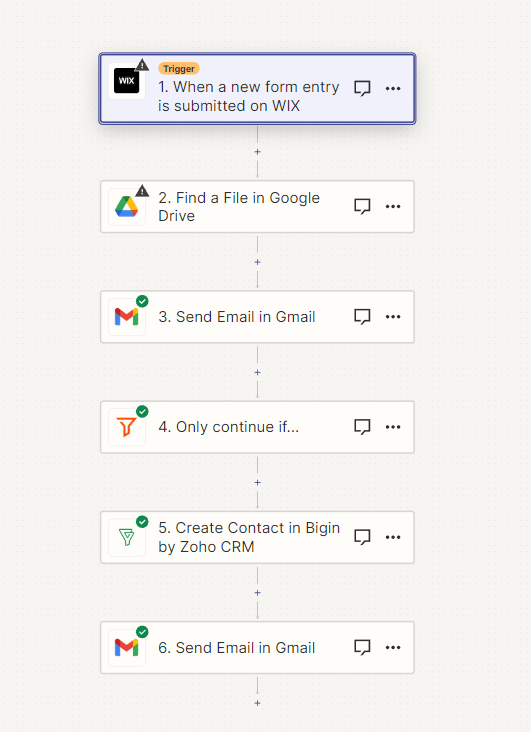
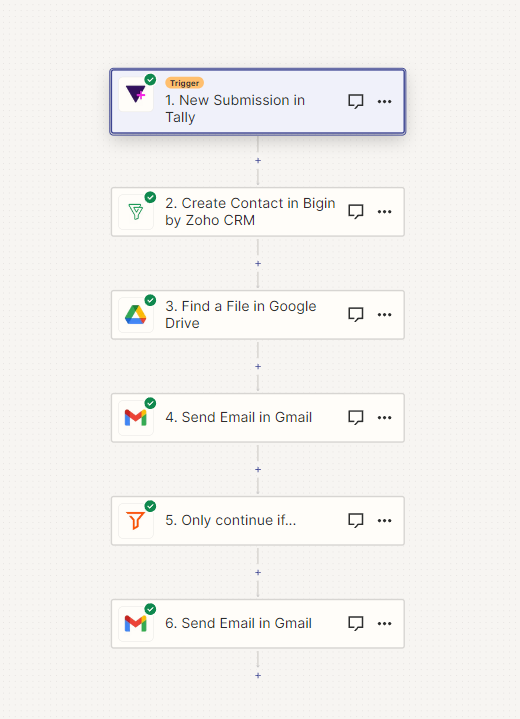
Briefly explaining my Zap: When any user fills out the form, their contact details transfer to Zoho CRM. And all users receive a PDF file via email containing the training plan.


One of the questions in the form is:

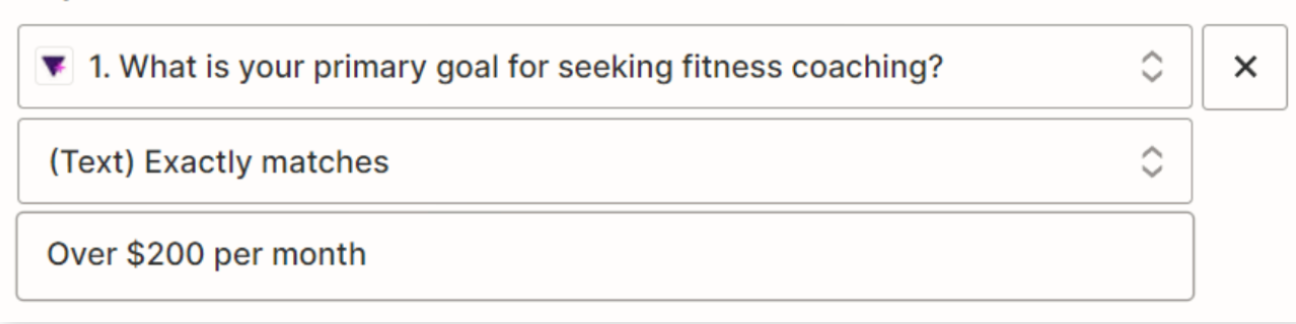
What is your primary goal for seeking fitness coaching?

Under $50 per month

$50-$100 per month

$100-$200 per month

Over $200 per month

And only to users who selected the third or fourth answer, an email is sent with a link to register for sessions


Troy Tessalone
Zapier Orchestrator & Solution Partner
Forum|alt.badge.img+14
  • Zapier Orchestrator & Solution Partner
  • November 27, 2023

@NicolaJordan 

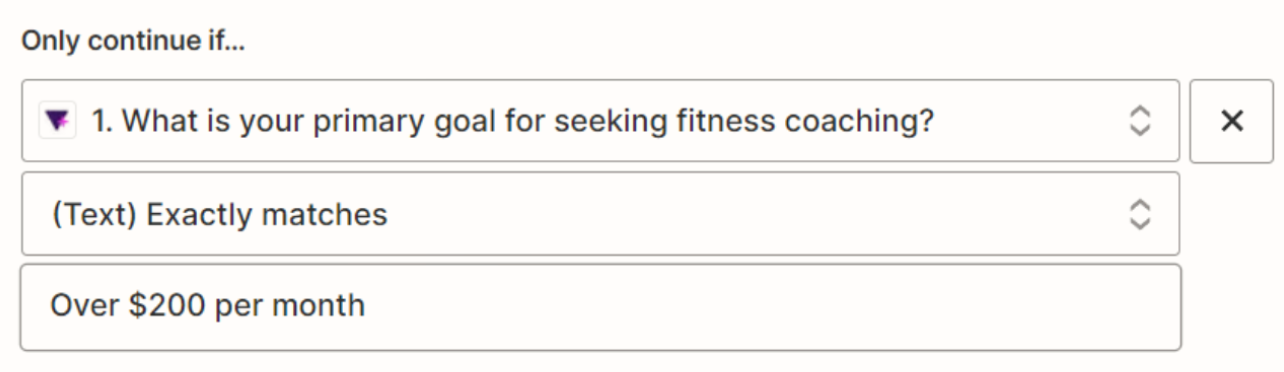
Can you post screenshots with how your Zap FILTER steps are configured?


This is for multiple choice selections


Troy Tessalone
Zapier Orchestrator & Solution Partner
Forum|alt.badge.img+14
  • Zapier Orchestrator & Solution Partner
  • November 27, 2023

@NicolaJordan 

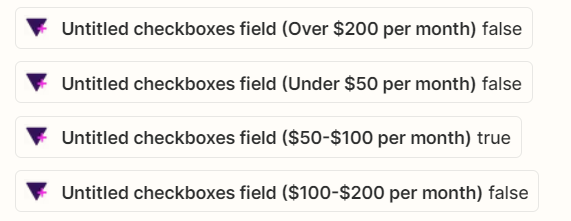
Can you show a screenshot of the DATA OUT from the Zap trigger step for the field shown in the Filter?


You can add multiple Filter conditions using the AND/OR button. (You’ll want to use the OR.)


This data I can extract with checkbox


Troy Tessalone
Zapier Orchestrator & Solution Partner
Forum|alt.badge.img+14
  • Zapier Orchestrator & Solution Partner
  • November 27, 2023

@NicolaJordan 

As an example, in the filter for the top/left option you would want to select this variable from Step 1 and set teh bottom/right parameter to be: true


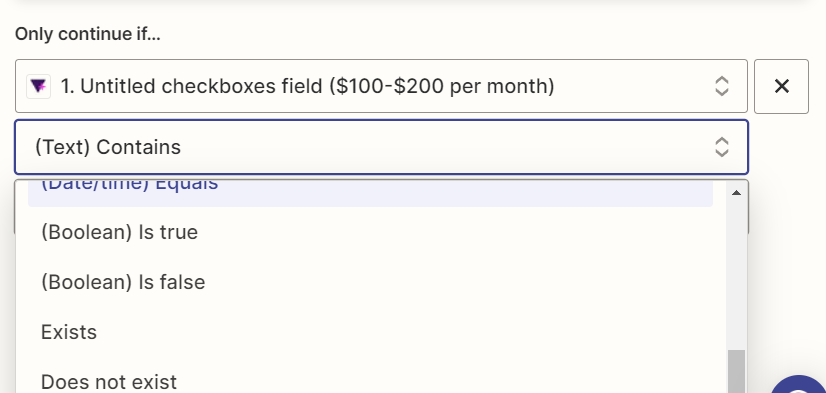
Sorry, I'm still a beginner. I don't quite understand what you mean. I don't understand where to set the bottom/right parameter to be: true. In contiue if, there is no opption to set parameter true. 


Troy Tessalone
Zapier Orchestrator & Solution Partner
Forum|alt.badge.img+14
  • Zapier Orchestrator & Solution Partner
  • November 27, 2023

@NicolaJordan 

Change the bottom input field to: true


The value of the checkboxes will be either:

  • false
  • true


Troy Tessalone
Zapier Orchestrator & Solution Partner
Forum|alt.badge.img+14
  • Zapier Orchestrator & Solution Partner
  • November 27, 2023

@NicolaJordan 

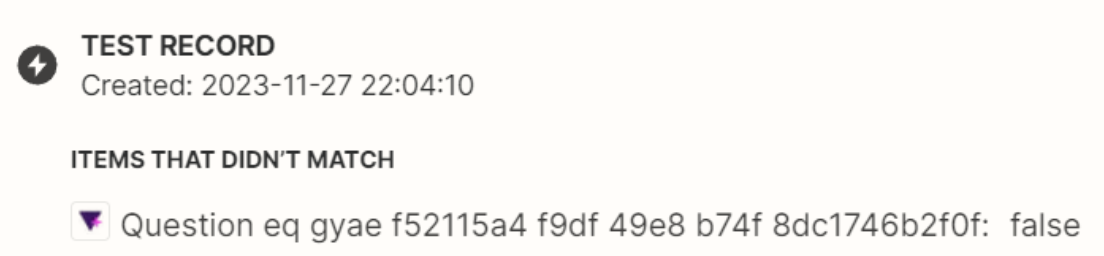
The warning indicates the example record you are testing with from Step 1 would not have passed the Filter step conditions.