Question

How to dynamically update Google Sheet and send email based on Systeme.io sales?

  • November 24, 2023
  • 6 replies
  • 68 views

Hello Zapier community,


I’m facing an issue:
The zap i’ll try to create is this one:
When there is a sale on systeme.io, update column A with email customer from the sale on the google sheet dynamicly (meaning always on the next raw) then assign a code which is in column C and same raw as the column A to finaly send it by email.


The issue i’m facing is the dynamic part, or it always used the same raw or facing an issue with adding a  lookup step.


Can someone help me on that?

This post has been closed for comments. Please create a new post if you need help or have a question about this topic.

6 replies

Troy Tessalone
Zapier Orchestrator & Solution Partner
Forum|alt.badge.img+14
  • Zapier Orchestrator & Solution Partner
  • November 24, 2023

Hi @spirou 

Good question.

Please post screenshots with how your Zap steps are configured along with screenshots with how your GSheet is configured.


  • Author
  • New
  • November 24, 2023

Here some screenshots


Troy Tessalone
Zapier Orchestrator & Solution Partner
Forum|alt.badge.img+14
  • Zapier Orchestrator & Solution Partner
  • November 24, 2023

@spirou 

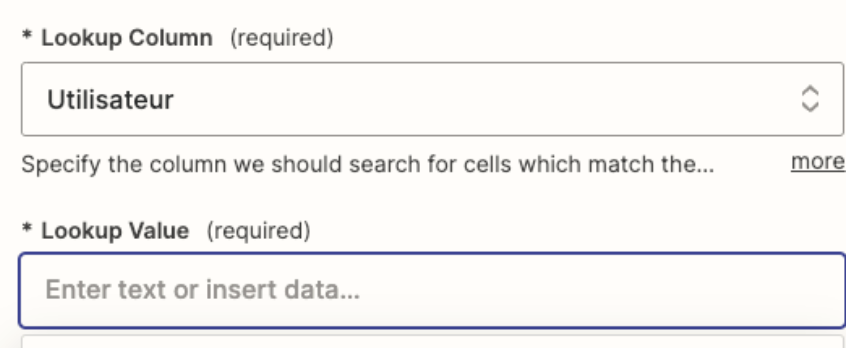
In Step 2, you need to map a Lookup Value for the Lookup Column from Step 1.


In Step 3, you need to map the Row/ID from Step 2.


  • Author
  • New
  • November 24, 2023

Can you give more details about step 2. 

Step 1: the trigger is a sale

so what would be lookup column and value for step 2? As column i can select column from my spreadsheet but as value i can only select value from system such as email adress from the buyer


Troy Tessalone
Zapier Orchestrator & Solution Partner
Forum|alt.badge.img+14
  • Zapier Orchestrator & Solution Partner
  • November 24, 2023

@spirou 

Can you post screenshots with how your GSheet is configured?


Troy Tessalone
Zapier Orchestrator & Solution Partner
Forum|alt.badge.img+14
  • Zapier Orchestrator & Solution Partner
  • November 24, 2023

@spirou 

You may want to reference this article: