Question

How to duplicate a folder in Dropbox for new clients

  • March 23, 2025
  • 6 replies
  • 57 views

Hello!


I’m setting up a zap so that a new Client Folder is added to my DropBox folder whenever a new appointment is scheduled (through Square).  I’ve got a pre-defined Client Folder with all the default files/folder contained within.  I can’t figure out how to duplicate this “source” folder and then rename it for my new client.  Is there an easy way to do this?


Alternatively I’m trying to build this Client Folder from scratch each time, but that’s getting to be many steps and I can’t figure out how to upload any file type other than text.


Can anyone help me, please?


thank you!!

This post has been closed for comments. Please create a new post if you need help or have a question about this topic.

6 replies

Troy Tessalone
Zapier Orchestrator & Solution Partner
Forum|alt.badge.img+14
  • Zapier Orchestrator & Solution Partner
  • March 24, 2025

Hi ​@TAMEManager 

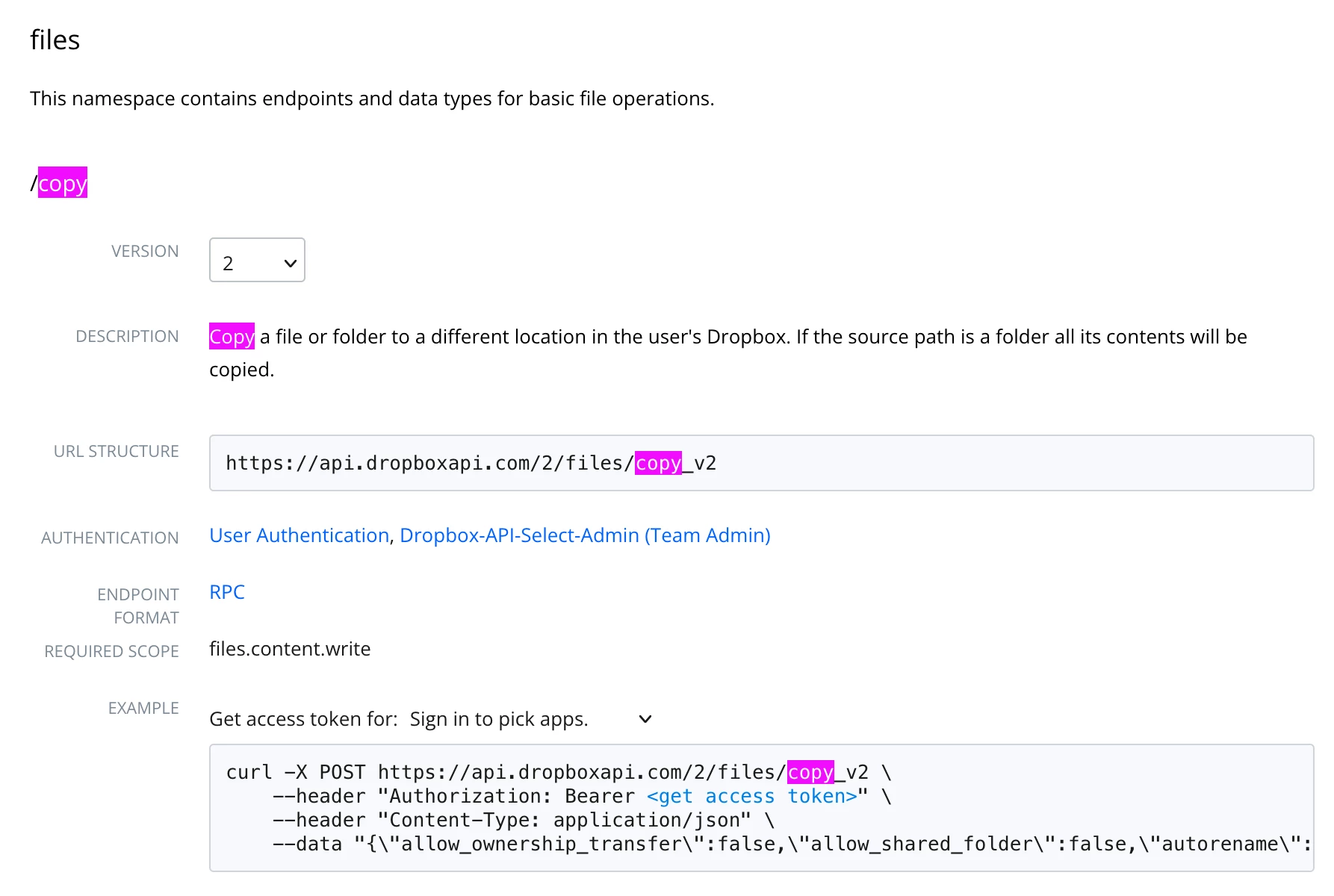
You’ll have to use the Dropbox API: https://www.dropbox.com/developers/documentation/http/documentation#files-copy


Zap action: Dropbox - API Request


  • Author
  • Beginner
  • March 24, 2025

Hey Troy,


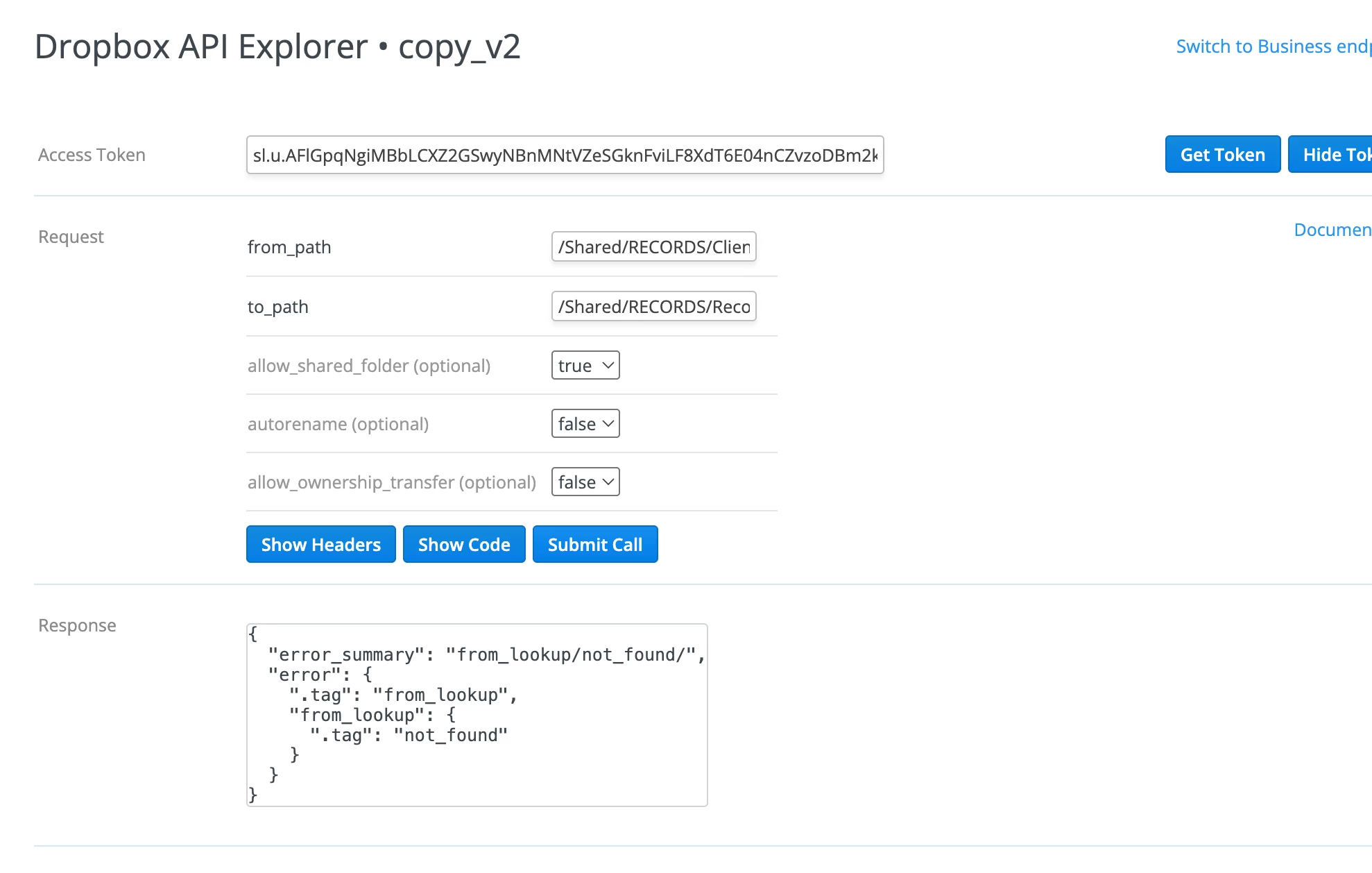
Thanks so much for pointing me in the right direction.  I’m new to this and am trying to figure it out but am struggling….  Is the error message telling me it doesn’t recognize the paths within my dropbox account?  If so, am I listing the paths incorrectly?


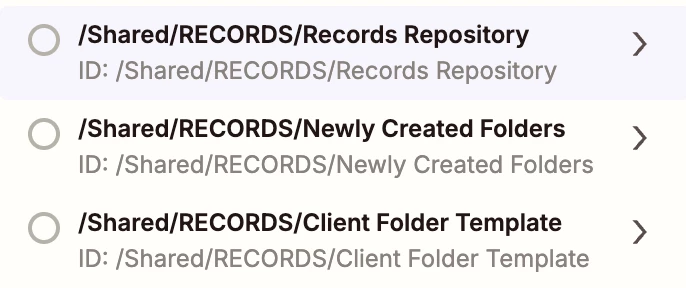
“/Shared/RECORDS/Client Folder Template”

The “Last First” is the folder I’d like to copy


“/Shared/RECORDS/Records Repository”

Records Repository is the folder into which I’d like to create a copy of the Client Folder Template (folder named Last First), and then I’d like to rename it with the client’s actual Last and First name…


Are you able to give me a little more help?


Thank you!!


Troy Tessalone
Zapier Orchestrator & Solution Partner
Forum|alt.badge.img+14
  • Zapier Orchestrator & Solution Partner
  • March 24, 2025

@TAMEManager 
This means that the from_path you provided does not exist in your Dropbox account.


I recommend trying to test in a Zap step since that will be what you need to configure anyways.

Zap action: Dropbox - API Request


Troy Tessalone
Zapier Orchestrator & Solution Partner
Forum|alt.badge.img+14
  • Zapier Orchestrator & Solution Partner
  • March 24, 2025

@TAMEManager 

If you are looking to hire help, there is a directory of Certified Zapier Experts: https://zapier.com/experts


  • Author
  • Beginner
  • March 24, 2025

Hmmm…. I may reach out for some expert guidance.  Those paths definitely exist in DropBox and are used by a different zap.  It’s probably something I’m doing related to improper formatting… Hopefully an easy fix for someone with expertise in API…


Thank you for getting me going in the right direction.  I’m excited to see what all I can accomplish!


JammerS
Forum|alt.badge.img+6
  • Zapier Staff
  • March 25, 2025

Hi ​@TAMEManager,


Just keep us on the loop so we can assist you further if needed. And thank you Troy for guiding our member to the right direction.