Question

How to create Google Calendar invites for attendees from Flodesk sign-ups?

  • September 27, 2024
  • 10 replies
  • 104 views

I am looking to integrate someone signing-up for something on my landing page (Flodesk) to generating a calendar invite for the attendee. I use Google Calendar for my calendar. 

What’s currently happening is that my Zap is adding a Calendar invite on my calendar instead of the attendee’s calendar and I don’t know why. 

This post has been closed for comments. Please create a new post if you need help or have a question about this topic.

10 replies

Troy Tessalone
Zapier Orchestrator & Solution Partner
Forum|alt.badge.img+14
  • Zapier Orchestrator & Solution Partner
  • September 27, 2024

Hi @JillB 

For us to have more info, post screenshots showing how your Zap steps are outlined and configured in EDIT mode.


  • Author
  • New
  • September 27, 2024

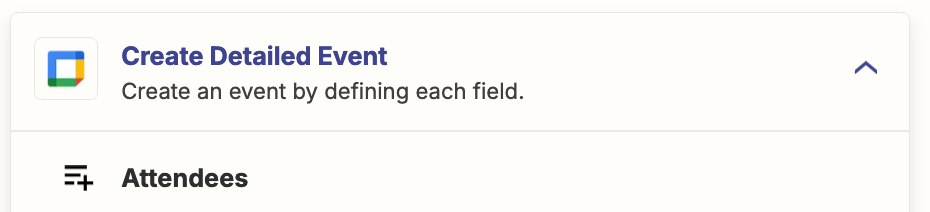
Thanks! See attached.


Troy Tessalone
Zapier Orchestrator & Solution Partner
Forum|alt.badge.img+14
  • Zapier Orchestrator & Solution Partner
  • September 27, 2024

@JillB 

OBSERVATION: I don’t think you need Zap step 4 to update the GCal Event.

For Zap step 3, you need to set the Attendees fields by mapping a variable from Step 1.


  • Author
  • New
  • September 27, 2024

That mostly worked - except I (the sender) am still getting another invite as well. Thoughts?


ken.a
Forum|alt.badge.img+6
  • Zapier Staff
  • October 2, 2024

Hi @JillB,

I just came across your post here and wanted to check in here to see how you’re getting on. Are you able to resolve the issue you’re running into here?

Please do let us know if you’re still in need of some help on this at all - happy to assist further! 🤗


  • Author
  • New
  • October 2, 2024

I do not have a final resolution. Thanks, Ken.


Troy Tessalone
Zapier Orchestrator & Solution Partner
Forum|alt.badge.img+14
  • Zapier Orchestrator & Solution Partner
  • October 2, 2024

@JillB 

For us to have updated info, post updated screenshots with how your Zap steps are outlined and configured in EDIT mode.


  • Author
  • New
  • October 8, 2024

Troy/Ken -- Is there a way I can give you access? I’m beyond frustrated with this (not you). It should not be this hard. 


Troy Tessalone
Zapier Orchestrator & Solution Partner
Forum|alt.badge.img+14
  • Zapier Orchestrator & Solution Partner
  • October 8, 2024

@JillB 

If you are looking to hire help, there is a directory of Certified Zapier Experts: https://zapier.com/experts


Troy Tessalone
Zapier Orchestrator & Solution Partner
Forum|alt.badge.img+14
  • Zapier Orchestrator & Solution Partner
  • October 8, 2024

@JillB 

Things to check/adjust:

  • Help links for using GCal in Zaps: https://zapier.com/apps/google-calendar/help
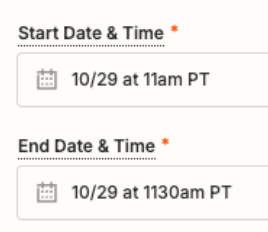
  • Start/End Date/Time: click the Field Label to see a tooltip with more info about the expected date and time format to use.
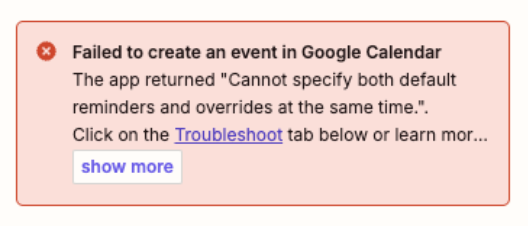
  • Error indicates you: Cannot specify both default reminders and overrides at the same time
    • You’ll need to adjust the Zap step 3/4 field configurations to address the error