Best answer

How to create an activity for a newly created deal in Pipedrive without creating a new Zap or filter?

  • July 18, 2023
  • 6 replies
  • 66 views

LandCravings

I am trying to “create an activity” to an NEWLY created deal in Pipedrive as part of an existing trigger. Is this possible to do without creating a new zap and without creating a pipedrive filter?
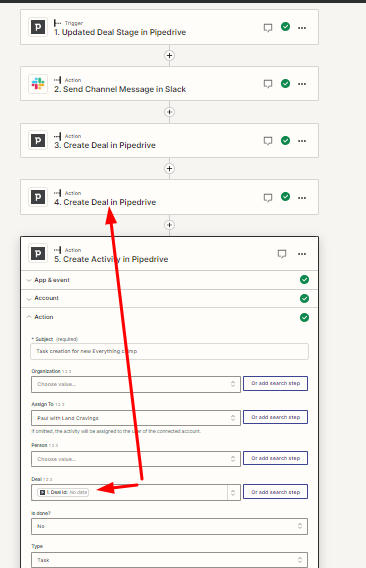

 

Best answer by Troy Tessalone

@LandCravings 

2 Issues:

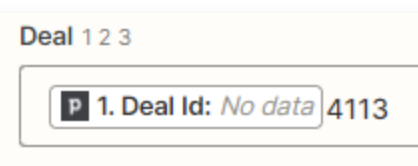
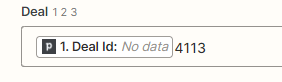
  1. You need to remove the static value of “4113”.
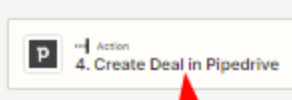
  2. You need to map the Deal ID from Step 4.
    1. The current Deal ID is mapped from Step 1.


This post has been closed for comments. Please create a new post if you need help or have a question about this topic.

6 replies

Troy Tessalone
Zapier Orchestrator & Solution Partner
Forum|alt.badge.img+14
  • Zapier Orchestrator & Solution Partner
  • July 18, 2023

Hi @LandCravings 

Good question.

Perhaps explore using the native Pipedrive Automations instead for the Pipedrive Zap steps.

https://support.pipedrive.com/en/article/workflow-automation


Troy Tessalone
Zapier Orchestrator & Solution Partner
Forum|alt.badge.img+14
  • Zapier Orchestrator & Solution Partner
  • July 18, 2023

@LandCravings 

You would need to test Step 4 and then map the returned Deal ID from Step 4.

Looks like this is from Step 1, which has “No data”.


LandCravings
  • Author
  • Beginner
  • July 21, 2023

That makes sense. I thought of that...but was skeptical because of the “no data” characteristic. I will try this and update you of what I find. Thanks so much 


LandCravings
  • Author
  • Beginner
  • July 21, 2023

 @Troy Tessalone After re-testing step 4...and then mapping that “deal id” with just the words: “deal id : no data”  from step 1….the activity was NOT added to the deal. However...after adding the actual “deal id” (found in the URL from the deal in the browser bar once clicking on the deal) ...from the re-tested step 4 manually….the activity was successfully added. 

Do you know a way to map the subsequent actual “deal id” that will be produced each time the previous zap occurs so that the actual “deal Id” can be included in the next “deal id” for the “add activity” zap? I tried typing the words “Last” and “Previous” in front of the “deal Id” from step 1 with no success. 


Troy Tessalone
Zapier Orchestrator & Solution Partner
Forum|alt.badge.img+14
  • Zapier Orchestrator & Solution Partner
  • Answer
  • July 22, 2023

@LandCravings 

2 Issues:

  1. You need to remove the static value of “4113”.
  2. You need to map the Deal ID from Step 4.
    1. The current Deal ID is mapped from Step 1.


LandCravings
  • Author
  • Beginner
  • July 25, 2023

@Troy Tessalone Brilliant!!! That was a perfect result. Thank you.