Best answer

How to convert list of words to hashtag

  • July 22, 2022
  • 7 replies
  • 513 views

Hello.
I am looking to transform my wordpress slug list into a twitter tag.
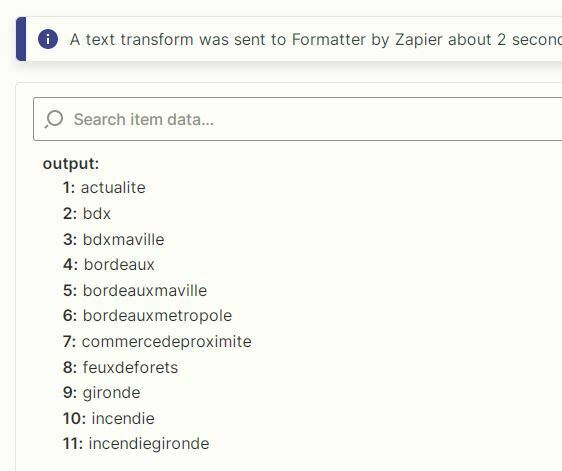
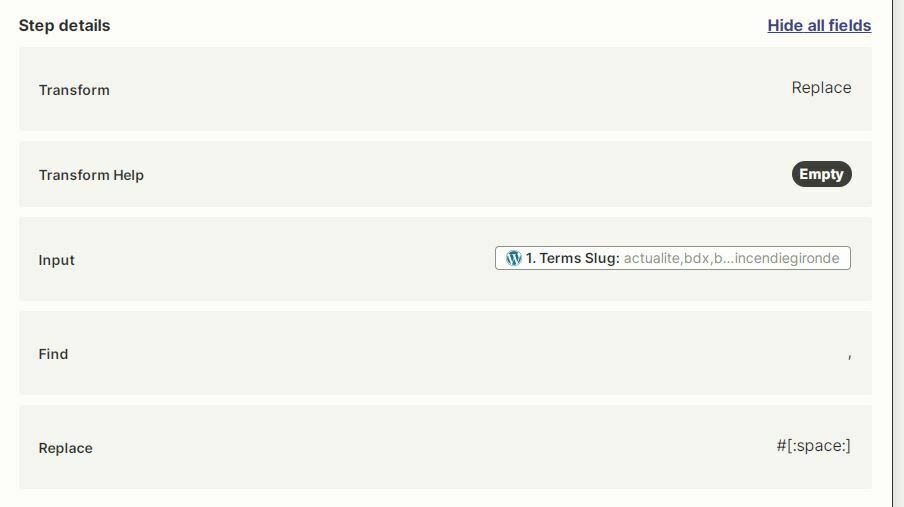
I use Zapier's text replacement function, I search for , and replace with #[:space:] but it doesn't work, Zapier gives me a list of words instead.
How to do ?



Best answer by nicksimard

 Hi@lwe!

This one isn’t obvious, and actually took me a bit of playing around to solve.

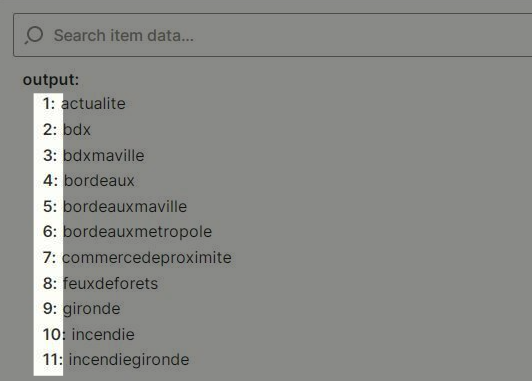
FIRST: what you’re seeing there with your slugs is not a comma-separated list (though it looks like one). They’re line items, and you can tell because they show up like this in your screenshot:


SOLUTION: We can use a pair of Formatter steps to get that set of line items into a series of hashtags.

1. Formatter — Text — Trim Whitespace

For the Input field, you’ll map the slugs from WordPress:
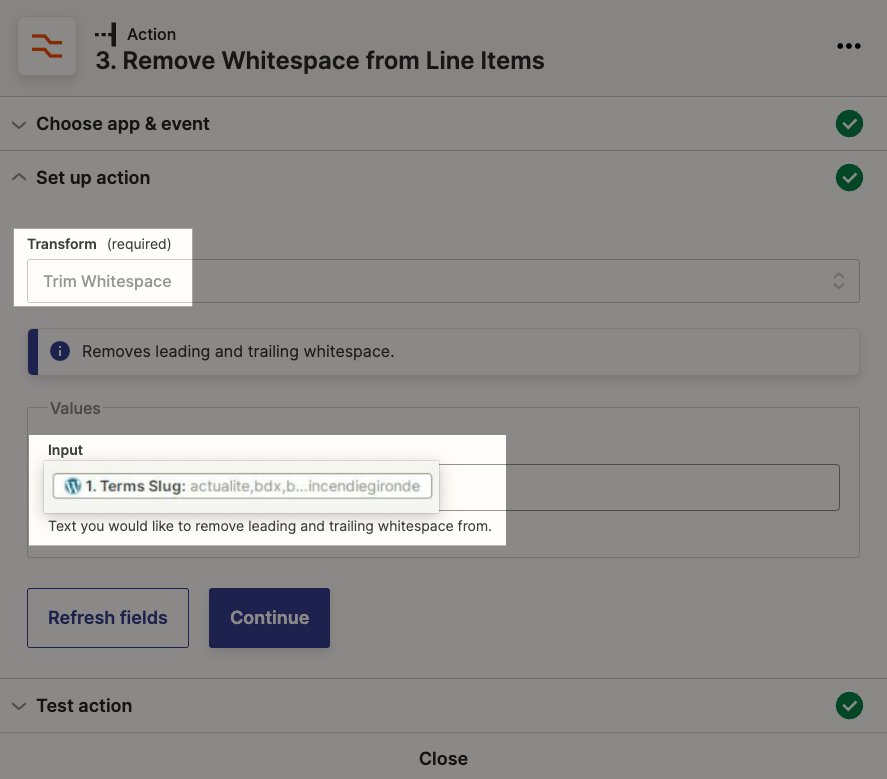
2. Formatter — Utilities — Line-Item to Text

Next, use the output from that first Formatter step, like this:

ec2edbac8d6a809d0a0c45a439120bdc.gif

3. Type the first # before you map the Formatter field

If you look carefully you’ll see that the output of that last Formatter step is missing a # sign before the first term. Easy fix. Type that first one, then map the field:

540f92c07c78a5b6e7e2c384ee858816.gif


Hope that helps! If you have any questions, please let us know :)

This post has been closed for comments. Please create a new post if you need help or have a question about this topic.

7 replies

Liz_Roberts
Forum|alt.badge.img+8
  • Zapier Staff
  • July 22, 2022

Hi @lwe ,

Thanks for reaching out! Can you try swapping out the #[:space] with #{Slug} and let us know what you come back with? 


  • Author
  • Beginner
  • July 22, 2022

Hello.
I just tried and unfortunately it doesn't work.
Maybe my search for the , is not good?


jesse
Forum|alt.badge.img+9
  • Architect
  • July 22, 2022

Hey @lwe hmm, let’s continue thinking through this one! What do you want the result to look like? Are these all supposed to be tags or is the idea that your slug list is output as a single tag?

Are you also able to share a screenshot from the test section of your Wordpress step, which shows the full format/list of slugs so we can understand better how that data is coming across to your Zap (you’ll need to be in edit mode for this)? 

Let us know - definitely want to get to a solution for you!


  • Author
  • Beginner
  • July 22, 2022

Hello and thank you for taking the time.
Yes I want to start from my wordpress list: word1, word2, word3, word4... and transform it this way: #word1 #word2 #word3 #word4…

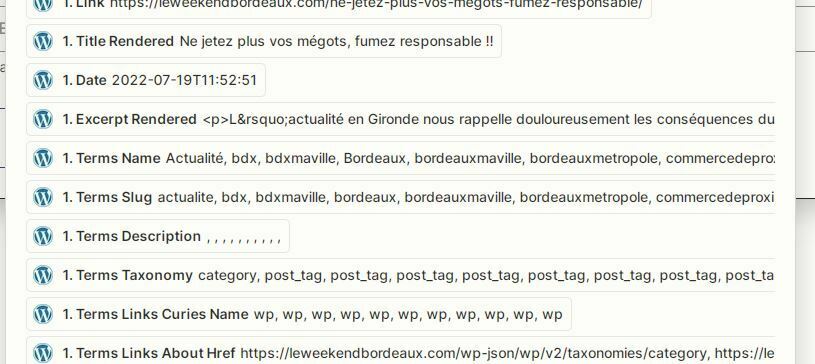
For the screenshot I hope it's the right one.

It's the "Terms Slug" line that interests me.


nicksimard
Forum|alt.badge.img+11
  • Zapier Staff
  • Answer
  • July 25, 2022

 Hi@lwe!

This one isn’t obvious, and actually took me a bit of playing around to solve.

FIRST: what you’re seeing there with your slugs is not a comma-separated list (though it looks like one). They’re line items, and you can tell because they show up like this in your screenshot:


SOLUTION: We can use a pair of Formatter steps to get that set of line items into a series of hashtags.

1. Formatter — Text — Trim Whitespace

For the Input field, you’ll map the slugs from WordPress:

2. Formatter — Utilities — Line-Item to Text

Next, use the output from that first Formatter step, like this:

ec2edbac8d6a809d0a0c45a439120bdc.gif

3. Type the first # before you map the Formatter field

If you look carefully you’ll see that the output of that last Formatter step is missing a # sign before the first term. Easy fix. Type that first one, then map the field:

540f92c07c78a5b6e7e2c384ee858816.gif


Hope that helps! If you have any questions, please let us know :)


  • Author
  • Beginner
  • July 26, 2022

So a huge thank you, I would never have found this path.
Thank you very much for the time taken, this is exactly what I needed, now I will try to understand how it works to try to manage for another format.
Thank you @nicksimard


nicksimard
Forum|alt.badge.img+11
  • Zapier Staff
  • July 26, 2022

You’re welcome, @lwe!

That’s what we’re here for :)