Question

How to automatically link a new client to a new project in Toggl when creating a new matter in Clio?

  • Feb 27, 2024 10:03 PM UTC
  • 3 replies
  • 90 views

When I create a new matter in Clio, I want Toggl to create a new project. The name of the Toggl project should be the matter number from Clio. I want the client associated with this project to be a new client that has the name of the client from the Clio matter. 


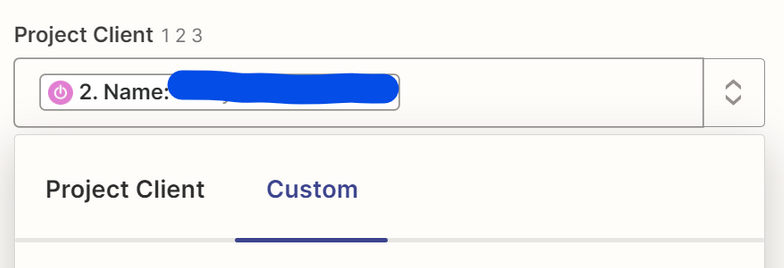
Currently, when I create a new matter in Clio, a new Toggl project is created and a new Toggl client is created, but in the Toggl project the client is still blank. I need the new Toggl client to be attached to the new Toggl project I just created.


This post has been closed for comments. Please create a new post if you need help or have a question about this topic.

3 replies

Troy Tessalone
Zapier Orchestrator & Solution Partner
Forum|alt.badge.img+14
  • Zapier Orchestrator & Solution Partner
  • Feb 27, 2024 11:41 PM UTC

Hi @cat21 

For us to have full context, we would need to see screenshots with how your steps are outlined and configured.


  • Author
  • New
  • Feb 28, 2024 4:58 PM UTC

The pictures show how I have configured the steps. I also attached the error. The error occurs at step 3.


Troy Tessalone
Zapier Orchestrator & Solution Partner
Forum|alt.badge.img+14
  • Zapier Orchestrator & Solution Partner
  • Feb 28, 2024 5:04 PM UTC

@cat21 

Help article to reference for dropdown fields: https://help.zapier.com/hc/en-us/articles/8496241696141-Add-custom-values-to-dropdown-menu-fields-in-Zaps


The Project Client fields expects a numeric value as indicated by the 123 icon, which must match a dropdown option internal value.