@ken.a Hi Ken, this thread helped me with assigning the correct contact to a case. Can you also provide some help with assigning an owner on the CRM side? I want to use the ownerid value from the “Find contact” output
This post has been closed for comments. Please create a new post if you need help or have a question about this topic.
Could you please send a screenshot of the Microsoft Dynamics 365 CRM that shows all of its fields? This will help me determine if we can assign an owner to the contact.
Please don't include personal information in the screenshot, or be sure blur out any personal information.
Below is the case that was created in Dynamics, as you can see, I was set to the owner (presumably because it used my account as authentication in Zapier?)
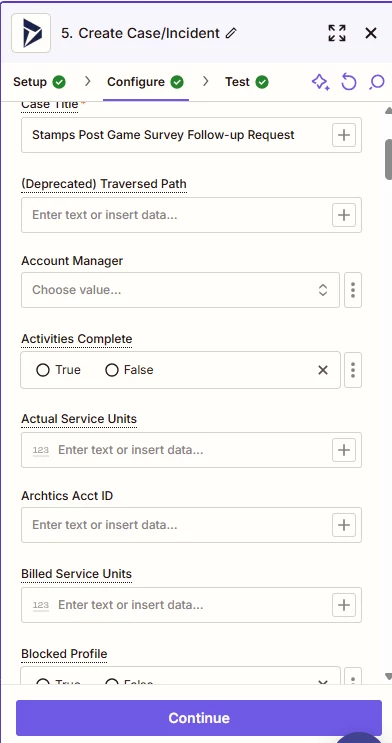
Here is a screenshot of SOME of the fields in the Dynamics create case configuration:
I would assume that account manager is the field to use, and set it up like /owner({{dynamicFieldForContactOwnerFromPriorStep}})
Let me know if there is more information you need to see
I believe there’s an “Owner” field for the Create Case/Incident action step. Could you please try searching for the “Owner” field? Additionally, mapping the “Owner” field with the ID from the previous step should work.
I cannot see an owner field on the Create Case action step. I’ve been going back and forth with the support team too and it doesn’t seem that this is something I’m able to do.
If you know of any other ideas, I’d love to hear them.
It looks like your ticket with our Support Team turned out to be a feature request. Unfortunately, we’d need to wait for the feature request to be implemented before we can assign an owner when using the Create Case/Incident action.