Question

How to add specific shared users in Bonzo from Facebook leads

  • March 9, 2026
  • 4 replies
  • 22 views

HI community.  I have a zap that is working perfectly, taking leads from Facebook and funneling them in to Bonzo, but N need them to come in with specific shared users.  Can anyone help me with the code? 

4 replies

Troy Tessalone
Zapier Orchestrator & Solution Partner
Forum|alt.badge.img+14
  • Zapier Orchestrator & Solution Partner
  • March 9, 2026

Hi ​@MichaelBoscaino 

Help us have more info about what you are referring to by posting screenshots of your Bonzo steps and what fields are involved and what issues you are having configuring those fields.


Sparsh from Automation Jinn
Forum|alt.badge.img+6

Hey ​@MichaelBoscaino,

Here are all the triggers/actions for Bonzo in Zapier- https://zapier.com/apps/bonzo/integrations

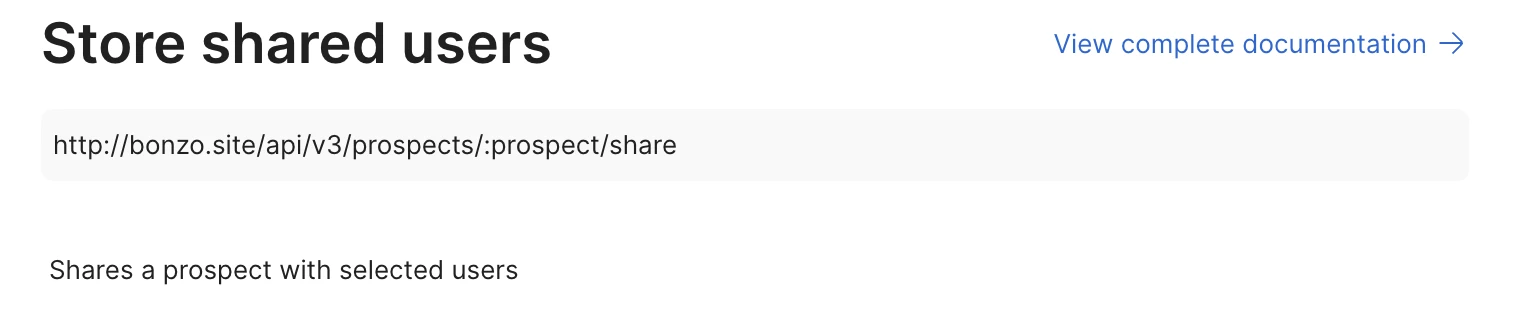
As you can see there is no Share Users field in the action so it’s a limitation of this Zapier integration. But there is a workaround by querying the API directly. Here is the API endpoint documenation for storing shared users- https://www.postman.com/getbonzo/bonzo-api/request/nkykls6/store-shared-users. You will have to use Webhooks in Zapier to do a POST request to the API endpoint- v3/prospects/:prospect/share. Here is a helpful article about it here- https://help.zapier.com/hc/en-us/articles/8496326446989-Send-webhooks-in-Zaps


I can understand it can get a bit more technical and complex but if it’s important for you, you can give this approach a try. Hope it helps!

PS: If you need more active help, I’m happy to connect through my Zapier Solution Partner page if you’d like to reach out here- https://zapier.com/partnerdirectory/automation-jinn


Forum|alt.badge.img+1

If the zap is already creating the lead in Bonzo, then the missing piece is usually just passing the shared user IDs in the format Bonzo expects.

So I’d check 3 things first:

  • whether Bonzo’s Zapier action already has a Shared Users field you can map directly

  • whether it wants user IDs, not names or emails

  • whether it expects one ID, comma-separated IDs, or an array

If the Zapier step doesn’t support it clearly, the usual workaround is to use Webhooks by Zapier and send the lead to Bonzo with the shared users included in the payload.

So the main fix is: get the correct Bonzo user IDs, then pass them in the exact format Bonzo expects.

If you want, you can usually test with something like:

  • one shared user first

  • then multiple shared users once that works

Most of the time the problem isn’t really the code it’s using the right user IDs + payload format.


Forum|alt.badge.img+1

If the lead is already being created in Bonzo, then the main thing is making sure you’re passing the shared user IDs in the format Bonzo expects.

I’d check these first:

  • whether Bonzo wants user IDs instead of names or emails

  • whether the Zapier action already has a Shared Users field you can map

  • whether Bonzo expects one ID, comma-separated IDs, or an array

If the normal Bonzo step doesn’t let you do that properly, the usual fix is to use Webhooks by Zapier and send the lead plus the shared users in the payload.

So the key is really: get the correct Bonzo user IDs and pass them in the exact format Bonzo accepts.