


Best answer

How do you get extracted ChatGPT data back into a Google Sheets?

  • July 26, 2023
  • 7 replies
  • 228 views

asingh529

Hello, here is my setup: Google Sheets to ChatGPT to Google Sheets.

My trigger is a new row being created in Google sheets then gets sent to ChatGPT to generate specific content based on a row in Google Sheets. How do I then get that content back to the initial Google Sheets? I’m having trouble completing how to capture the ChatGPT-generated content back in the Google Sheets. Thank you!

Best answer by Troy Tessalone

@asingh529 

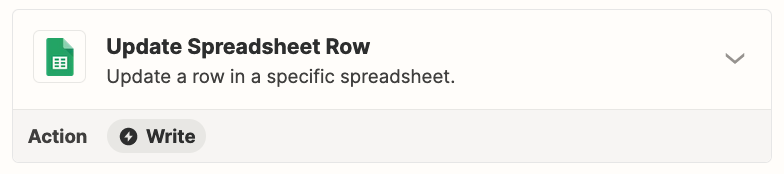
For Step 3, you need to use this Zap action: GSheets - Update Row


This post has been closed for comments. Please create a new post if you need help or have a question about this topic.

7 replies

Troy Tessalone
Zapier Orchestrator & Solution Partner
Forum|alt.badge.img+14
  • Zapier Orchestrator & Solution Partner
  • July 26, 2023

Hi @asingh529 

Good question.

Map the Row/ID from Step 1 to the Row field in Step 3.


asingh529
  • Author
  • Beginner
  • July 26, 2023

Thanks for the quick reply @Troy Tessalone Do you happen to have a screenshot of what those mapped fields look like? Like a Copy and Paste from Step 1 and Step 3?


Troy Tessalone
Zapier Orchestrator & Solution Partner
Forum|alt.badge.img+14
  • Zapier Orchestrator & Solution Partner
  • July 26, 2023

@asingh529 

There is a dynamic variable from step 1 called “Row” or “ID” which is the numerical row ID.

Map that variable to the Row field in Step 3.

If you are having trouble, post screenshots with how your Zap Step 3 is configured.


asingh529
  • Author
  • Beginner
  • July 26, 2023

 @Troy Tessalone really appreciate your help. I have shared screenshots from step 1 and 3 below. I don’t see anything for the row ID but maybe I made a mistake somewhere. Thanks again!


asingh529
  • Author
  • Beginner
  • July 26, 2023

Step 3 attached


Troy Tessalone
Zapier Orchestrator & Solution Partner
Forum|alt.badge.img+14
  • Zapier Orchestrator & Solution Partner
  • Answer
  • July 26, 2023

@asingh529 

For Step 3, you need to use this Zap action: GSheets - Update Row


asingh529
  • Author
  • Beginner
  • July 26, 2023

@Troy Tessalone that worked thank you so much!! You’re terrific, appreciate it. This was generating an image using ChatGPT. I may hit you for advice on extracting and summarizing data as I try that next. Really appreciate you :)




