I am utilizing the “Configurable list” widget in Jotform and list items are coming across to my Zap in a single field like so:
[{"Name":"Name One","Address":"123 some st.","Tenant Type":"financially responsible"},{"Name":"Name Two","Address":"453 some st. ","Tenant Type":"regular"}]
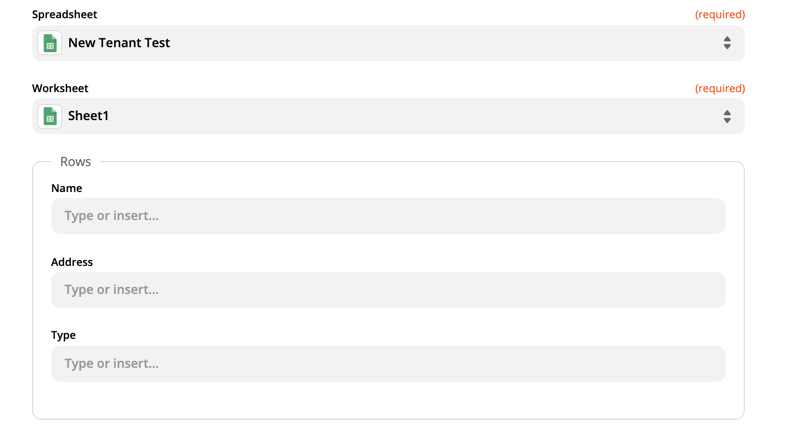
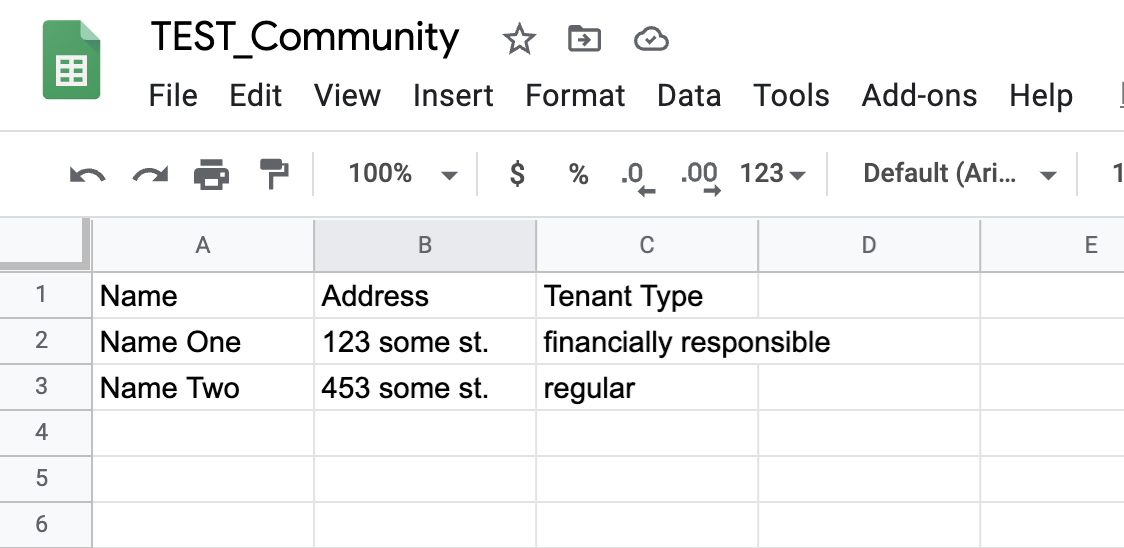
However, I need to reformat them to fit into this format:
Any ideas on how I can make this happen?
Best answer by squibler
Hi @jesse,
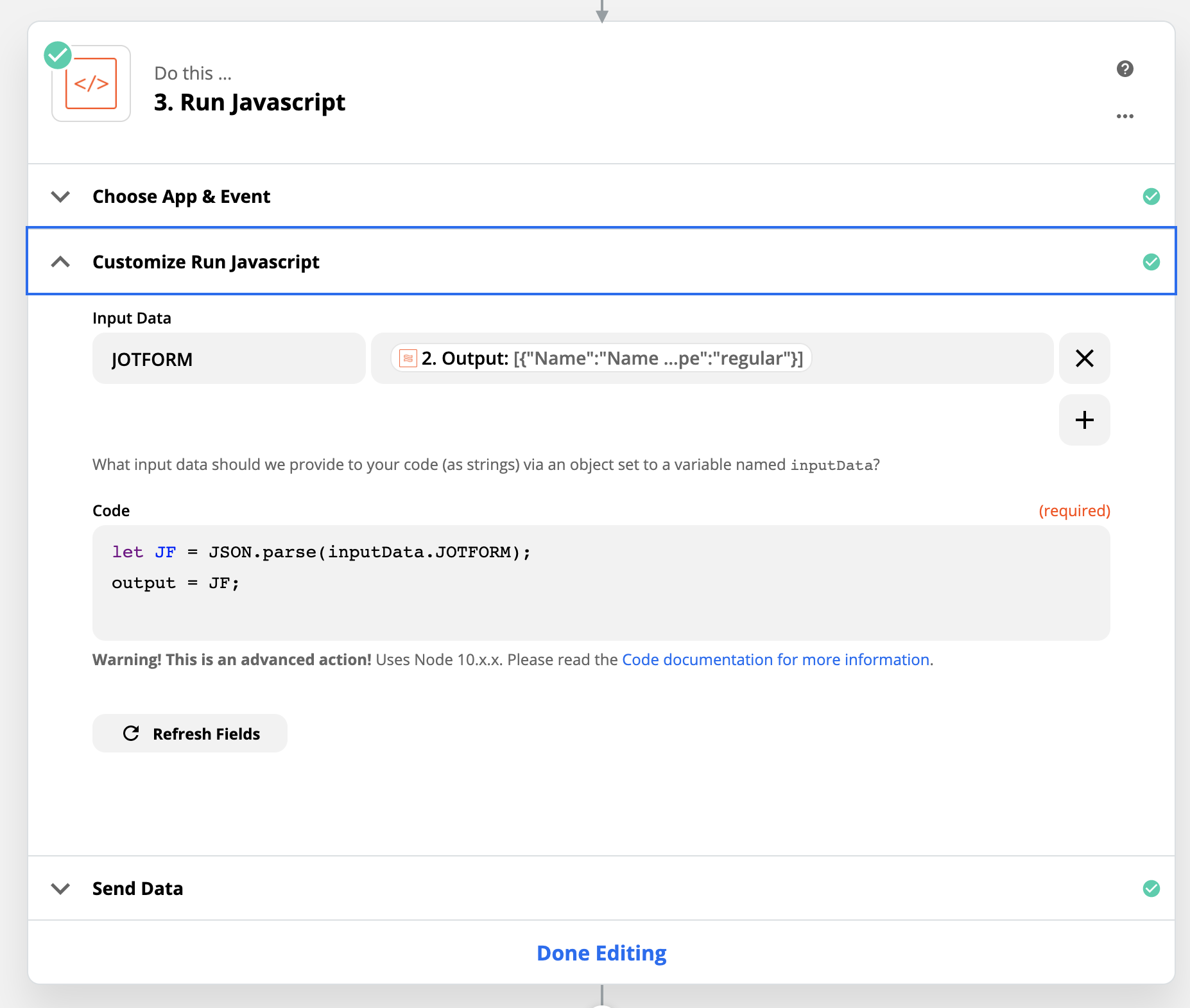
In your case, you should just be able to do a JSON.parse(); in a code step.
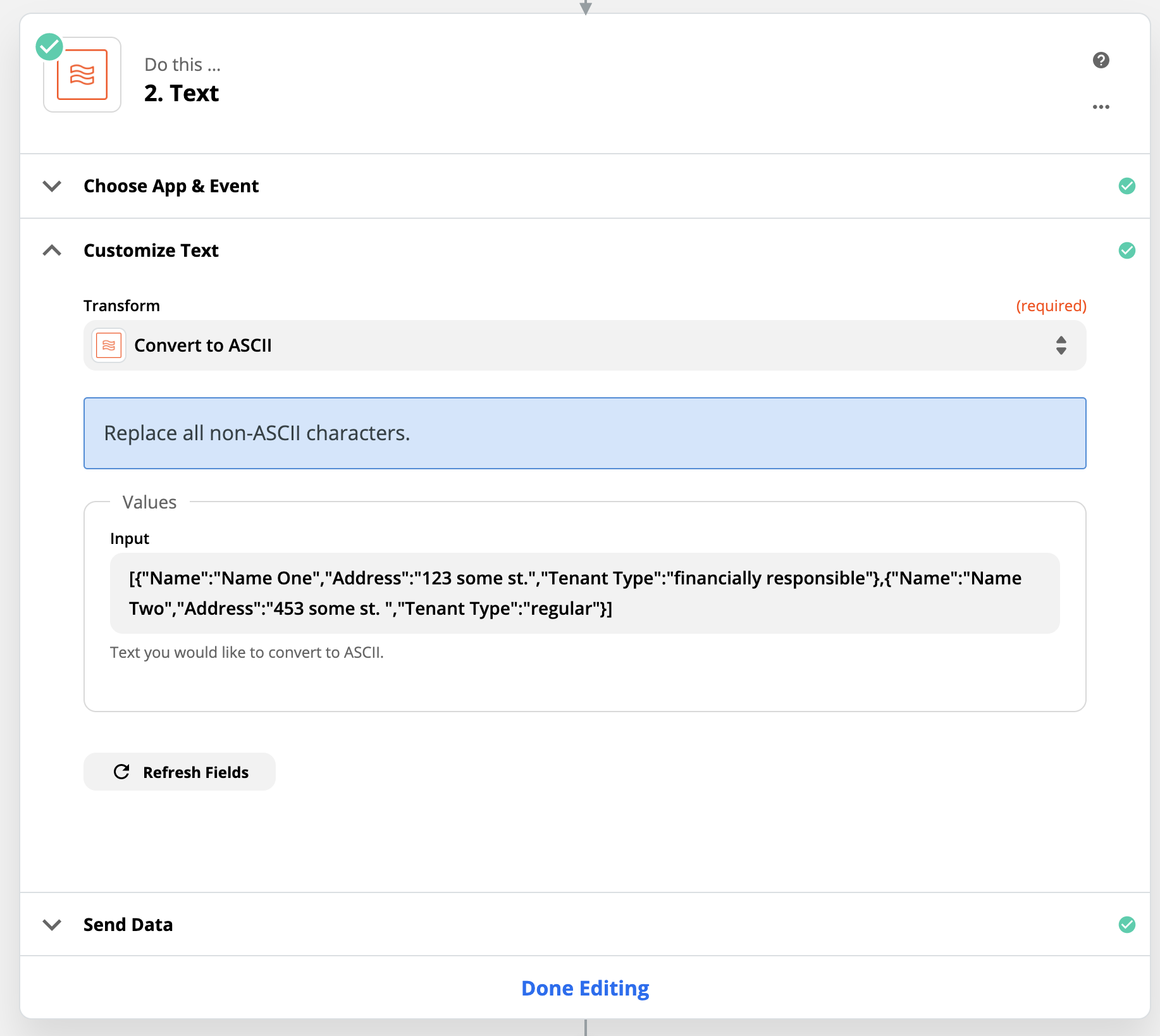
1. Convert to ASCII
Probably should mention for anyone looking at this answer - the Input value would normally be the JotForm field from the trigger - I used the example text directly in my example.
2. Parse JSON
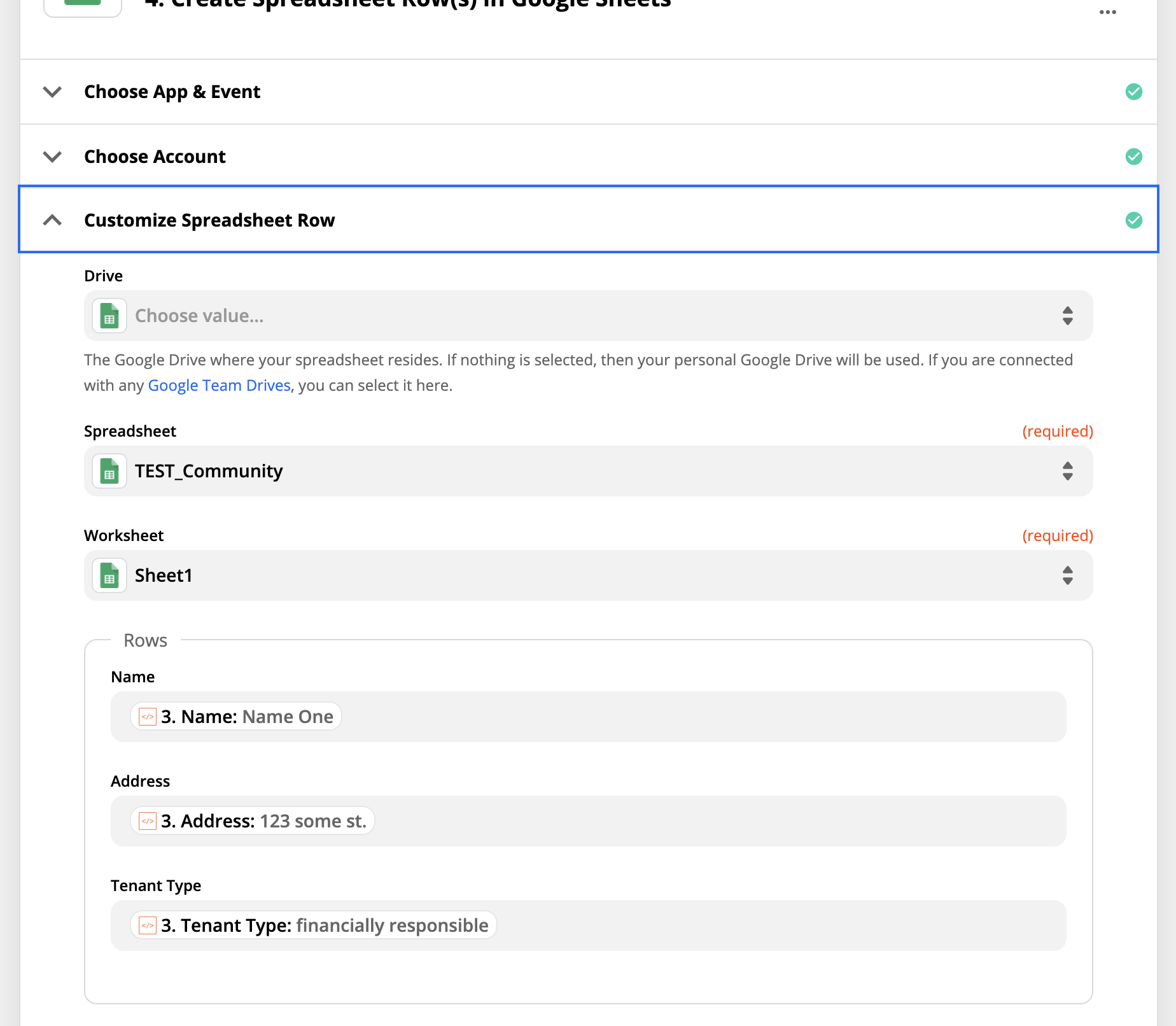
3. Add rows as line items
All works ok :D
----
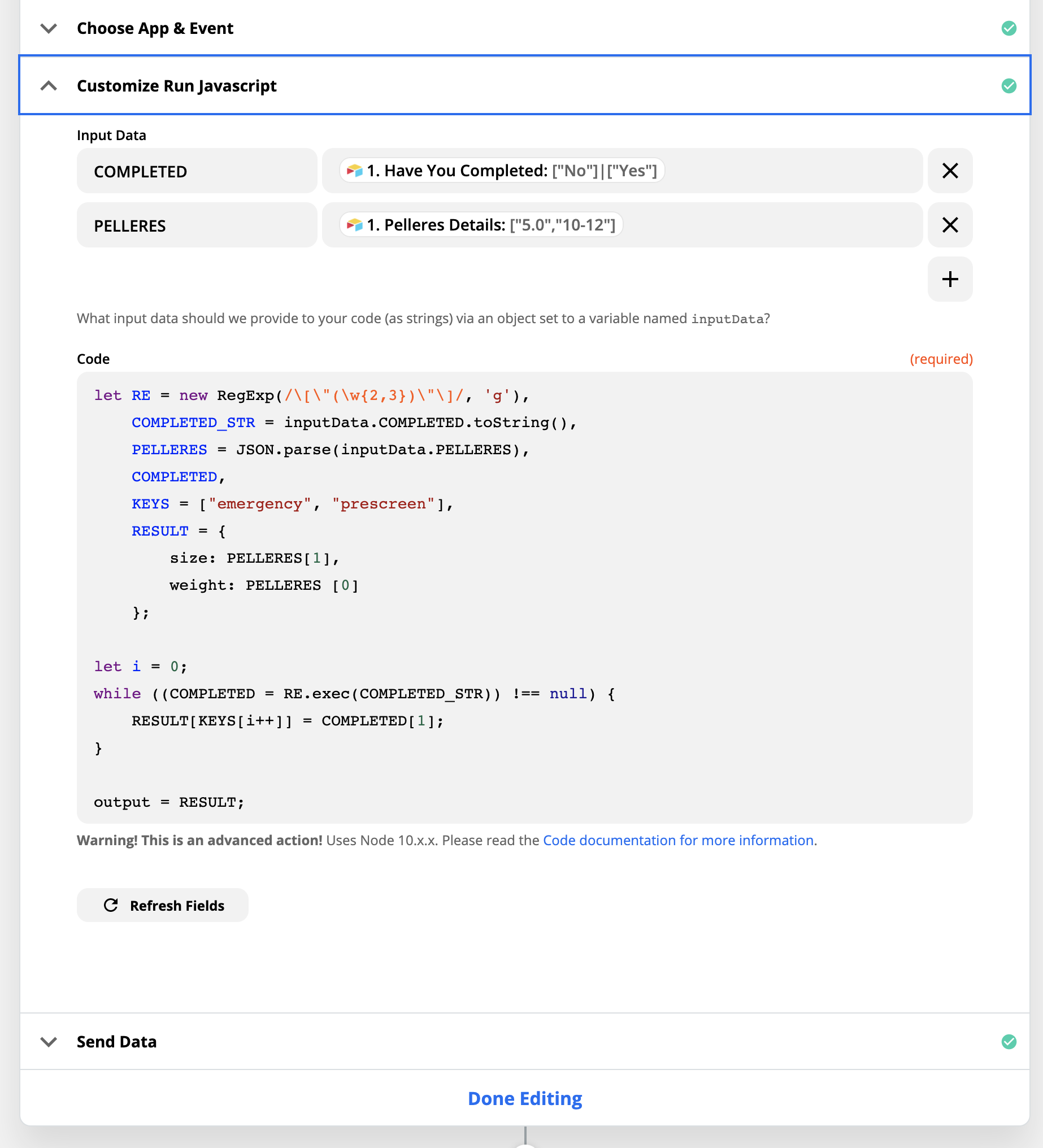
The other challenge with JOTFORMS is when the data comes back in this format [“...”]|[“...”]
Notice the | symbol separating the values.
I needed to use a Regular Expression to extract the values, and then assign them to the RESULT object as I needed them.
let RE = new RegExp(/\[\"(\w{2,3})\"\]/, 'g'),
    COMPLETED_STR = inputData.COMPLETED.toString(),
    COMPLETED,
    KEYS = ["A", "B"],
    RESULT = {};

let i = 0;
while ((COMPLETED = RE.exec(COMPLETED_STR)) !== null) {
    RESULT[KEYS[i++]] = COMPLETED[1];
}

output = RESULT;
This post has been closed for comments. Please create a new post if you need help or have a question about this topic.
In your case, you should just be able to do a JSON.parse(); in a code step.
1. Convert to ASCII
Probably should mention for anyone looking at this answer - the Input value would normally be the JotForm field from the trigger - I used the example text directly in my example.
2. Parse JSON
3. Add rows as line items
All works ok :D
----
The other challenge with JOTFORMS is when the data comes back in this format [“...”]|[“...”]
Notice the | symbol separating the values.
I needed to use a Regular Expression to extract the values, and then assign them to the RESULT object as I needed them.
let RE = new RegExp(/\[\"(\w{2,3})\"\]/, 'g'), COMPLETED_STR = inputData.COMPLETED.toString(), COMPLETED, KEYS = ["A", "B"], RESULT = {};
let i = 0; while ((COMPLETED = RE.exec(COMPLETED_STR)) !== null) { RESULT[KEYS[i++]] = COMPLETED[1]; }
Hello @squibler and @jesse , hope you are doing fine.
I am facing the same challenges. Applied the solution proposed in this blog, including this code in the second activity:
let AL = JSON.parse (inputData.ALs)
output = AL
Unfortunately I am getting this error: “You must return a single object or array of objects”
Do you know, by chance what could be wrong?
Thanks in advance
Early access
Next Gen Zaps
Build and deploy automations from AI tools you already use. With Agentic Management, if anything breaks, the agent diagnoses the issue and proposes a fix.