
Question

How do I use form data to conditionally change the body of an Outlook email in Zapier?

  • July 2, 2024
  • 1 reply
  • 45 views

I’ve got a form that triggers an outlook email, but I want to put conditions in the html so that the body of the email can change based on the way the form is filled out. For instance, if there are two names added to the form, then the email needs to add “& [name2]” to the greeting, like this:

“Hello, Jake and Kayla!”

If there is only one name in the form, then it would just say:

“Hello, Jake!”

Does anyone know if this is possible?

I’ve tried the html syntax: <%if condition%><%else%><%endif%>

I’ve also tried javascript syntax: <script>if (condition) {} </script>

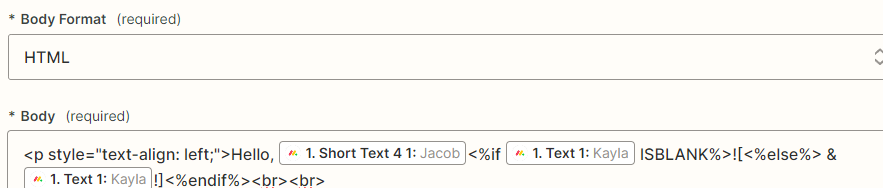
Neither worked. Here’s where I’m putting it.
 

This post has been closed for comments. Please create a new post if you need help or have a question about this topic.

1 reply

ken.a
Forum|alt.badge.img+6
  • Zapier Staff
  • July 3, 2024

Hi @jhotchkiss,

Welcome to the Community! 🎉

It looks like what you’re trying to do is not possible since the HTML function in the “Body” field is to only style or format the body of the email. You may want to try adding a Path or Filter for the Zap to only continue on certain conditions.

You can learn more about that here:

Hopefully, this helps!


