Best answer

How do I use Airtable's Create Or Update Record when the Primary Field is a lookup field?

  • August 19, 2025
  • 11 replies
  • 99 views

Forum|alt.badge.img

Hi,


I have an Airtable table whose primary field is a lookup field made up of data from three other fields on the table.

I found this question: 


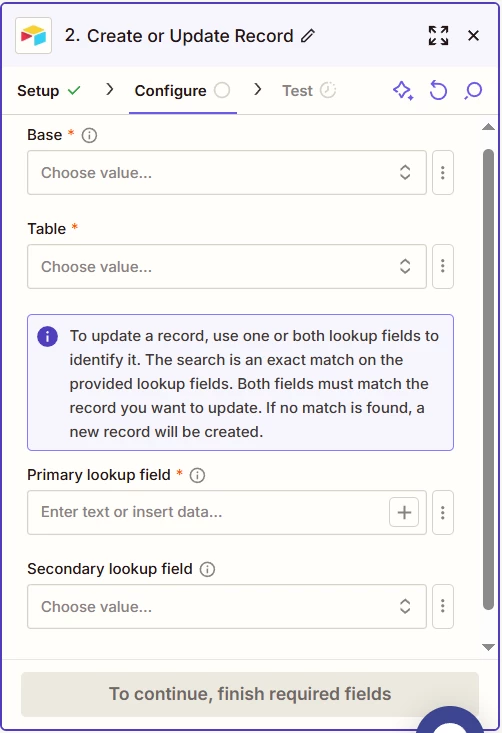
The answer referred to a fieldsToMergeOn property from Airtable’s API that accepts 1-3 field names. The Zap only allows me to specify two (A primary and secondary). How can I set it up to use three fields?

Best answer by BobbyA

@BobbyA 

Use this Zap action: Airtable - Find Record

There is a checkbox within to make it a Find/Create Record


For those that come across this thread later, here’s the complete solution:


Use the Airtable Action “Find Record”. Use a formula to lookup the record if Zapier can’t search by the primary key field directly. Click the checkbox within to make it a File/Create Record, and map the data to the table fields that should be updated when a record is created.


That’ll cover the Create case, but we still need to handle the Update case:


Follow the “Find Record” action with a Zapier “Filter” action. “Only Continue If” “Zap Data Was Found” “Is True”

Follow that filter with an Airtable “Update Record” action.

This post has been closed for comments. Please create a new post if you need help or have a question about this topic.

11 replies

Troy Tessalone
Zapier Orchestrator & Solution Partner
Forum|alt.badge.img+14
  • Zapier Orchestrator & Solution Partner
  • August 19, 2025

Hi ​@BobbyA 

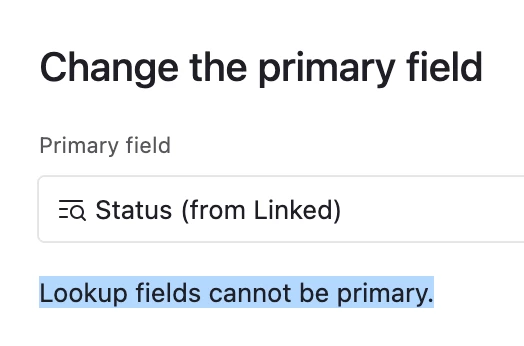
In Airtable, Lookup field types can’t be the primary field in a Table.

Sounds like perhaps you mean it’s a Formula field that concatenates data from other fields in the table.


Troy Tessalone
Zapier Orchestrator & Solution Partner
Forum|alt.badge.img+14
  • Zapier Orchestrator & Solution Partner
  • August 19, 2025

@BobbyA 

For us to have more info, post screenshots about what you are referring to with your Airtable Table and your Airtable Zap step config, and outline a specific example.


Forum|alt.badge.img
  • Author
  • Beginner
  • August 19, 2025

@BobbyA 

For us to have more info, post screenshots about what you are referring to with your Airtable Table and your Airtable Zap step config, and outline a specific example.


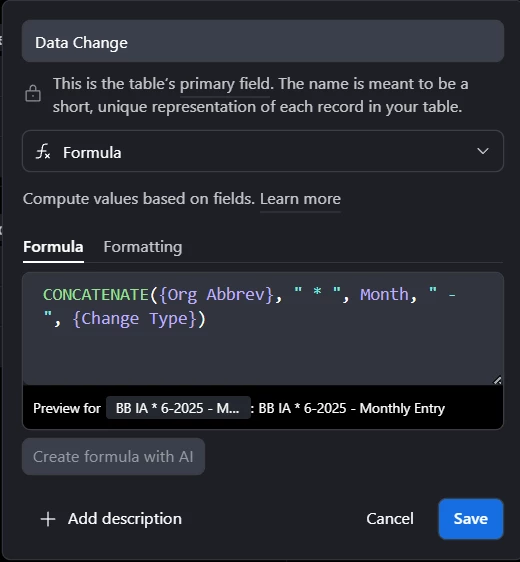
Yes, my mistake, it’s a formula field:


It’s the primary field, and it’s made up of concatenating info from three other fields: Org Abbrev, Month, Change Type. In the Zap, I only have the option of choosing a primary and secondary field. The API allows for up to three fields to be listed, is there a way to configure the Zap to consider all three of those fields?


Troy Tessalone
Zapier Orchestrator & Solution Partner
Forum|alt.badge.img+14
  • Zapier Orchestrator & Solution Partner
  • August 19, 2025

@BobbyA 

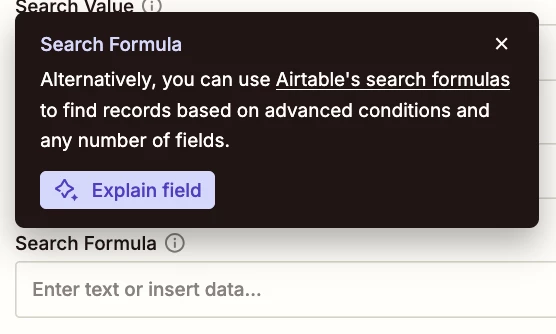
Perhaps try this approach…


Forum|alt.badge.img
  • Author
  • Beginner
  • August 19, 2025

@BobbyA 

Perhaps try this approach…


Hi there, thanks for the help so far.

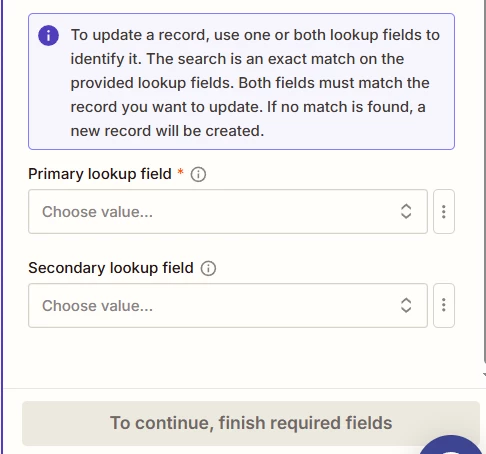
I don’t see a “Find or Create Record” option, just a “Create or Update Record” option. Within that, I don’t see a way to enter a formula:


Troy Tessalone
Zapier Orchestrator & Solution Partner
Forum|alt.badge.img+14
  • Zapier Orchestrator & Solution Partner
  • August 19, 2025

@BobbyA 

Use this Zap action: Airtable - Find Record

There is a checkbox within to make it a Find/Create Record


Forum|alt.badge.img
  • Author
  • Beginner
  • August 25, 2025

@BobbyA 

Use this Zap action: Airtable - Find Record

There is a checkbox within to make it a Find/Create Record

Thanks for your help! I’ve had some challenges with Find Record too, but I can create a separate thread for that.


larawoodward

If your Airtable base has a lookup field as the primary field, Zapier often struggles to match or update records because it can’t easily reference the dynamic value behind the lookup. A common workaround is to create a formula field in Airtable that outputs the lookup as plain text, then set that formula field as your Zap's search key for the 'Create or Update Record' action. This ensures Zapier can reliably find and update the right record.


Forum|alt.badge.img
  • Author
  • Beginner
  • August 29, 2025

If your Airtable base has a lookup field as the primary field, Zapier often struggles to match or update records because it can’t easily reference the dynamic value behind the lookup. A common workaround is to create a formula field in Airtable that outputs the lookup as plain text, then set that formula field as your Zap's search key for the 'Create or Update Record' action. This ensures Zapier can reliably find and update the right record.

Hiya,

I don’t see an option for a formula for the “Create or Update Record” action. Is there a way of using one that I’m missing?


Forum|alt.badge.img
  • Author
  • Beginner
  • Answer
  • August 29, 2025

@BobbyA 

Use this Zap action: Airtable - Find Record

There is a checkbox within to make it a Find/Create Record


For those that come across this thread later, here’s the complete solution:


Use the Airtable Action “Find Record”. Use a formula to lookup the record if Zapier can’t search by the primary key field directly. Click the checkbox within to make it a File/Create Record, and map the data to the table fields that should be updated when a record is created.


That’ll cover the Create case, but we still need to handle the Update case:


Follow the “Find Record” action with a Zapier “Filter” action. “Only Continue If” “Zap Data Was Found” “Is True”

Follow that filter with an Airtable “Update Record” action.


larawoodward

That’s a clever approach, using a lookup field as the primary key in Airtable with the “Create or Update Record” action can indeed get tricky. One workaround is to add a formula field that concatenates the lookup values, then use that as your identifier in the Zap. This ensures the record remains unique and avoids Zapier searching issues. Hope that helps simplify things!
You can check this related discussion for more insightful information: