Answer

How do I trigger an event based on a date/time listed in a Zapier Table?

  • June 8, 2024
  • 5 replies
  • 343 views

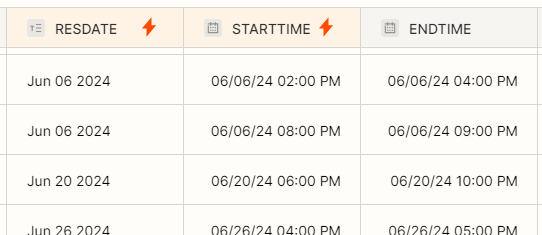
I have a Zapier table that captures start date/times and end date/times that I would like to use to trigger various events.  What is the best way to setup this trigger using the data in this table?

Data sample from the table:
 

Best answer by Troy Tessalone

@LoftGolf 

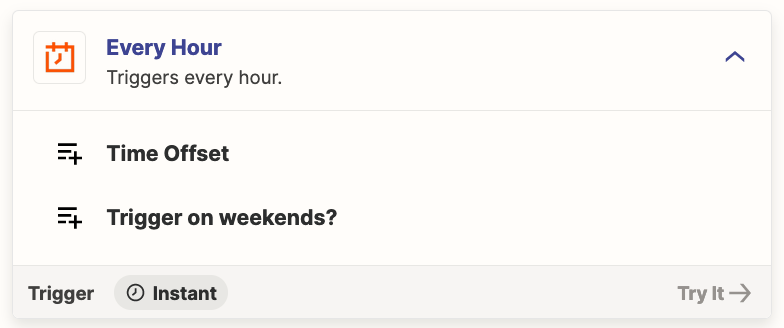
Zap trigger: Schedule - Every Hour


This post has been closed for comments. Please create a new post if you need help or have a question about this topic.

5 replies

Troy Tessalone
Zapier Orchestrator & Solution Partner
Forum|alt.badge.img+14
  • Zapier Orchestrator & Solution Partner
  • June 8, 2024

Hi @LoftGolf 

Try these Zap steps:

  1. Trigger: Schedule
    1. https://zapier.com/apps/schedule/help
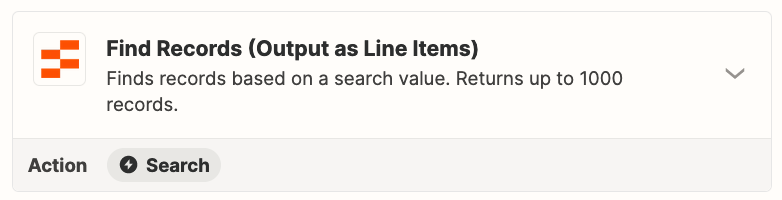
  2. Action: Zapier Tables - Find Records
    1. https://zapier.com/apps/zapier-tables/integrations#triggers-and-actions
  3. Action: Filter
    1. https://zapier.com/apps/filter/help
  4. Action: Looping
    1. https://zapier.com/apps/looping/help
  5. Action: [APP] - [EVENT]
    1. Up to you!


  • Author
  • Beginner
  • June 8, 2024

Thank you @Troy Tessalone, this will work in principle; however, I am needing to schedule something hourly at a minimum (probably should have mentioned that earlier). and see that the Schedule by Zapier only has monthly, weekly and daily increments.  Any suggestions aside from creating 24 separate zaps?


Troy Tessalone
Zapier Orchestrator & Solution Partner
Forum|alt.badge.img+14
  • Zapier Orchestrator & Solution Partner
  • Answer
  • June 9, 2024

@LoftGolf 

Zap trigger: Schedule - Every Hour


  • Author
  • Beginner
  • June 13, 2024

@Troy Tessalone thank you.  Not sure how I missed that option in the drop-down list.


ken.a
Forum|alt.badge.img+6
  • Zapier Staff
  • June 14, 2024

That’s awesome @LoftGolf! A huge thanks to Troy for pointing you in the right direction!

If you have any other questions, please don’t hesitate to reach out to the Community. We’re always happy to help! 🤗