Question

How do I stop Zap from skipping rows when transferring Google Forms data to Google Sheets?

  • April 15, 2024
  • 4 replies
  • 77 views

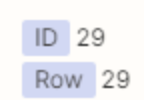
HI i have  a ZAP that transfers the data from a google form to a google sheet and it works fine EXCEPT that its picking up an ID number from google forms?
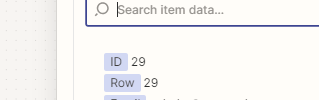
That seems to making Zapier fill in row 29 (in this case) instead of simple the next row and therefore inserting gaps in the rows.

How do i make it simply append the the next row and not use this ID please?

This post has been closed for comments. Please create a new post if you need help or have a question about this topic.

4 replies

Troy Tessalone
Zapier Orchestrator & Solution Partner
Forum|alt.badge.img+14
  • Zapier Orchestrator & Solution Partner
  • April 15, 2024

Hi @Aclarke 

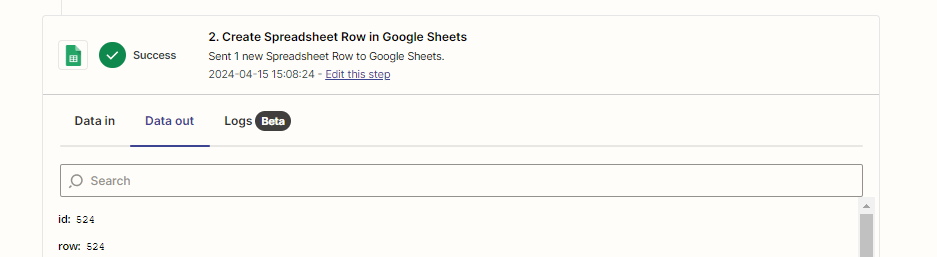
GSheets will return the ID and Row, both will have the same values, which are the Row #.


Sounds like perhaps your GSheet may not be configured correctly, which is causing the row to be inserted below rows that have existing formulas or cell values.

Help articles for using GSheets in Zaps: https://zapier.com/apps/google-sheets/help


  • Author
  • New
  • April 15, 2024

Hi @Aclarke 

GSheets will return the ID and Row, both will have the same values, which are the Row #.


Sounds like perhaps your GSheet may not be configured correctly, which is causing the row to be inserted below rows that have existing formulas or cell values.

Help articles for using GSheets in Zaps: https://zapier.com/apps/google-sheets/help

I thought this too but this is from forms in the test section yet i cant select or find that as as item i can select in the action sections 


  • Author
  • New
  • April 15, 2024

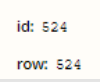
this is the data out but i cant see or remove/amend this anywhere i cant understand where is Zapier picking this up from to output it i honestly don't know


Troy Tessalone
Zapier Orchestrator & Solution Partner
Forum|alt.badge.img+14
  • Zapier Orchestrator & Solution Partner
  • April 15, 2024

@Aclarke 

FYI: GForms can be automatically saved to a GSheet: https://support.google.com/docs/answer/2917686?hl=en


Check Row 524 in your GSheet and you should see data that was added by the Zap.