Hello,
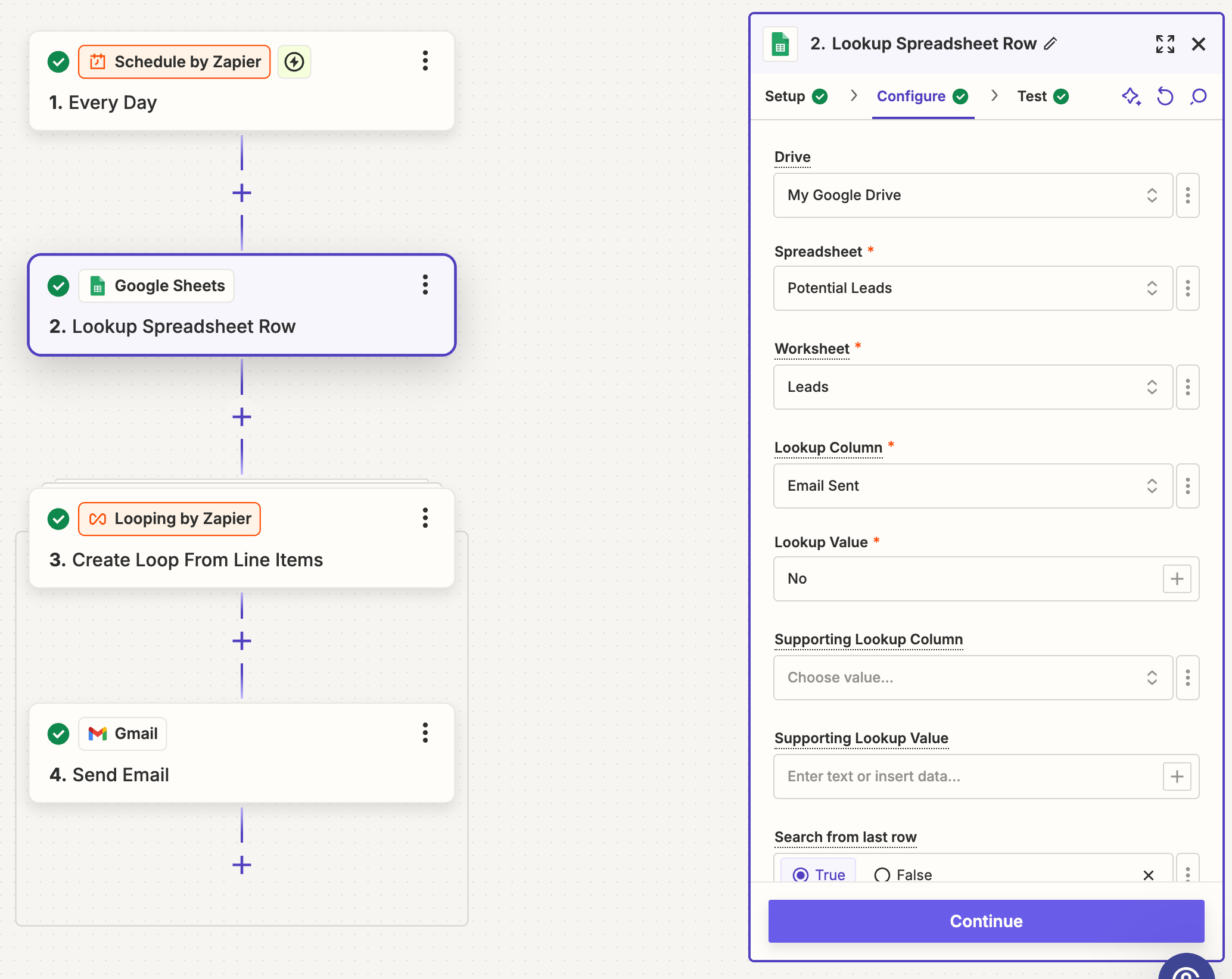
I’m trying to set up a zap where at a specific time everyday an email is sent out to people from an excel sheet that is manually updated. To do this I created a “Email Sent” column that indicates if that contact has been emailed and plan on having Zapier update the column each time. I only want Zapier to email people if that column has a “No” value in it. Is this the right approach or is there a better way to do this?
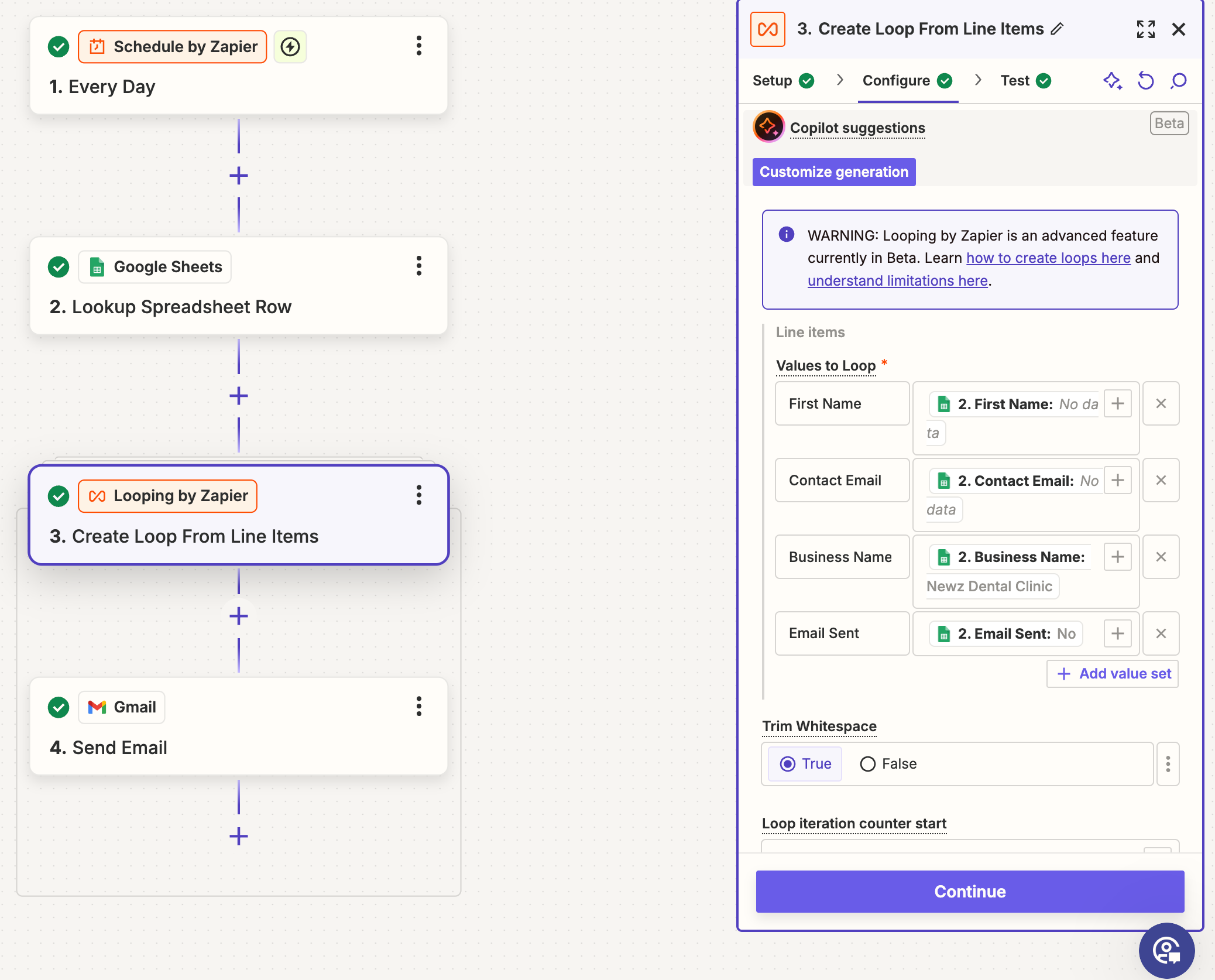
If this is a good approach for auto emailing people, how do I use the looping feature correctly? I’d like for it to read each new line item that was added manually and pull all that information for each email. All the emails are mapping information from the line item so I want to make sure that’s still working properly. Also since I only want the emails to be sent if the “Email Sent” column reads “No”
Any help would be great! Thanks!