Answer

How do I set up a Social Media Planner with Zapier?

  • August 9, 2023
  • 11 replies
  • 158 views

PSwaak

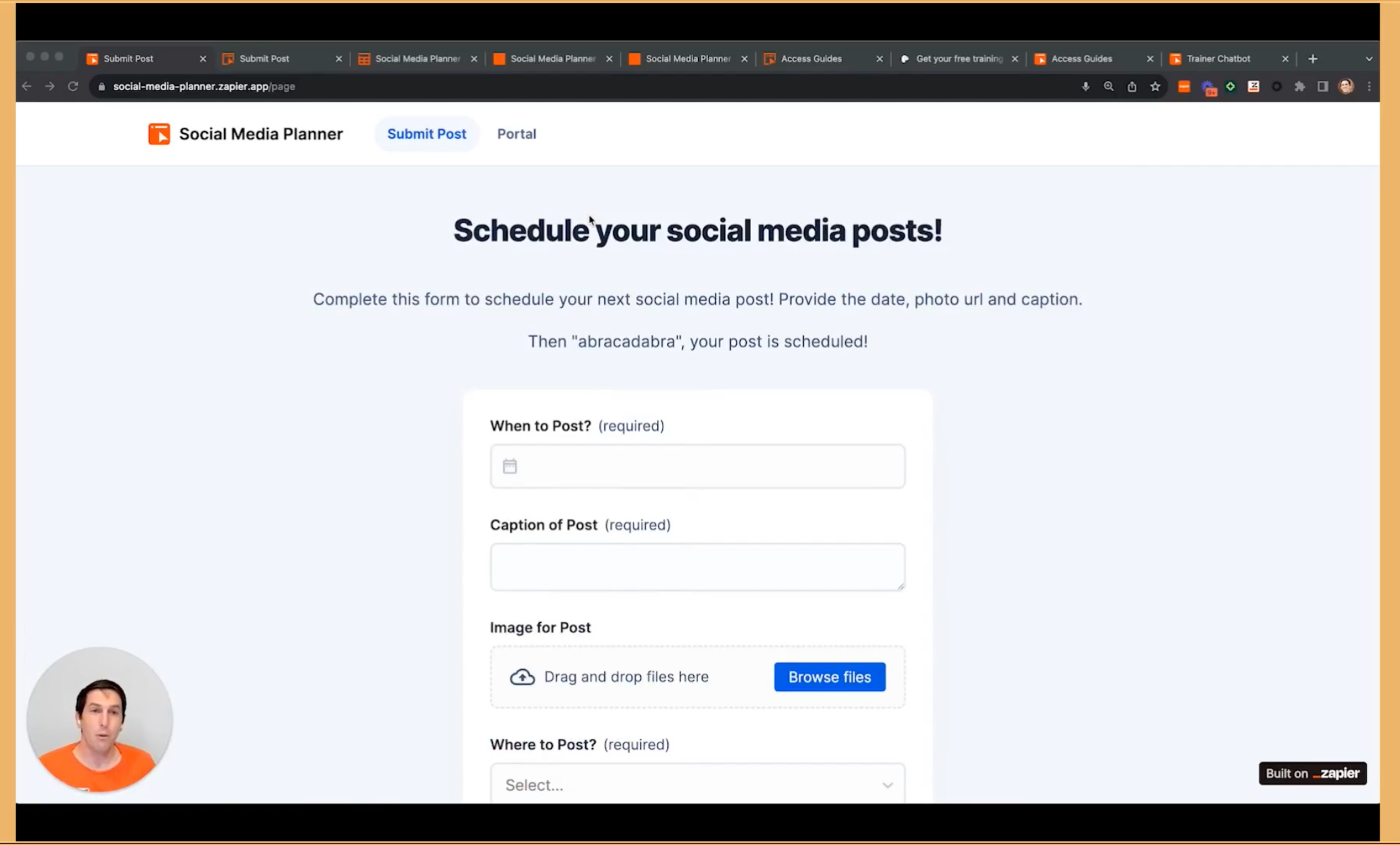
Hi There, in the last Zapier webinar I saw an example of a Social Media Planner, made with Zapier. Can anyone help me to achieve same set-up for my company?

Best answer by SamB

Hi there @PSwaak! 👋

If you’d like to have the Zapier Interface and associated Zaps set up on your behalf I’d recommend enlisting the help of a certified Zapier Expert as Troy mentioned earlier. You can filter the list of experts by budget, desired services etc: https://zapier.com/experts

There’s plenty of talented folks listed there that can help with creating that social media planner workflow for you. Keen to ensure you’re all set here so please do let us know how you get on with this! 🙂

This post has been closed for comments. Please create a new post if you need help or have a question about this topic.


11 replies

Troy Tessalone
Zapier Orchestrator & Solution Partner
Forum|alt.badge.img+14
  • Zapier Orchestrator & Solution Partner
  • August 9, 2023

Hi @PSwaak 

Good question.

Can you link to the webinar that showed the social media planner?

If you are looking for help, consider hiring a Certified Zapier Expert: https://zapier.com/experts/automation-ace


PSwaak
  • Author
  • Beginner
  • August 9, 2023

Troy Tessalone
Zapier Orchestrator & Solution Partner
Forum|alt.badge.img+14
  • Zapier Orchestrator & Solution Partner
  • August 9, 2023

@PSwaak 

Can you provide screenshots from the webinar showing what you are referring to?

What do you mean by is live somewhere?


PSwaak
  • Author
  • Beginner
  • August 9, 2023

here you go it starts at 06:06 minutes


Troy Tessalone
Zapier Orchestrator & Solution Partner
Forum|alt.badge.img+14
  • Zapier Orchestrator & Solution Partner
  • August 9, 2023

@PSwaak 

Have you tried going to this URL?


PSwaak
  • Author
  • Beginner
  • August 9, 2023

ahh great that was what I was looking for I guess.. Thanks!


PSwaak
  • Author
  • Beginner
  • August 9, 2023

but then how can I use this? I see no place where I can edit or add my LinkedIn url or twitter etc.?? so how can I use this for our own sm posts??


Troy Tessalone
Zapier Orchestrator & Solution Partner
Forum|alt.badge.img+14
  • Zapier Orchestrator & Solution Partner
  • August 9, 2023

@PSwaak 

You would have to build your own version of the Zapier Interface and associated Zap automations.


PSwaak
  • Author
  • Beginner
  • August 12, 2023

Ok anyone who can do that for us and if so what would be the building costs?


SamB
Community Manager
Forum|alt.badge.img+11
  • Community Manager
  • Answer
  • August 14, 2023

Hi there @PSwaak! 👋

If you’d like to have the Zapier Interface and associated Zaps set up on your behalf I’d recommend enlisting the help of a certified Zapier Expert as Troy mentioned earlier. You can filter the list of experts by budget, desired services etc: https://zapier.com/experts

There’s plenty of talented folks listed there that can help with creating that social media planner workflow for you. Keen to ensure you’re all set here so please do let us know how you get on with this! 🙂


PSwaak
  • Author
  • Beginner
  • August 15, 2023

Ok all clear, we can close this one now