
Question

How do I pull specific data out of Service Titan?

  • September 6, 2024
  • 2 replies
  • 89 views

Hello- I’m new to Zapier and am trying to set up my Zap Tasks for when an new appointment is booked but the information the system is showing me isn’t what I’m looking for. These are the only options:
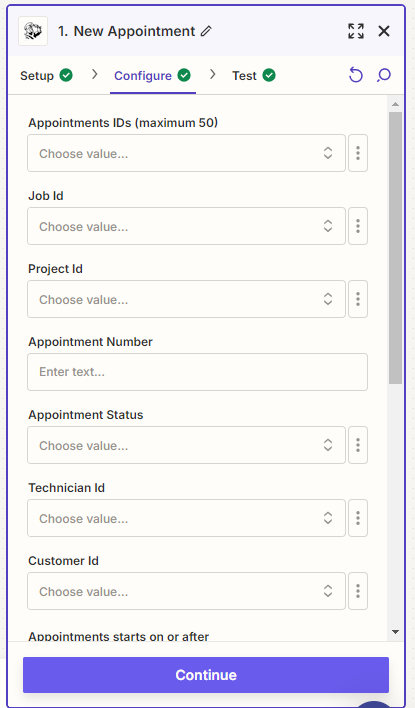
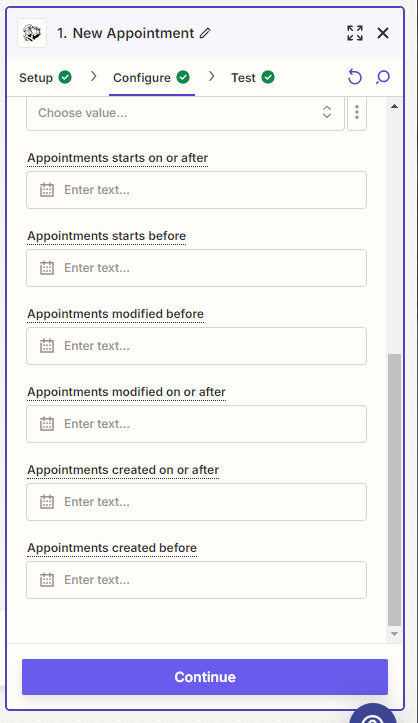
I’m looking for : Customer Name, Location Address, Location ID, Job Type, Notes, Etc.


Any other information you’ve found helpful in using Zapier as the go between for Service Titan & Slack. 


Thanks

This post has been closed for comments. Please create a new post if you need help or have a question about this topic.

2 replies

Troy Tessalone
Zapier Orchestrator & Solution Partner
Forum|alt.badge.img+14
  • Zapier Orchestrator & Solution Partner
  • September 6, 2024

Hi @Dalton 

When you Test the Zap trigger step, records will be returned with the data points available from ServiceTitan.


SamB
Community Manager
Forum|alt.badge.img+11
  • Community Manager
  • September 20, 2024

Hi @Dalton 👋

Were you able to see the missing customer details after testing the trigger to get it to load in a test appointment record from ServiceTitan?

Want to ensure you’re all set here so please keep us updated on how you’re getting on with this, happy to help if you’re still stuck at all! 🙂





