Question

How do I format Facebook Lead Ads phone numbers for Twilio

  • June 7, 2024
  • 6 replies
  • 72 views

How do I take Facebook Lead Ads phone numbers and format them to be sent out via Twilio sms to the customer via a zap? My focus is for the us as of right now.

This post has been closed for comments. Please create a new post if you need help or have a question about this topic.


6 replies

Troy Tessalone
Zapier Orchestrator & Solution Partner
Forum|alt.badge.img+14
  • Zapier Orchestrator & Solution Partner
  • June 7, 2024

Hi @terrycarmstrong 

Zap action: Formatter > Numbers > Format Phone Number

To give more context, post screenshots with how your Zap steps are outlined and configured in EDIT mode.


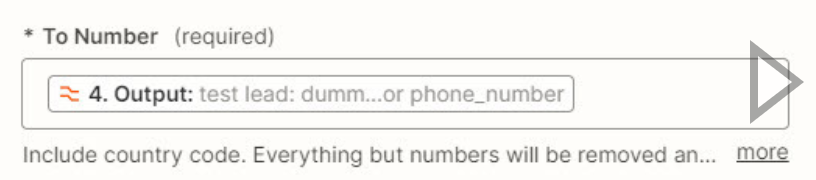
I have a Zap the is already working and connected to my email autoresponder, however I need to send a text message to the new leads via Twilio SMS and the phone number formatting have me stuck and that is what I need help with. (see screenshots)


Troy Tessalone
Zapier Orchestrator & Solution Partner
Forum|alt.badge.img+14
  • Zapier Orchestrator & Solution Partner
  • June 7, 2024

@terrycarmstrong 

The variable “Output” from Step 4 does not have a valid phone number value.


Troy Tessalone
Zapier Orchestrator & Solution Partner
Forum|alt.badge.img+14
  • Zapier Orchestrator & Solution Partner
  • June 7, 2024

@terrycarmstrong 

We would need to see screenshots with how your Zap Formatter step 4 is configured for these 2 tabs.


I have tried this some many times and none of them see to work. That is why I am look for some help. See attachments


Troy Tessalone
Zapier Orchestrator & Solution Partner
Forum|alt.badge.img+14
  • Zapier Orchestrator & Solution Partner
  • June 7, 2024

@terrycarmstrong 

How to test your FB Lead Ads Forms to send data to the Zap trigger to then use to configure and test your Zap steps: https://help.zapier.com/hc/en-us/articles/8496061345805-Use-the-Facebook-Lead-Ads-testing-tool-to-create-sample-leads


You shouldn’t need a Formatter step for the Phone #.

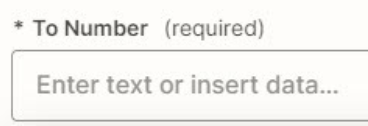
Map the Phone Number variable from Step 1 to the Twilio Step TO field.


Help articles for using FB Lead Ads in Zaps: https://zapier.com/apps/facebook-lead-ads/help