Question

How do I ensure automatic CSV updates overwrite existing spreadsheet data in Google Sheets without duplication?

  • January 23, 2024
  • 2 replies
  • 85 views

I have a CSV file that is automatically updated. I need the data in this file to overwrite the data in the spreadsheet. Currently I have managed to import the data correctly with the action "Create Multiple Spreadsheet Rows in Google Sheets" but every time the activator starts, the data is added to the first free row, thus duplicating the data. I attach two screens for further clarification. How can I do this?
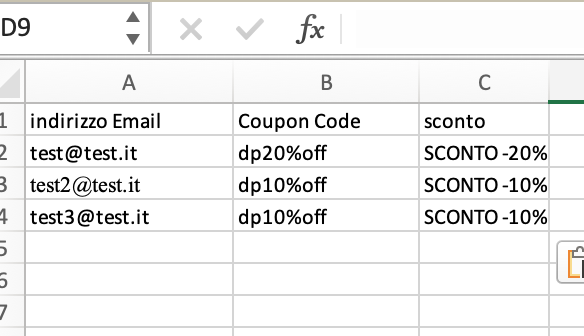
Screen CSV input
Screen Spreadsheet output


This post has been closed for comments. Please create a new post if you need help or have a question about this topic.

2 replies

Troy Tessalone
Zapier Orchestrator & Solution Partner
Forum|alt.badge.img+14
  • Zapier Orchestrator & Solution Partner
  • January 23, 2024

Hi @studiotr

The solution would involve using the GSheets API via one of these available advanced actions to clear the spreadsheet worksheet rows except for the header row.


  • Author
  • New
  • January 24, 2024

Hi, OK thanks