Question

How do I create a Zap to update an Excel sheet when a HubSpot task changes or a new one is added?

  • October 20, 2024
  • 2 replies
  • 17 views

Forum|alt.badge.img

Hi,


Can I create a zap that will update an excel sheet whenever a task has been changed/updated in HubSpot. Can’t seem to find anything on it? 


Additionally, is there a zap I can use that adds a task to an excel sheet when added in HubSpot


Thanks

This post has been closed for comments. Please create a new post if you need help or have a question about this topic.

2 replies

Troy Tessalone
Zapier Orchestrator & Solution Partner
Forum|alt.badge.img+14
  • Zapier Orchestrator & Solution Partner
  • October 20, 2024

Hi @lachie016 

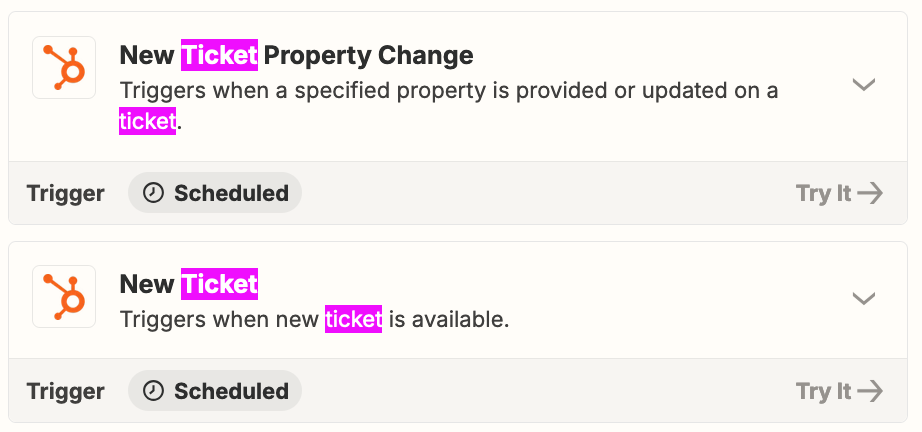
Review the available triggers/actions for each Zap app:


Zap Steps

  1. Trigger: HubSpot - New Ticket
  2. Action: Excel - Create Row


  1. Trigger: HubSpot - New Ticket Property Change
  2. Action: Excel - Find Row
    1. Check the checkbox to create a row if not found
  3. Action: Filter
    1. Check if the variable found = true
  4. Action: Excel - Update Row


SamB
Community Manager
Forum|alt.badge.img+11
  • Community Manager
  • October 28, 2024

Hi @lachie016,

How did you get on with Troy’s suggestions here? Would love to get their reply marked as the best answer if that did the trick. And if it didn’t, happy to assist further - just let us know. 

Looking forward to hearing from you on this! 🙂