Question

How do I create a Zap that creates an Asana task from a JotForm submission with a custom task name and due date?

  • July 27, 2023
  • 3 replies
  • 31 views

I need my Zap to do

  1. A JotForm gets filled out.
  2. A task gets assigned to Asana, front desk tasks
  3. the task name should be "(CLIENT NAME) (NAME OF THE JOTFORM FILLED)" - the due date is the day it was filled out. 

I am completely lost, please help!

This post has been closed for comments. Please create a new post if you need help or have a question about this topic.

3 replies

Troy Tessalone
Zapier Orchestrator & Solution Partner
Forum|alt.badge.img+14
  • Zapier Orchestrator & Solution Partner
  • July 27, 2023

Hi @BautierBC 

Good question.

Try these Zap steps:

  1. Trigger: Jotform - New Submission
  2. Action: Asana - Create Task


If you need help, please post screenshots with how your Zap steps are configured.


  • July 27, 2023

Hi!

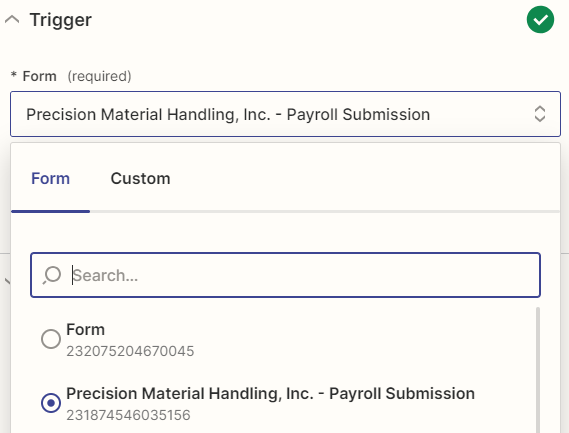
I need this to be with every new form created, but the dropdown from the forms asks me to pick a form that already exists.


Troy Tessalone
Zapier Orchestrator & Solution Partner
Forum|alt.badge.img+14
  • Zapier Orchestrator & Solution Partner
  • July 27, 2023

@BautierBC 

The Jotform Zap app trigger requires a Form to be selected, so a separate Zap would need to be configured per form.