Question

How do I automate email replies in Outlook for Brevo form submissions?

  • October 22, 2023
  • 9 replies
  • 109 views

I use Brevo to send form submissions to my Outlook web email account, and I want to automate email replies in Outlook. How can I use Zapier to search for an email address in the form submission and automatically send a reply to that email address?

Each email I receive from Brevo has a subject line like "Fwd: Contact Form email@blahblah.com," and that same email address also appears once in the body of the message.


Thanks for any thoughts on this,

David



This post has been closed for comments. Please create a new post if you need help or have a question about this topic.

9 replies

Troy Tessalone
Zapier Orchestrator & Solution Partner
Forum|alt.badge.img+14
  • Zapier Orchestrator & Solution Partner
  • October 22, 2023

Hi @HaikuWolf 

Good question.

Try adding a Filter as Step 2: https://zapier.com/apps/filter/help


  • Author
  • Beginner
  • October 23, 2023

Thank you Troy,


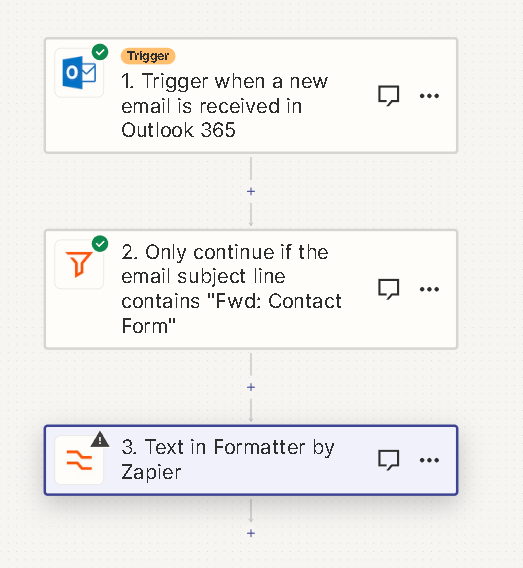
This is my current setup.


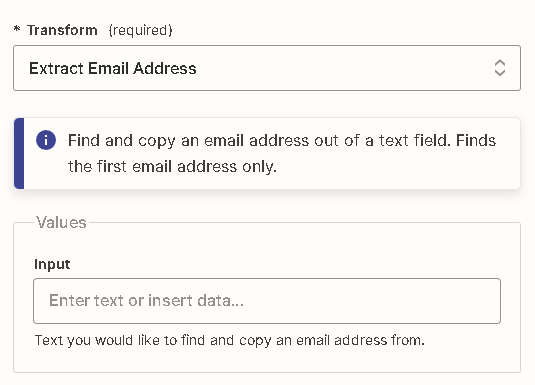
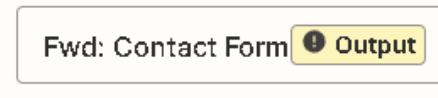
I guess I am not sure what to put in the Input Value of the “Text in Formatter” Action. How do I specify to Extract an Email Address from a Subject Line? The email address changes with each email.  Thanks again.


ken.a
Forum|alt.badge.img+6
  • Zapier Staff
  • October 23, 2023

Hi there @HaikuWolf,

I’m jumping in to see if I can help!

Before we dig deeper into this, is the email address present in the Subject? If so, I’d recommend mapping the “Subject” data from the trigger to the “Input” field of your Formatter step.

The Formatter step will dynamically extract the email data even though the email address changes with each email (different email address will be extracted each time the Zap runs.).

Here’s an example of the “Subject” data from the trigger:

396f44fd24f8ecd7d7462462d5697898.png
(view larger)

Hopefully, this helps.


  • Author
  • Beginner
  • October 23, 2023

Thank you, ken.a!

This is exactly what I am trying to accomplish. Yes, the email address is in the subject line. What tool do i use to map the “Subject” data from the trigger? I am not seeing how to change the Trigger itself to where it might map the “Subject”. What value do i put in the “Input” field of the Formatter step?

Sorry I am very new to this but greatly appreciate your experience. Thanks for all your help.


Troy Tessalone
Zapier Orchestrator & Solution Partner
Forum|alt.badge.img+14
  • Zapier Orchestrator & Solution Partner
  • October 23, 2023

@HaikuWolf 

You would map the Subject variable from Step 1 to Step 3.

You can search for “@” to narrow down the list of dynamic variables to select.


  • Author
  • Beginner
  • October 24, 2023

Thank you! 

Does mapping mean I should use “@subject” as an input value in the Formatter? Sorry I am not understanding the terminology. If I am “mapping” from the Subject variable from Steps 1 to 3… i do not see where to put an @subject in the Outlook Trigger or the Filter by Zapier tool. Thank you again, David


Troy Tessalone
Zapier Orchestrator & Solution Partner
Forum|alt.badge.img+14
  • Zapier Orchestrator & Solution Partner
  • October 24, 2023

@HaikuWolf

Help article about how to configure Zap action steps: https://zapier.com/help/create/basics/set-up-your-zap-action


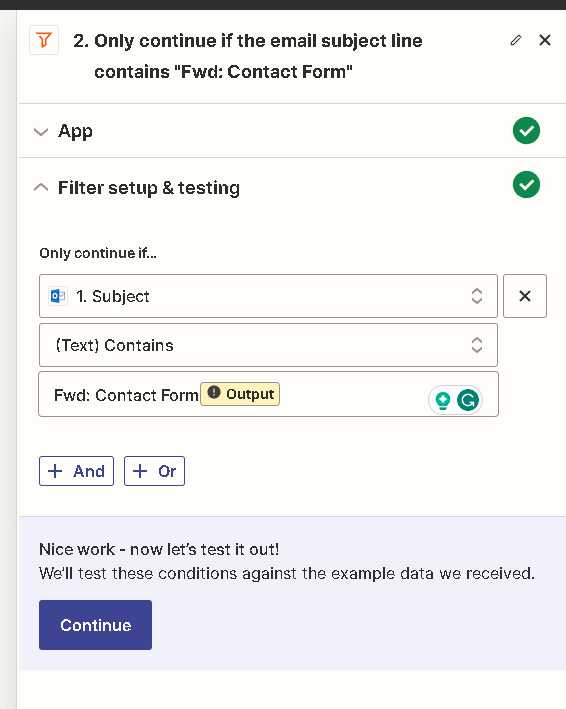
You can remove the invalid mapped “Output” variable.


You would map the Subject variable from Step 1 to Step 3.

You can search for “@” to narrow down the list of dynamic variables to select.


  • Author
  • Beginner
  • October 24, 2023

Thank you! I’ll start there


ken.a
Forum|alt.badge.img+6
  • Zapier Staff
  • October 30, 2023

Hi @HaikuWolf,

You are most welcome!

Please keep us in the loop about your progress in setting up your desired workflow.

If you are still facing some hurdles, we’re here to help! 😊