Best answer

How do I auto-reply in a specific Slack-message-thread?

  • August 29, 2023
  • 5 replies
  • 882 views

Rojhat Telo Bygglovsverket

To clearify what I want to do. 

  1. In Slack, there is a channel called "Serbia-production."
  2. In the Slack channel named "Serbia-production," there is already a message named "BLV@BLV.SE."
  3. In the Slack message "BLV@BLV.SE," we communicate through its built-in thread about the project.
  4. When a project is completed, I want an automatic text reply message to be sent to the thread above.
  5. We only communicate about specific clients in specific threads under specific messages in a specific channel.
  • I want a specific threaded message to be sent to that specific thread through an auto-reply to the thread.

    I cannot see that there is a Zapier/Slack automation for this.
    The message should be in a specific message thread located in a specific channel.

    ​​​​​​​How can I solve this?

Best answer by Troy Tessalone

@Rojhat Telo Bygglovsverket 

Try these Zap steps.

  1. Trigger: Trello - Card Moved to List
  2. Action: Slack - Find Message
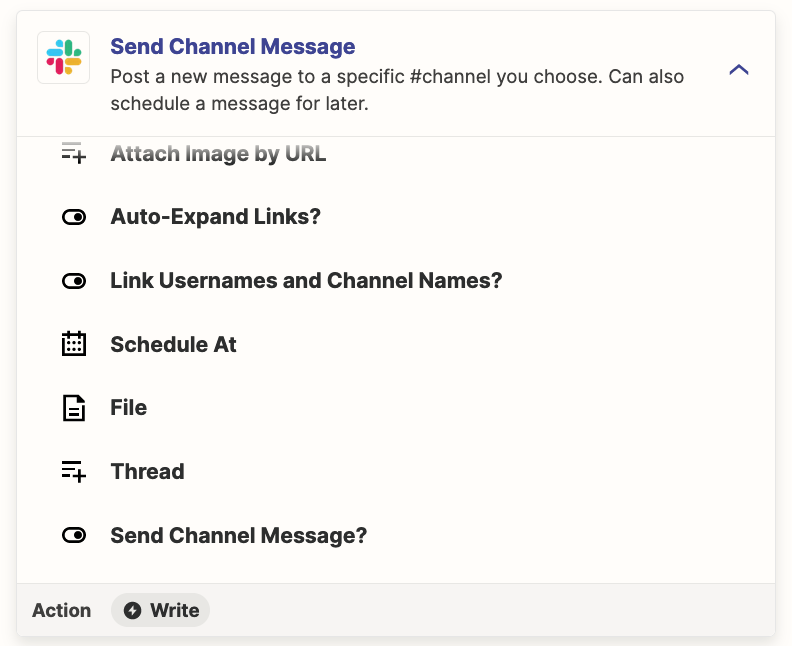
  3. Action: Slack - Send Channel Message
    1. Use the Thread ID


This post has been closed for comments. Please create a new post if you need help or have a question about this topic.

5 replies

Troy Tessalone
Zapier Orchestrator & Solution Partner
Forum|alt.badge.img+14
  • Zapier Orchestrator & Solution Partner
  • August 29, 2023

Hi @Rojhat Telo Bygglovsverket 

Good question.

What indicates the project is completed?


Rojhat Telo Bygglovsverket

Hi! So the example above is an typical way we communicate about everyprojekt woth the mail name. But the. Slack channel is always the same, but diff message(name@mail.com). 
 

When a card is moves in trello, the trigger is the indacator of that the project is finished. 


Troy Tessalone
Zapier Orchestrator & Solution Partner
Forum|alt.badge.img+14
  • Zapier Orchestrator & Solution Partner
  • Answer
  • August 29, 2023

@Rojhat Telo Bygglovsverket 

Try these Zap steps.

  1. Trigger: Trello - Card Moved to List
  2. Action: Slack - Find Message
  3. Action: Slack - Send Channel Message
    1. Use the Thread ID


Rojhat Telo Bygglovsverket

@Troy Tessalone Thank you, it worked! :) 


ken.a
Forum|alt.badge.img+6
  • Zapier Staff
  • August 30, 2023

Thats great news @Rojhat Telo Bygglovsverket! I’m glad Troy pointed you in the right direction!

If you have any other questions, please don’t hesitate to reach out. We’re always happy to help! 😊