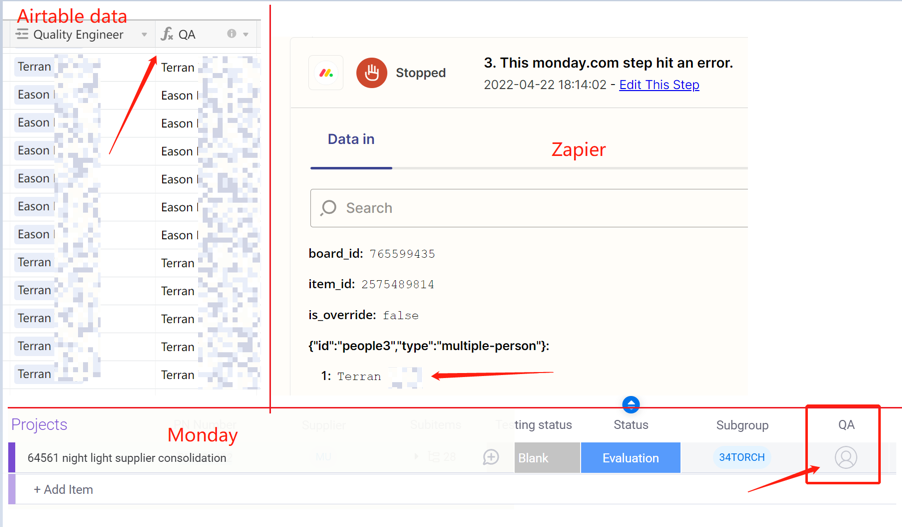
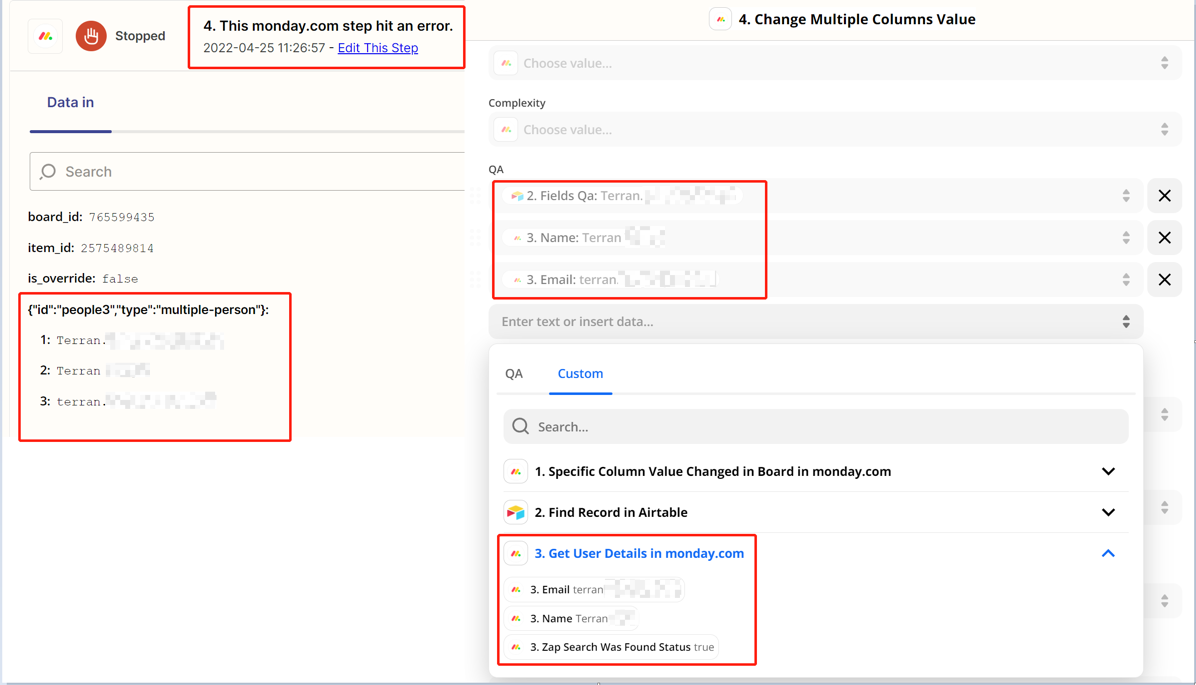
How do I assign the name which is a string from Airtable to the people column on Monday?
This post has been edited by a moderator to remove personal information. Please remember that this is a public forum and to remove any sensitive information prior to posting.
Best answer by christina.d
Hi friends! I wanted to pop in and share the solution that was achieved with our friends in support:
I'm keen to see if we can come up with any potential workarounds. I'd recommend statically adding the Monday.com User ID of your colleague to the QA field in the "Change Multiple Columns Value" step. You can learn more here on how to find an ID on Monday.com:
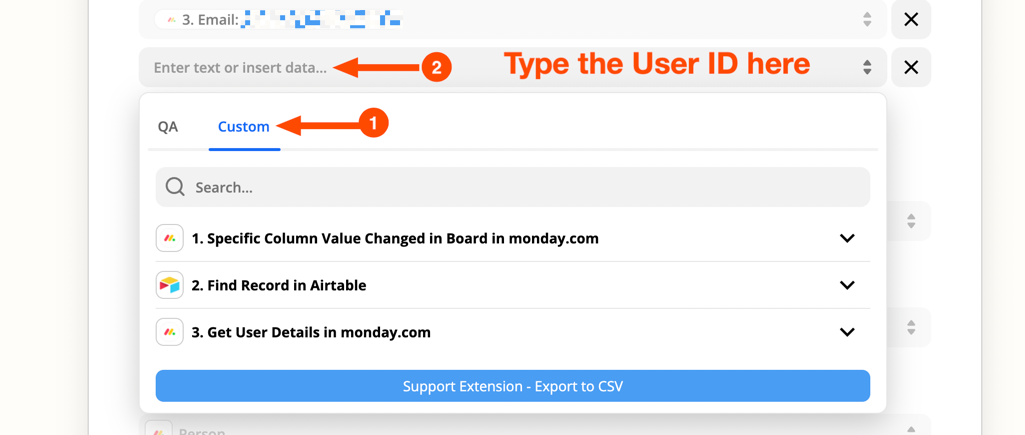
Next, select the field you want to add the User ID and select the custom option as shown below:
Please keep in mind that when you enter a static value into an action field, the Zap will send the same value to your action app every time it runs. You can learn more here:
@Troy Tessalone Thank you for your help, but I tried it your way and failed. Is there any other method?
This post has been edited by a moderator to remove personal information. Please remember that this is a public forum and to remove any sensitive information prior to posting.
Hi friends! I wanted to pop in and share the solution that was achieved with our friends in support:
I'm keen to see if we can come up with any potential workarounds. I'd recommend statically adding the Monday.com User ID of your colleague to the QA field in the "Change Multiple Columns Value" step. You can learn more here on how to find an ID on Monday.com:
Next, select the field you want to add the User ID and select the custom option as shown below:
Please keep in mind that when you enter a static value into an action field, the Zap will send the same value to your action app every time it runs. You can learn more here:
We're celebrating the Zapier builders making AI transformation happen. Winners get a published story on zapier.com, a trophy, $5,000 cash, and a feature at ZapConnect. Nominate yourself or a peer by July 24th, 2026.