Question

How do I add users to Google Contacts group/label after form submission in Zapier?

  • September 30, 2024
  • 10 replies
  • 75 views

I am creating a Zap for when a form post is done, to add that user to a group/label in google contacts. People say there should be a selection in Zapier to do this, however I can’t seem to find any place for this. 

This post has been closed for comments. Please create a new post if you need help or have a question about this topic.


10 replies

Troy Tessalone
Zapier Orchestrator & Solution Partner
Forum|alt.badge.img+14
  • Zapier Orchestrator & Solution Partner
  • September 30, 2024

Hi @acesteam123 
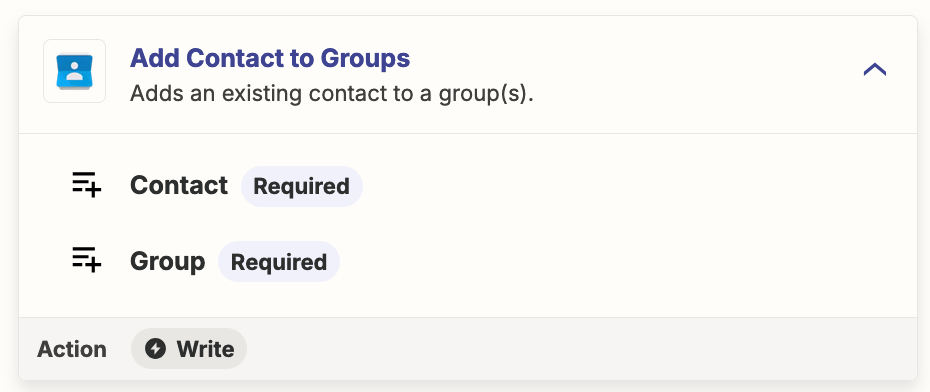
Try this Zap action: Google Contacts - Add Contact to Groups


  • Author
  • New
  • September 30, 2024

Hey thanks,


The issue I am having is that I also am making a new contact. So when I make a new contact and then run the add contact to group task, I receive an error like this. 


Troy Tessalone
Zapier Orchestrator & Solution Partner
Forum|alt.badge.img+14
  • Zapier Orchestrator & Solution Partner
  • September 30, 2024

@acesteam123 

For us to have more info about the error, post screenshots showing how your Zap steps are outlined and configured in EDIT mode so we can see the field types/mappings.


  • Author
  • New
  • September 30, 2024

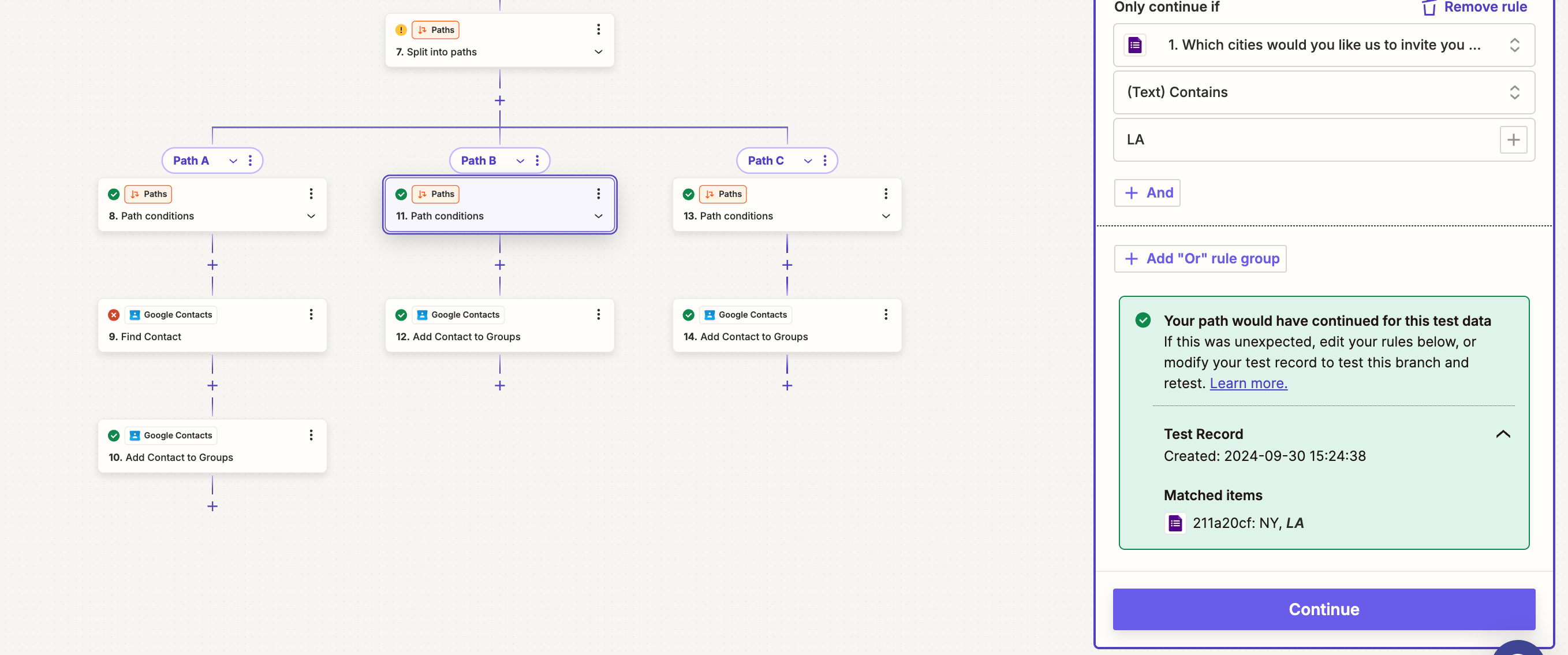
This is where the error hits. I have 3 types of selections. Depending on their response I want it to put them in a specific group. 


Troy Tessalone
Zapier Orchestrator & Solution Partner
Forum|alt.badge.img+14
  • Zapier Orchestrator & Solution Partner
  • October 1, 2024

@acesteam123 

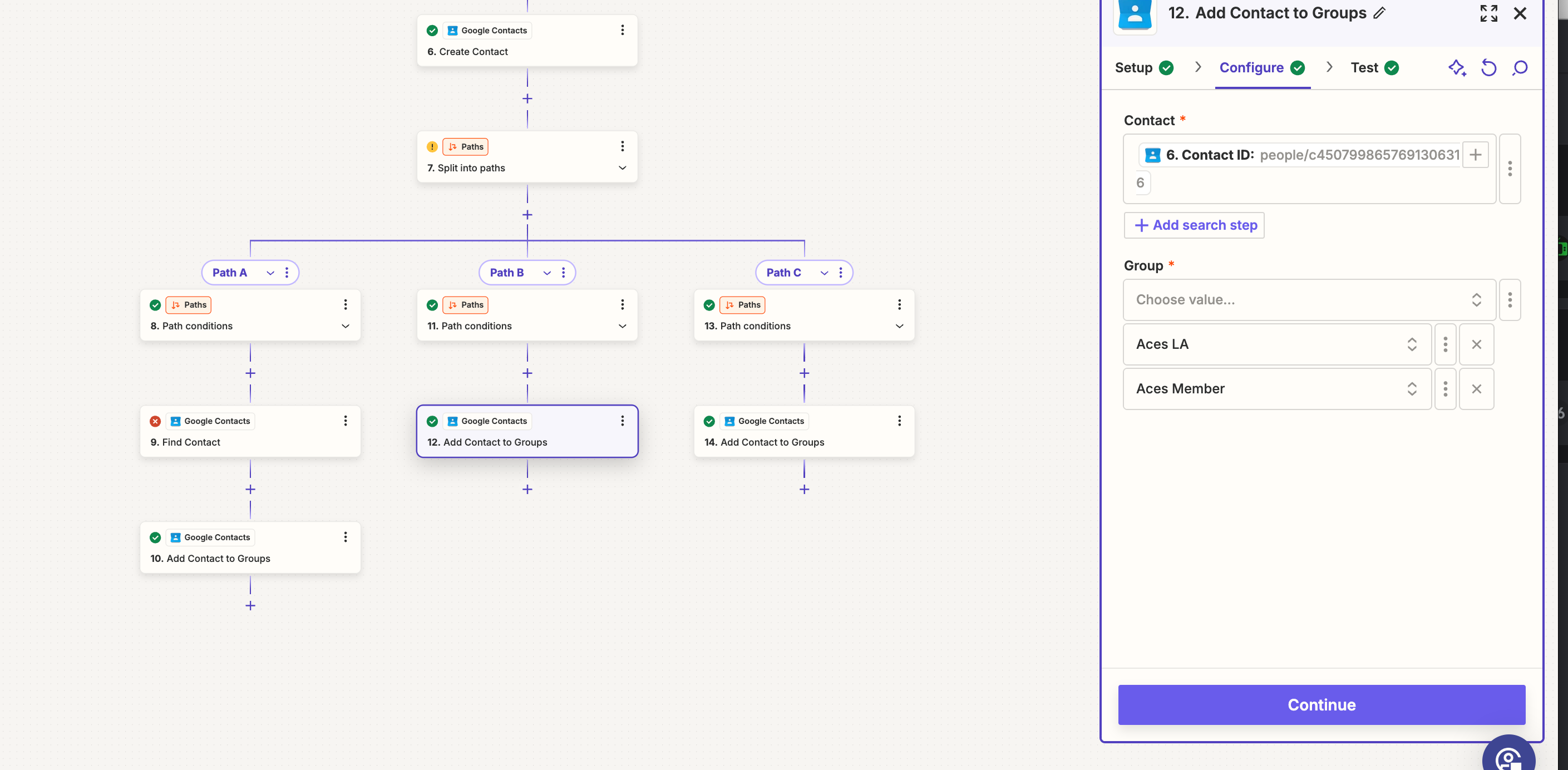
We need to see screenshots from Zap Step 12.


  • Author
  • New
  • October 1, 2024


Troy Tessalone
Zapier Orchestrator & Solution Partner
Forum|alt.badge.img+14
  • Zapier Orchestrator & Solution Partner
  • October 1, 2024

@acesteam123

Feedback from AI:

The error message you're seeing relates to Google Contacts and an `etag` mismatch. Here's a breakdown of the issue:

### Error: "Request person.etag is different than the current person.etag."

#### Explanation:
- **`etag` in Google Contacts:** The `etag` (entity tag) is a unique identifier assigned to a particular version of a contact in Google Contacts. Every time a contact is updated, its `etag` changes. This ensures that the latest version of the contact is being used in subsequent operations.
- **The Error Cause:** The error message indicates that the version of the contact you're trying to update or reference in this Zap step is out of sync with the most current version stored in Google Contacts. This typically happens when the contact was updated (possibly outside the Zap, such as directly in Google Contacts or via another integration) between the time your Zap fetched the contact and when it tried to modify it.

#### Suggested Solution:
- **Clear Local Cache:** This is the system's way of saying that you should refresh the contact data by fetching the latest version of the contact from Google Contacts before attempting to modify or add it to a group.
  - One way to resolve this is to add a step before the "Add Contact to Groups" step to retrieve the latest version of the contact again, ensuring you work with the most up-to-date data.
  - Alternatively, you may want to handle contact fetching and modification within the same action or sequence to avoid the data being stale.


ken.a
Forum|alt.badge.img+6
  • Zapier Staff
  • October 1, 2024

Hi @acesteam123,

I’m jumping in to see if I can help!

That's a really strange error that you're running into. Could you please try replaying the errored Zap run?

You can learn more about replay here: https://help.zapier.com/hc/en-us/articles/8496241726989-Replay-Zap-runs#h_01HPFJ7K8PAG1KRXND2G5PEWWD

Kindly give it a try and let me know how it goes? I'll keep an eye out for your response!


  • Author
  • New
  • October 1, 2024

Seems after the replay there was success. Not sure why that initial was triggered. 


JammerS
Forum|alt.badge.img+6
  • Zapier Staff
  • October 2, 2024

Hi @acesteam123


So is your Zap fully working now as intended? Did Troy and Ken’s recommendation get the job done?