Question

How do I add the link of a Google Drive folder to an item on monday.com?

  • April 26, 2022
  • 6 replies
  • 138 views

Hello,


Essentially I am trying to make an automation that will create a folder in google drive whenever a new item is created in Monday.com. I have that part covered already.


The part I’m struggling with is that I want the link of that folder created, to be pasted in that item on Monday.com.


Is this possible?

This post has been closed for comments. Please create a new post if you need help or have a question about this topic.

6 replies

Troy Tessalone
Zapier Orchestrator & Solution Partner
Forum|alt.badge.img+14
  • Zapier Orchestrator & Solution Partner
  • April 26, 2022

Hi @Dylan P 

Good question.

Yes, that’s possible.

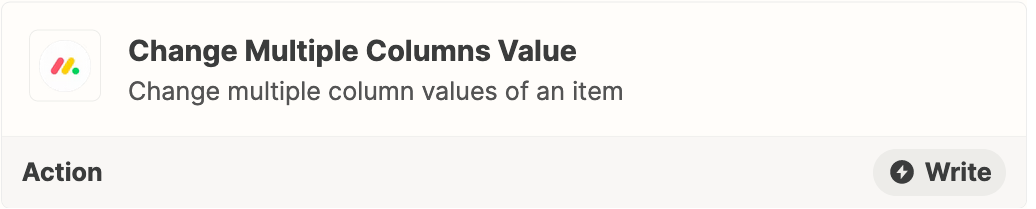
Try using this Zap action: Monday - Change Multiple Column Values


  • Author
  • New
  • April 26, 2022

Hi, thanks for replying!


I’m very new to this, could you explain how to get the unique link and get it pasted?


Troy Tessalone
Zapier Orchestrator & Solution Partner
Forum|alt.badge.img+14
  • Zapier Orchestrator & Solution Partner
  • April 26, 2022

@Dylan P 

The Folder link will be returned from the GDrive step 2.

You’ll need to map the Monday Item ID from step 1 to step 3.

Help article for how to map dynamic variables between Zap steps using the ‘custom’ option: https://zapier.com/help/create/basics/set-up-your-zap-action


  • Author
  • New
  • April 27, 2022

@Troy Tessalone 


How exactly would I be able to access the folder link as a variable?


I’m not sure where to find it to plug into the automation


Troy Tessalone
Zapier Orchestrator & Solution Partner
Forum|alt.badge.img+14
  • Zapier Orchestrator & Solution Partner
  • April 27, 2022

@Dylan P 

Help article for how to map dynamic variables between Zap steps using the ‘custom’ option: https://zapier.com/help/create/basics/set-up-your-zap-action


jesse
Forum|alt.badge.img+9
  • Architect
  • May 2, 2022

Hey @Dylan P! Were you able to get everything sorted out here after trying out Troy’s suggestions? Let us know!