Question

How do I add steps after a loop has completed - but the loop has a filter in it

  • December 15, 2025
  • 2 replies
  • 14 views

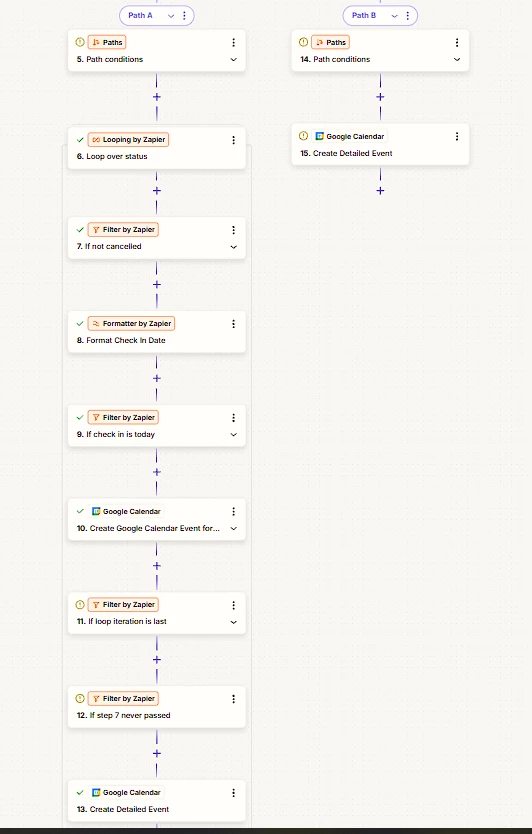
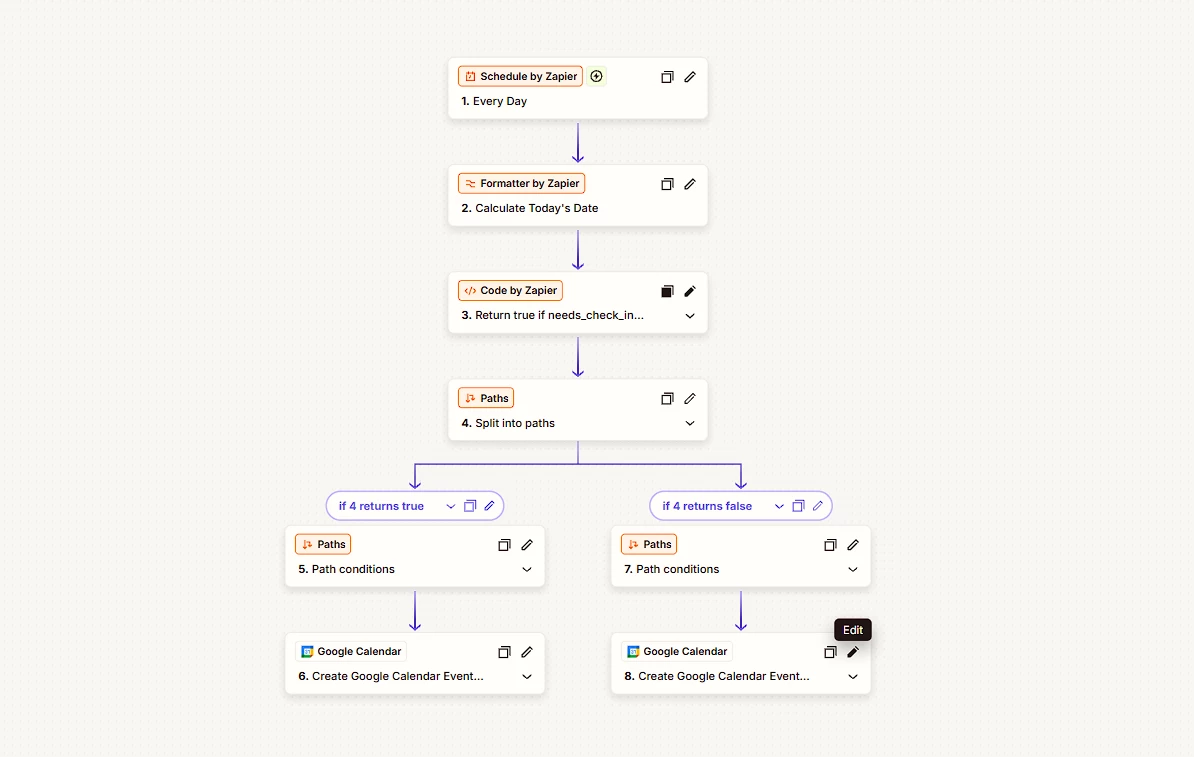
I have an API call which returns a list of bookings. If there are 0 bookings, we use Path B. Otherwise if there is data - I have Path A which uses data received from an API call and loops over that data. I only want to see bookings where the user has not cancelled (and thus needs to be completed) so I have added a filter to check the booking status. For these bookings I add a detailed calendar event.


However, if all bookings that were returned by my api call are the incorrect status type I need to create another detailed calendar event. I therefore need to break out of the loop or somehow continue if my filter never passes in any iteration of the loop.


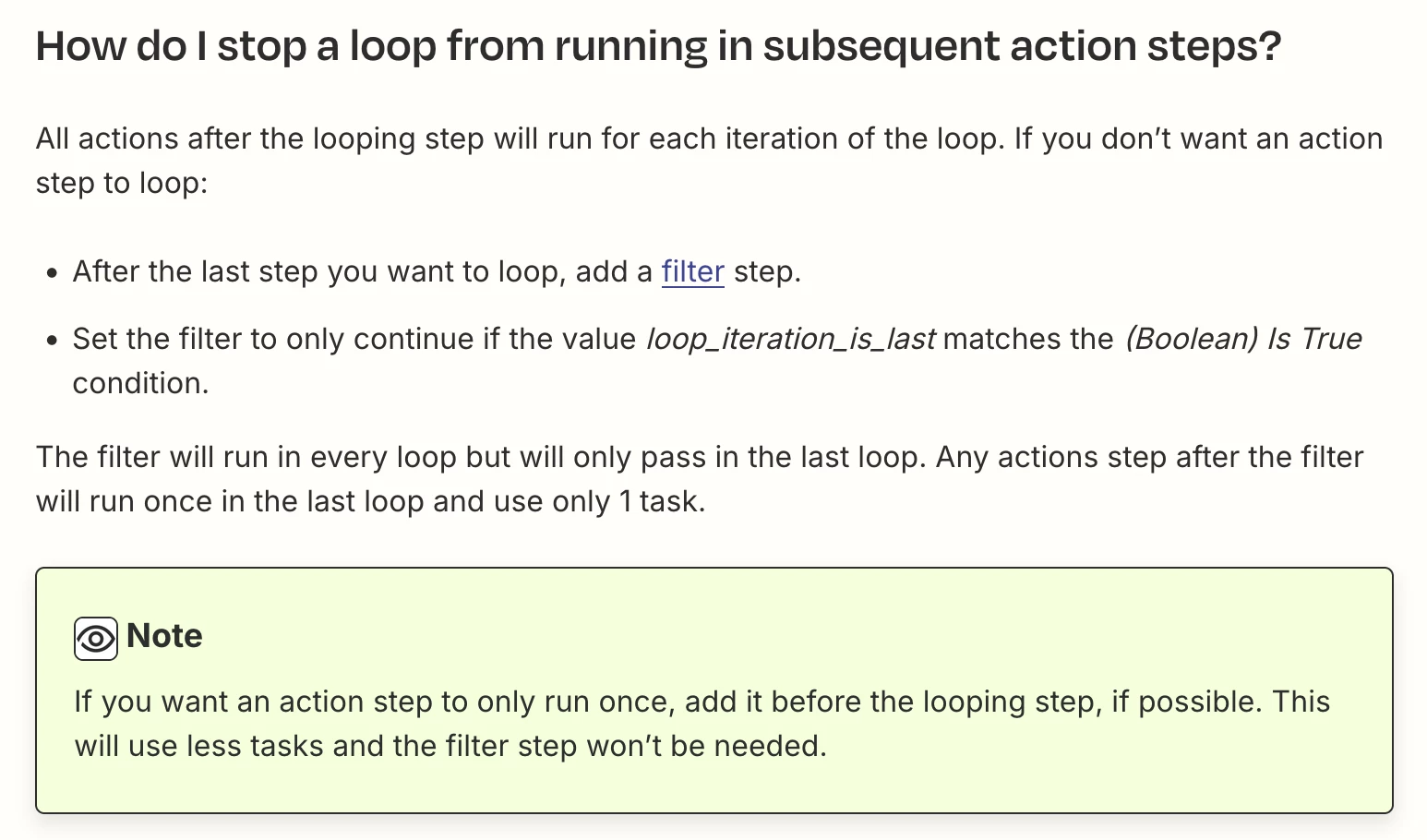
If I add a filter at the end of the loop as advised in other threads, it will of course never be run. How can I break out of this loop?


2 replies

Troy Tessalone
Zapier Orchestrator & Solution Partner
Forum|alt.badge.img+14
  • Zapier Orchestrator & Solution Partner
  • December 15, 2025

Hi ​@sean.faughey 

Add Path C with Filter condition: Loop Iteration Last = true

Add a Filter condition to check if any of the filter conditions match or do not match. (e.g. if any bookings are not cancelled)

Paths process in order from left to right.


Help links for using Looping in Zaps: https://zapier.com/apps/looping/integrations#help


AndrewJDavison
Forum|alt.badge.img+11
  • Zapier Solution Partner
  • December 15, 2025

@sean.faughey You’ve found the one weakness of loops! What you describe can’t be done in any natural way.

One hacky workaround would be to use storage steps. Before entering the loop, you’d want to set a storage step unique to that run (use ID from trigger or something) with a value like 0.

Then find a way, so that if that step 7 ever does run in the loop, the storage value is updated to 1.

Then move that final GCal step to it’s own path. Add a 1 minute delay step, then a step to retrieve the stored value (when this runs live, with the delay, you know it’ll only retrieve after all loops have run).

Then you can add a filter based on whether the stored value is 0 (step 7 never ran), or 1 (step 7 ran at least once).

I’ll DM you.