Question

How do I add sequential project numbers to new/updated projects in Moxie via Zapier?

  • September 23, 2024
  • 3 replies
  • 88 views

Sofia Sogoi Creative

Hi!

Is there a way to ad a project number (from a sequence) to a new or updated project?

I have aded a custom field called Project number, in Moxie

I have made a sequence in Google Sheet and also tried to make it in Zapier Table.

I have tried different zaps but are not getting close… 

I like to use a project number one time..

I could make the trigger, when adding a new row?

Lost in space =) 


BR! //Sofia, Sweden 

This post has been closed for comments. Please create a new post if you need help or have a question about this topic.

3 replies

Troy Tessalone
Zapier Orchestrator & Solution Partner
Forum|alt.badge.img+14
  • Zapier Orchestrator & Solution Partner
  • September 24, 2024

Hi @Sofia Sogoi Creative 

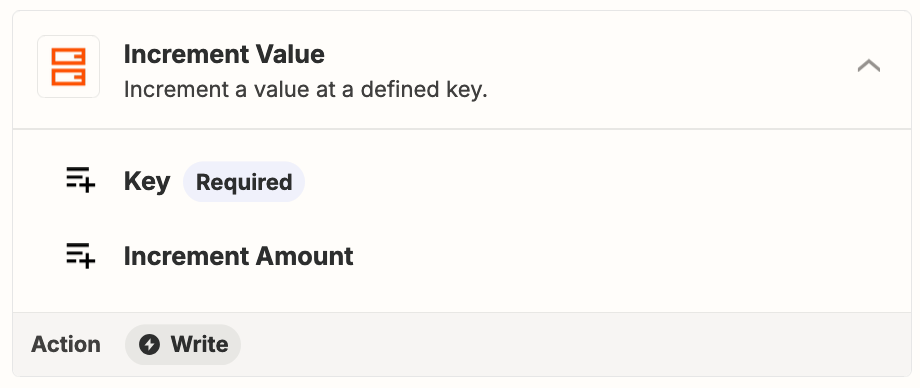
Use this Zap action: Storage - Increment Value


Troy Tessalone
Zapier Orchestrator & Solution Partner
Forum|alt.badge.img+14
  • Zapier Orchestrator & Solution Partner
  • September 24, 2024

@Sofia Sogoi Creative 

Another option is to use Airtable.

Airtable has an Autonumber field.

Info: https://support.airtable.com/docs/number-based-fields-in-airtable


SamB
Community Manager
Forum|alt.badge.img+11
  • Community Manager
  • October 2, 2024

Hi @Sofia Sogoi Creative 👋

How are things going on this? Did you manage to get things working by using Storage or Airtable to create the project numbers as Troy suggested? 

Keen to ensure you’re all set so please let us know whether you’re in need of any further help at all!