Best answer

How can I use Zapier Loop to format an itemized order?

  • August 2, 2022
  • 5 replies
  • 463 views

I am trying to post new shopify orders to Monday.com via Zapier. For each new order, Monday.com will create an item in the board. However, when I try to use Zapier Loop for each item in the order, unformatted result come out. 
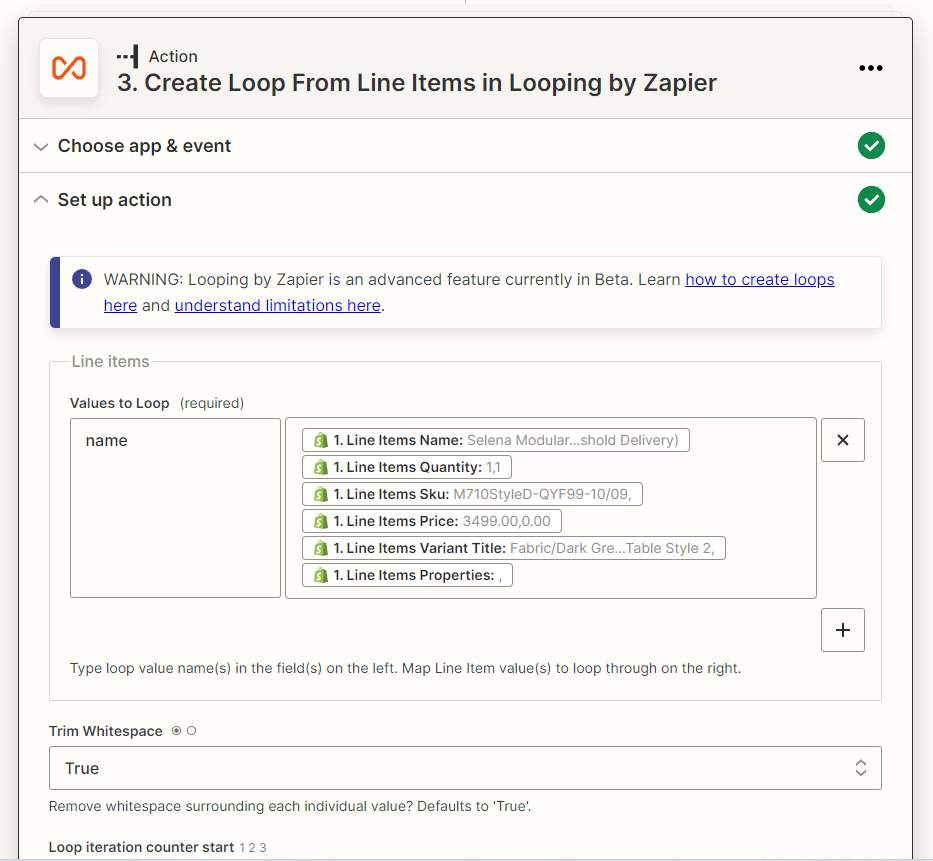
What I expect the result should be like:

iterate 1:

name: Selena Modular…

quantity: 1

SKU: m710…

Price: 3499.00

Variant: Fabric/….

Properties: 

iterate 2:

name: xxxx

quantity: 1

SKU: xx…

Price: 3499.00

Variant: xxx

Properties: 


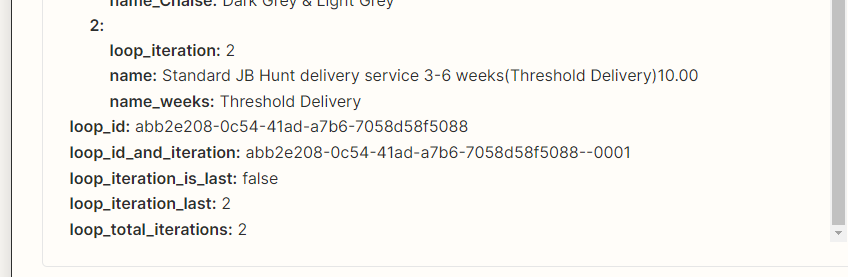
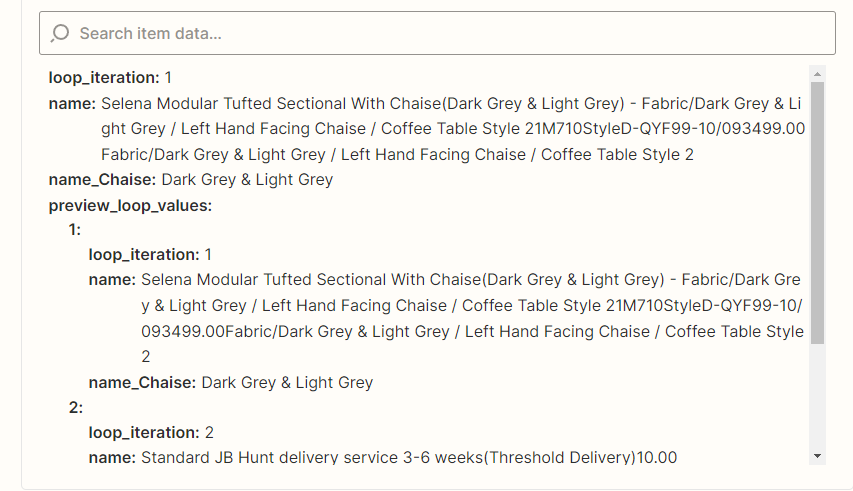
Here is what I get from test:
 

Best answer by Troy Tessalone

@harveysun

Make sure to review the help article for using the Looping: https://zapier.com/help/create/other-functions/loop-your-zap-actions

When you test this action, the Zap will only create the first loop.
It will not create any other loops during the test.

This post has been closed for comments. Please create a new post if you need help or have a question about this topic.

5 replies

Troy Tessalone
Zapier Orchestrator & Solution Partner
Forum|alt.badge.img+14
  • Zapier Orchestrator & Solution Partner
  • August 3, 2022

Hi @harveysun 

Good question.

You need separate fields for each data point you are trying to use in the line items to Loop.

Looping help articles: https://zapier.com/apps/looping/help


  • Author
  • Beginner
  • August 3, 2022

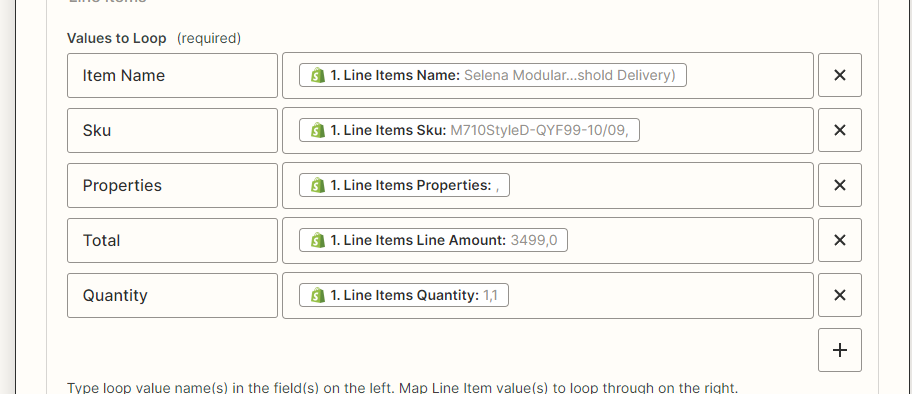
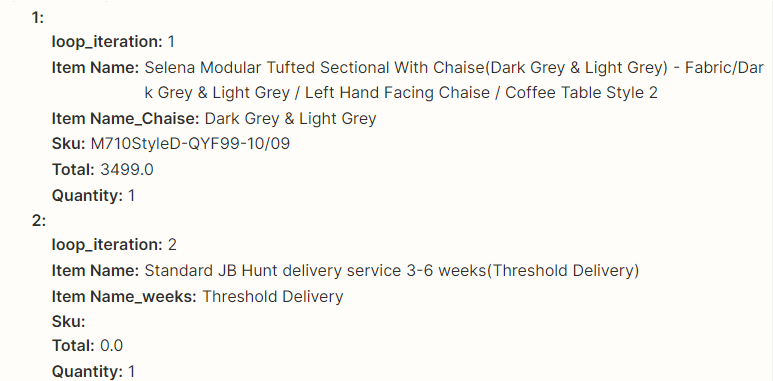
Thanks for follow up, here is what I got after I followed your instruction. I declared five values, I did get five values, but one value was missing and it generated another one:”Item Name_Chaise” and “Item Name_weeks”.

Values I set
Test result


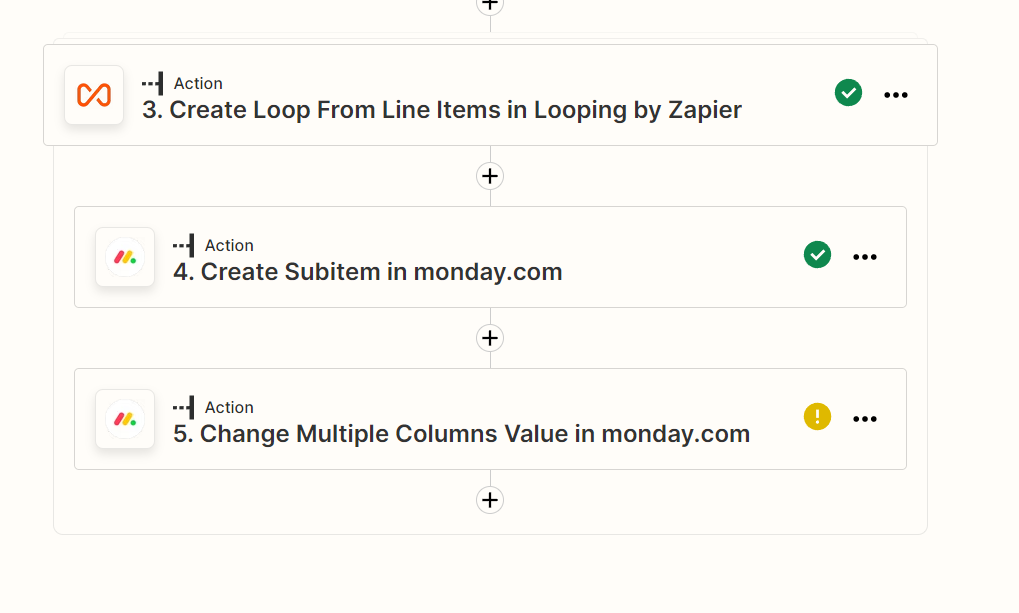
When I try to use the data generated by the Loop to create a subitem inside Monday.com’s Board.

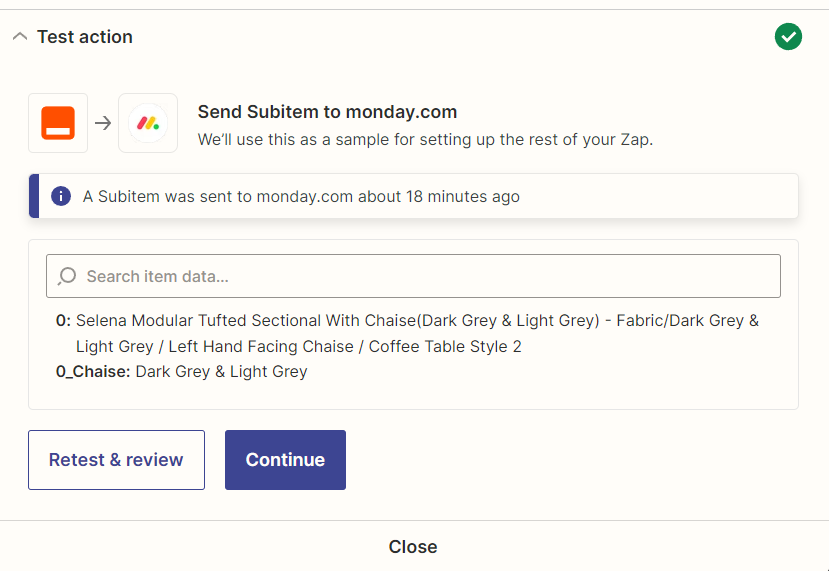
This is the test result from creating a subitem. I think the result is not quite right. And I only recieve one subitem.


Troy Tessalone
Zapier Orchestrator & Solution Partner
Forum|alt.badge.img+14
  • Zapier Orchestrator & Solution Partner
  • August 3, 2022

@harveysun 

Help article that will explain the issue related to how some of the line item data values are formatted which is resulting in Named Variables:


Troy Tessalone
Zapier Orchestrator & Solution Partner
Forum|alt.badge.img+14
  • Zapier Orchestrator & Solution Partner
  • August 3, 2022

@harveysun 

NOTE: Line Items are split based on comma delimiters, so if a Line Item Parameter Value includes a comma you can encounter unexpected results with the number of Line Items returned from the Looping app.


SKU has a null value for the last Line Item.

Properties has null values for each Line Item.


Troy Tessalone
Zapier Orchestrator & Solution Partner
Forum|alt.badge.img+14
  • Zapier Orchestrator & Solution Partner
  • Answer
  • August 3, 2022

@harveysun

Make sure to review the help article for using the Looping: https://zapier.com/help/create/other-functions/loop-your-zap-actions

When you test this action, the Zap will only create the first loop.
It will not create any other loops during the test.