Question

How can I trigger a Zap only when a specific field is updated in Airtable?

  • January 14, 2026
  • 3 replies
  • 10 views

Hi everyone! 👋

I’m trying to build a Zap that only runs when one specific field is updated in my Airtable base — but when I test it, the Zap still triggers even if other fields change.

Here’s what I’m doing now:

🔹 Trigger: Airtable — Record Updated
🔹 Base: Projects
🔹 Table: Tasks
🔹 Field I care about: Status

However, even when I update a different field (like Priority), the Zap still runs. My goal is that the Zap should only fire when only the Status field changes, not when any field changes.

Has anyone successfully done this before?
Is there a filter, custom condition, or a best practice approach to make this work reliably?

Thanks in advance! 😊

3 replies

Troy Tessalone
Zapier Orchestrator & Solution Partner
Forum|alt.badge.img+14
  • Zapier Orchestrator & Solution Partner
  • January 14, 2026

Hi ​@adamsalt 5654 

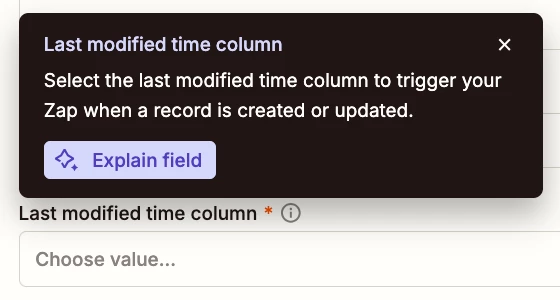
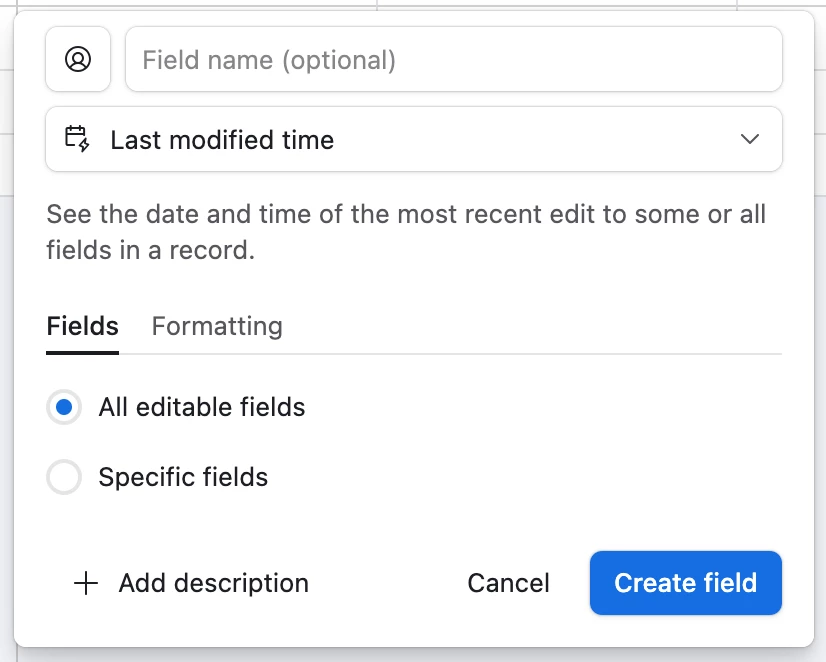
See screenshots below for context.


Trigger: Airtable - New or Updated Record

Field: Last Modified Time Column


In Airtable, configure a Last Modified field that only watches a specific field, then select that in the Zap trigger step config.


Troy Tessalone
Zapier Orchestrator & Solution Partner
Forum|alt.badge.img+14
  • Zapier Orchestrator & Solution Partner
  • January 14, 2026

@adamsalt 5654 

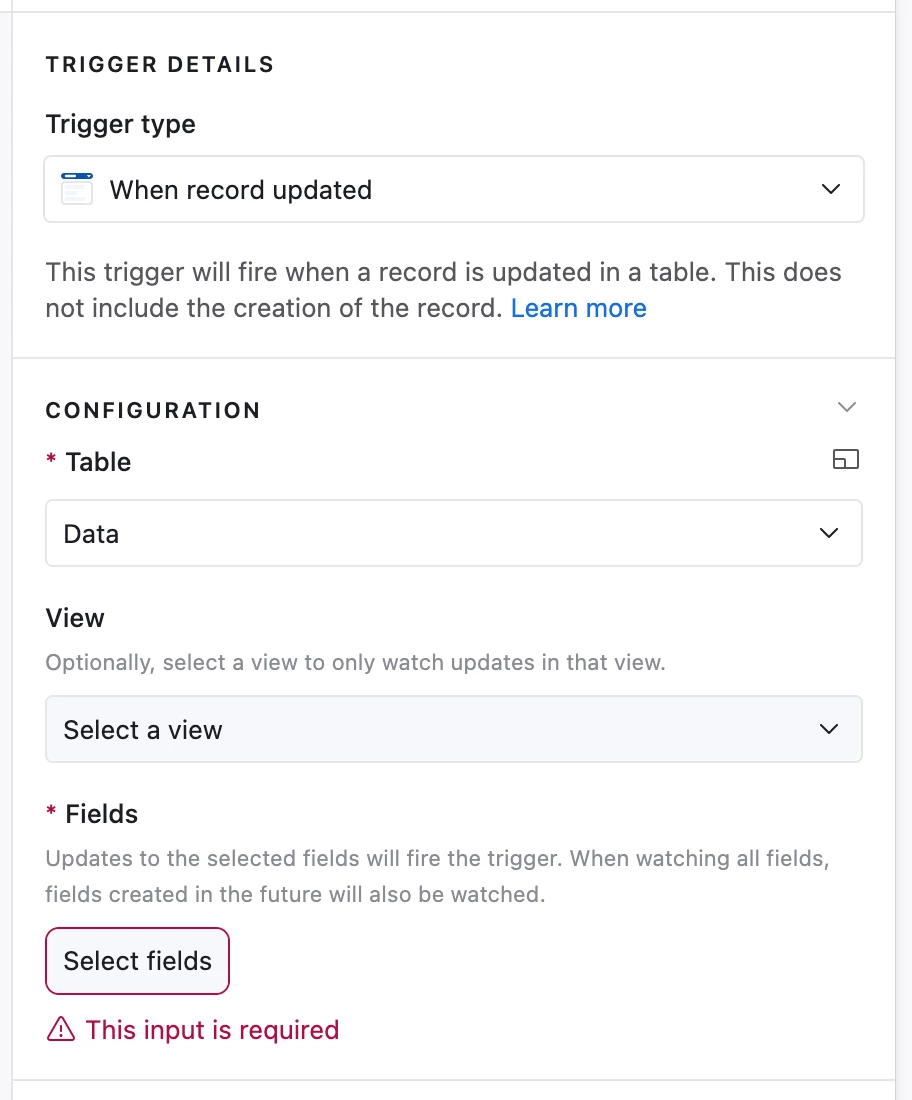
Also, depending on what workflow you are trying to configure, Airtable has native Automations.


Trigger: When record Updated

CONFIG

Fields: (select)

Description: Updates to the selected fields will fire the trigger.


drtanvisachar
Forum|alt.badge.img+3

Hello ​@adamsalt 5654 

That’s expected. The Airtable “Record Updated” trigger fires when any field changes.

Best fix is to add a Filter right after the trigger:

• Trigger: Record Updated
• Filter: Only continue if Status changed

If your trigger shows old and new values, compare them:
Continue only if New Status ≠ Old Status.

If you don’t get old values, add a helper field like “Last Status” in Airtable that copies the previous Status. Then in Zapier, only continue when Status ≠ Last Status.

This way the Zap can trigger on every update but only runs when Status actually changes.

Dr. Tanvi Sachar
Monday Certified Partner, Monday Wizard