Answer

How can I set up Zaps to populate data downwards in a Google Sheets spreadsheet?

  • January 15, 2024
  • 3 replies
  • 83 views

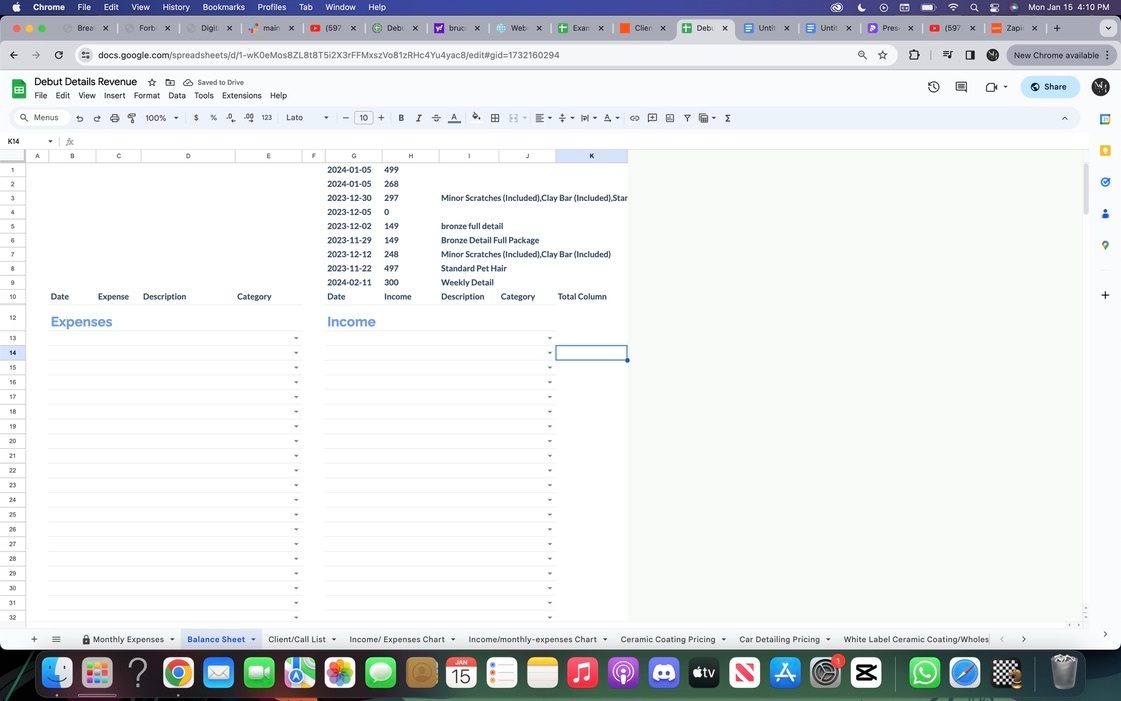
Anyone know how I get the zaps to go down instead of u[ in a google sheets spreadsheet, if you can be specific that would be awesome, much appreciated! Showed below in the picture is the zaps going above and not below in the spreadsheet*

 

Best answer by Troy Tessalone

Hi @debutdetails 

You GSheet needs to have headers in Row 1.

Help: https://help.zapier.com/hc/en-us/articles/8496276985101-Work-with-Google-Sheets-in-Zaps

This post has been closed for comments. Please create a new post if you need help or have a question about this topic.

3 replies

Troy Tessalone
Zapier Orchestrator & Solution Partner
Forum|alt.badge.img+14
  • Zapier Orchestrator & Solution Partner
  • Answer
  • January 16, 2024

Hi @debutdetails 

You GSheet needs to have headers in Row 1.

Help: https://help.zapier.com/hc/en-us/articles/8496276985101-Work-with-Google-Sheets-in-Zaps


  • Author
  • New
  • January 16, 2024

@Troy Tessalone thank you for the help, is there no way to update the rows below and keep the formating without creating a whole new row? I used the update spreadsheet row, and the create spreadsheet row options but they both dont seem to work any solutions to this? Or will I just have to do without the lines in the above image and have it normal? 


Troy Tessalone
Zapier Orchestrator & Solution Partner
Forum|alt.badge.img+14
  • Zapier Orchestrator & Solution Partner
  • January 16, 2024

@debutdetails 

You’d have to use advanced approaches with the GSheets API to enter data in specific cells using a template.

https://developers.google.com/sheets/api/guides/concepts


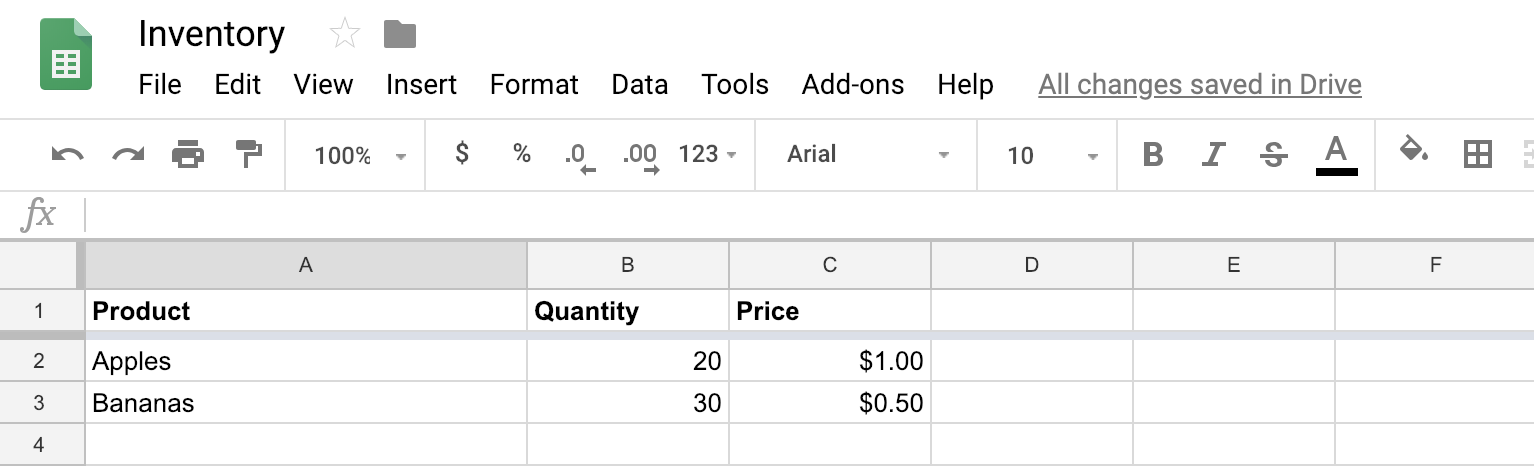
Make sure the first row is a header row with column names

We recommend all your columns have text in the header row, but you must have text in the first column header, especially if you are using the Create Spreadsheet Row action. Without any text there, the Zap will send your data to the top of the sheet rather than to the bottom.

Example of how to set headers in your spreadsheet

miscEye icon Note

Zaps are intended to only add rows to the end of the spreadsheet and not any other row.