Question

How can I extract image from Slack message?

  • May 15, 2024
  • 9 replies
  • 389 views

How can i extract image from slack message?


The flow is:

  1. Message sent in certain slack channel
  2. Certain emoji added → zapier activates
  3. adding lead in pipedrive with an image (from that slack message) as attachement


Really hope to find how to do it!

This post has been closed for comments. Please create a new post if you need help or have a question about this topic.

9 replies

jayeshkumarbhatia
Forum|alt.badge.img+7

Hey @Jlaczynski ,


Will your users on slack enter message and image together in a single message? If Yes, than it is easily possible.


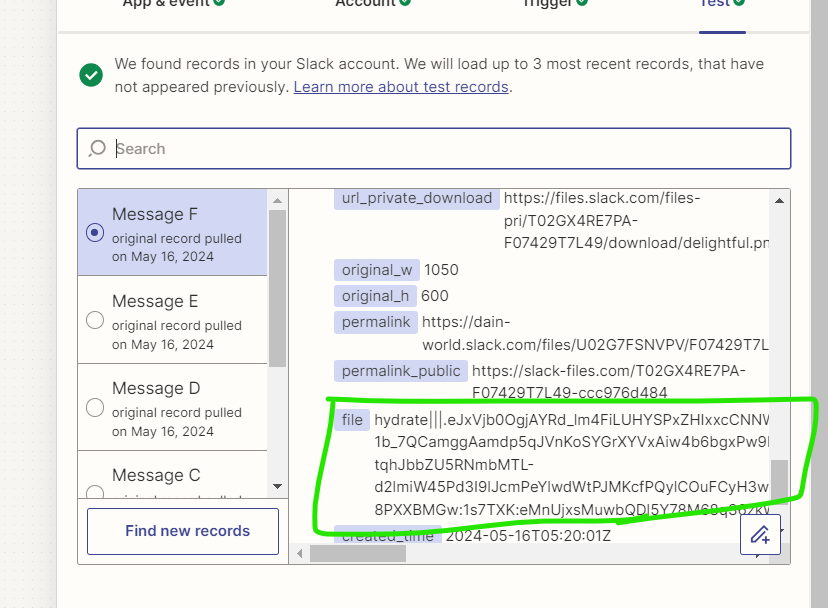
In test data you will get output like this which is image. You can use this output to add in Pipedrive.


  • Author
  • Beginner
  • May 16, 2024

Hey yes - in a single message.


Can you explain to me what exactly this “file” property is? I mean i see that it is not a htpps or something like that. 


How can I upload it to the pipedrive?


  • Author
  • Beginner
  • May 16, 2024

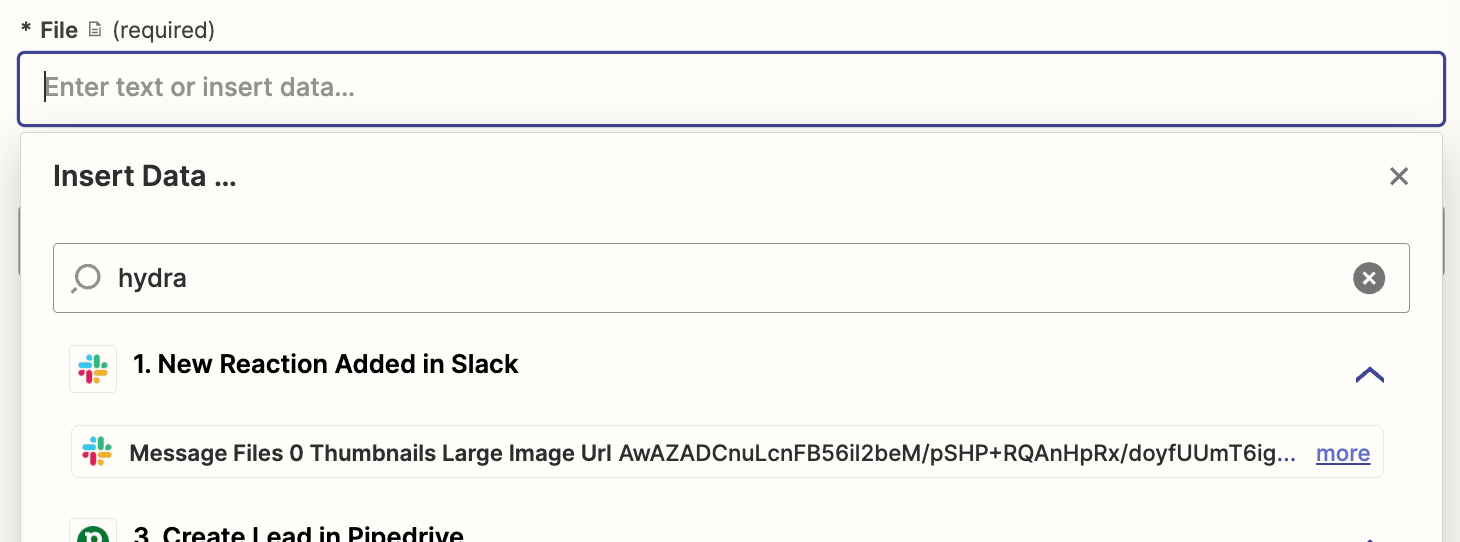
And also - i cannot find this file property in search bar 


jayeshkumarbhatia
Forum|alt.badge.img+7

Can you share a screenshot of how did you setup the Pipedrive action?


  • Author
  • Beginner
  • May 16, 2024

Hey,


I mean it looks like this right now (picture below). Currently It just create an activity with link to a slack message.


But I know that i need to use “attach file” action in pipedrive, so probably im gonna do “create note” and then attach file to it.


Main question is - i don’t really understand how to extract this hydrated string and/or how to use it for next steps :D 


If you could share how it suppose to look like that would be super helpful 


  • Author
  • Beginner
  • May 16, 2024

Look, in the “attach file” action i just cannot find the “file” string with hydrated file


jayeshkumarbhatia
Forum|alt.badge.img+7

Hey @Jlaczynski , The file value will be something like  Exists but not shown


  • Author
  • Beginner
  • May 16, 2024

Oh! That makes sense :D So just property with “Exist but not shown” (already found it) in the File field and nothing else? Should that work just fine?


SamB
Community Manager
Forum|alt.badge.img+11
  • Community Manager
  • May 17, 2024

Hi @Jlaczynski 👋

Just wanted to pop in here to note that the Message Files 0 File field (displays a value of Exists but not shown) is only available if the Slack user uploaded the image to the message as an attachment using the + button:
107ae3bc5a5caeaaa25480a91dca605e.png

If the image is embedded in the message by linking to it in the message text, for example:
4e0294256623919e73c09b8a54757990.png
Then the file field won’t be present. Instead you’d need to use the Message Attachments 0 Image URL field. 

So if there’s sometimes cases where an image is linked to rather than uploaded as an attachment then you might want to try adding a Formatter (Text > Default Value) action to output the value in the Message Attachments 0 Image URL field if the Message Files 0 File field field doesn’t have a value. Then in the Pipedrive action you’d use the output of the Formatter action to add the file.

Hope that helps. Please do keep us updated on how you get on with this! 🙂