Question

How can I ensure client's phone number and address are transferred from Dubsado to Xero in a Zap?

  • November 2, 2023
  • 6 replies
  • 51 views

I’m wanting to set up a Zap between Dubsado and Xero. The Zap I want to setup is ‘Create a new contact’ in Xero, when ‘new project is created’ in Dubsado. I just want to make sure that the client’s phone number and address are going to come across as well into Xero if I set this up. I need to make sure of this as the only reason we’ll be paying for the Zapier subscription is because Xero is a premium app, and if it doesn’t work there is no point in us paying for a subscription. Does anyone know if the phone and address gets ‘zapped’ across as well?

Thanks!

 

This post has been closed for comments. Please create a new post if you need help or have a question about this topic.

6 replies

Troy Tessalone
Zapier Orchestrator & Solution Partner
Forum|alt.badge.img+14
  • Zapier Orchestrator & Solution Partner
  • November 2, 2023

Hi @AshCas 

Good question.

That will depend on how your Zap steps are configured.

To help us have context, please post screenshots with how your Zap steps are configured.


  • Author
  • Beginner
  • November 2, 2023

Thanks for reaching out Troy!

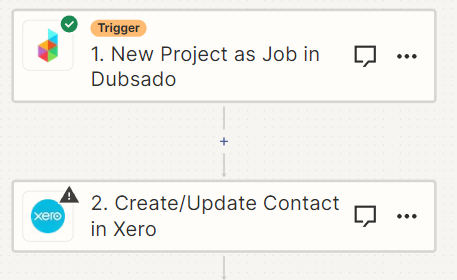
This is what I currently have, however to link Xero we need to upgrade the subscription. I don’t want to do this until I know that when a Contact is created in Xero from this Zap, it will include phone and address as well.

The problem is that the Dubsado / Xero integration only sends across an invoice with a name and email, however I’m wanting the whole contact (not invoice) to be sent across. I hope that makes sense.

Thanks heaps!

Ash


  • Author
  • Beginner
  • November 2, 2023

Hi @Troy Tessalone - sorry I replied and didn’t tag you above :-)


Troy Tessalone
Zapier Orchestrator & Solution Partner
Forum|alt.badge.img+14
  • Zapier Orchestrator & Solution Partner
  • November 2, 2023

@AshCas 

Can you post screenshots with the DATA OUT from the Zap trigger step?


shalgrim
Forum|alt.badge.img+8
  • Zapier Staff
  • November 3, 2023

> we need to upgrade the subscription

You mean the Zapier subscription? You might ask support for a refresh on the trial (not making promises, but sometimes they allow this).


shalgrim
Forum|alt.badge.img+8
  • Zapier Staff
  • November 3, 2023

What I would do to see what Dubsado will send in this integration:

  1. Set up the action to be a Google Sheet. The app/configuration isn’t that important, just something to put the data in
  2. Turn on the Zap
  3. Trigger the Zap by creating a new project
  4. Looking at the Zap Run in the “Data Out” for the Dubsado step to see what’s all there.

If what’s there isn’t what you need, let us know