Question

How can I customize time inputs in our time off request form to reflect actual employee schedules?

  • April 18, 2024
  • 3 replies
  • 50 views

Hi,


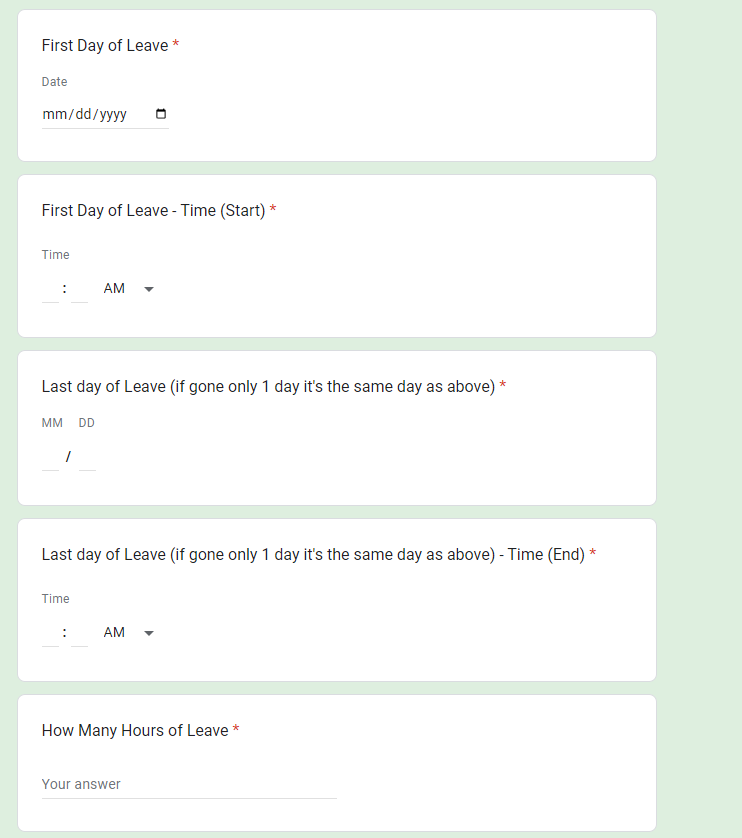
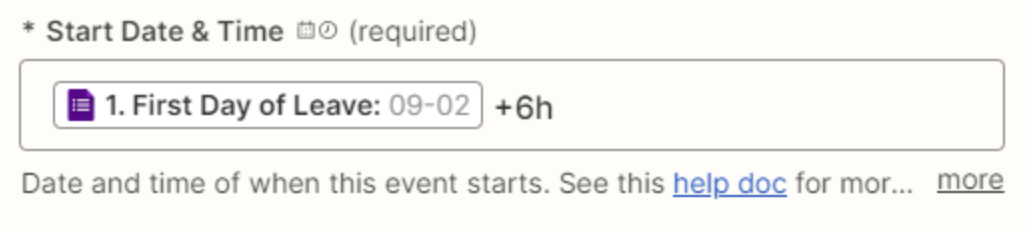
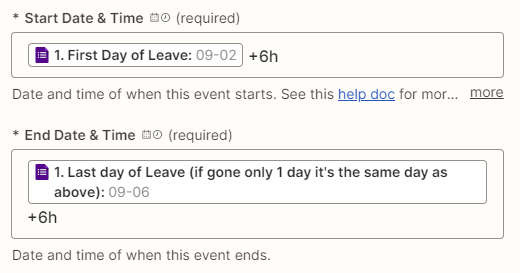
We have a form that tracks requests for time off for our employees. The form works perfectly except for the fact when someone inserts the date they want to take off it automatically puts it at 7AM. We would like to have it so that when our employees fill out the form it inputs the specific times for the start and end dates.


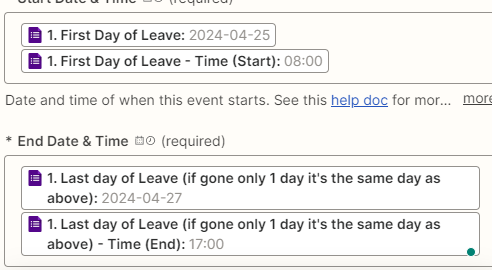
For example, we want it such that if you enter 8AM in "first day time" and 9AM in "last day time" the calendar invite will be from 8AM to 9AM and not just 7AM flat. I tried to insert the “first day time” and “last day time” in the action, but I was unsuccessful. This is important for employees taking an hour or two during the day for an appointment. Conversely, if the employee is taking multiple days off we could instruct them to make the start date 8AM and end date 4PM.


Any thoughts on how fix this issue?
 

This post has been closed for comments. Please create a new post if you need help or have a question about this topic.

3 replies

Troy Tessalone
Zapier Orchestrator & Solution Partner
Forum|alt.badge.img+14
  • Zapier Orchestrator & Solution Partner
  • April 19, 2024

Hi @NewNewNewNew 

The date needs to be full valid date. (09-02 is not a valid date value)


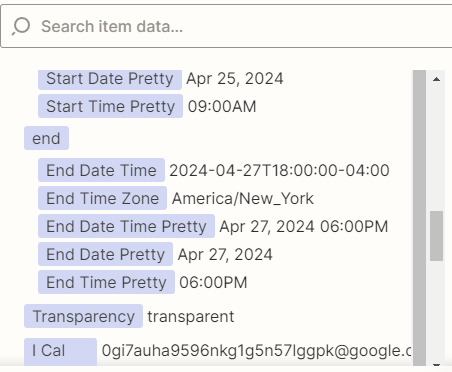
Thank you. I was able to fix, but it 1 hour ahead of the time it should be.


What should I do now?


Troy Tessalone
Zapier Orchestrator & Solution Partner
Forum|alt.badge.img+14
  • Zapier Orchestrator & Solution Partner
  • April 20, 2024

@NewNewNewNew 

In GCal, check your GCal time zone settings.

In the Zap, check your Zap time zone settings.

In Zapier, check your Zapier profile settings.

https://help.zapier.com/hc/en-us/articles/8496215472653-Zap-dates-or-times-are-incorrect