
Best answer

hello ! How to create ticket in hubspot with a bot landbot by zapier ?

  • January 15, 2020
  • 6 replies
  • 188 views

Capture d’écran 2020-01-15 à 11.24.10.png


Best answer by PaulKortman

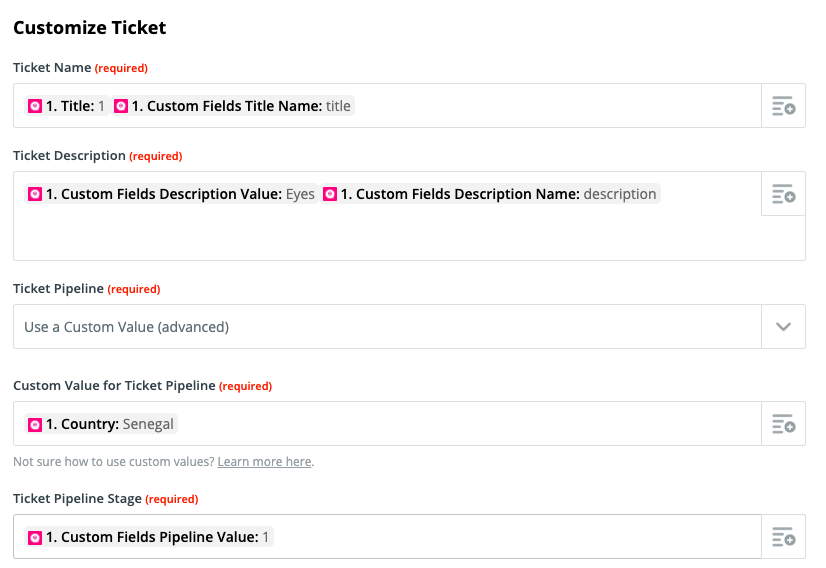
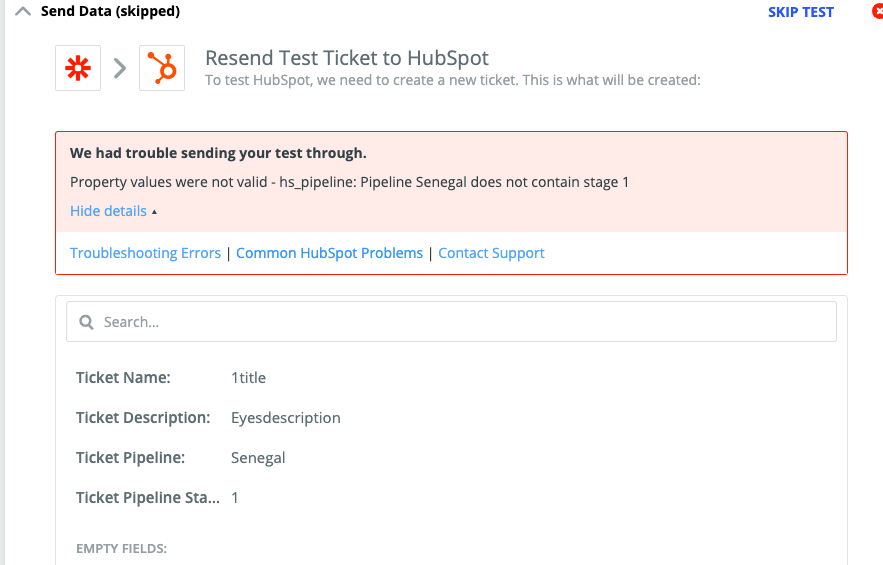
@Modegra Based on what I can read from the Hubspot API documentation here: https://developers.hubspot.com/docs/methods/tickets/create-ticket it looks like the issue you're having is that the hs_pipeline needs to be a number, aka the ID of the pipeline, and then your pipeline stage will also be a number, 1 2 3 or 4. Those numbers correspond to the following found here.

For the hs_pipeline_status property, the default stage IDs are:

- New is 1

- Waiting on contacts is 2

- Waiting on us is 3

- Closed is 4

So as @Danvers pointed out if you were to create a different (temporary) zap that had a trigger of "new ticket" and looked at the sample data you'd be able to see that both the pipeline and the pipeline stage are numbers. Currently you're setting the Pipeline to "Senegal" which is not a number.

Funny how the hubspot API is choking on the pipeline stage and not the pipeline id.


This post has been closed for comments. Please create a new post if you need help or have a question about this topic.


6 replies

AndrewJDavison
Forum|alt.badge.img+11
  • Zapier Solution Partner
  • January 15, 2020

Hi @Modegra

Welcome to the community!

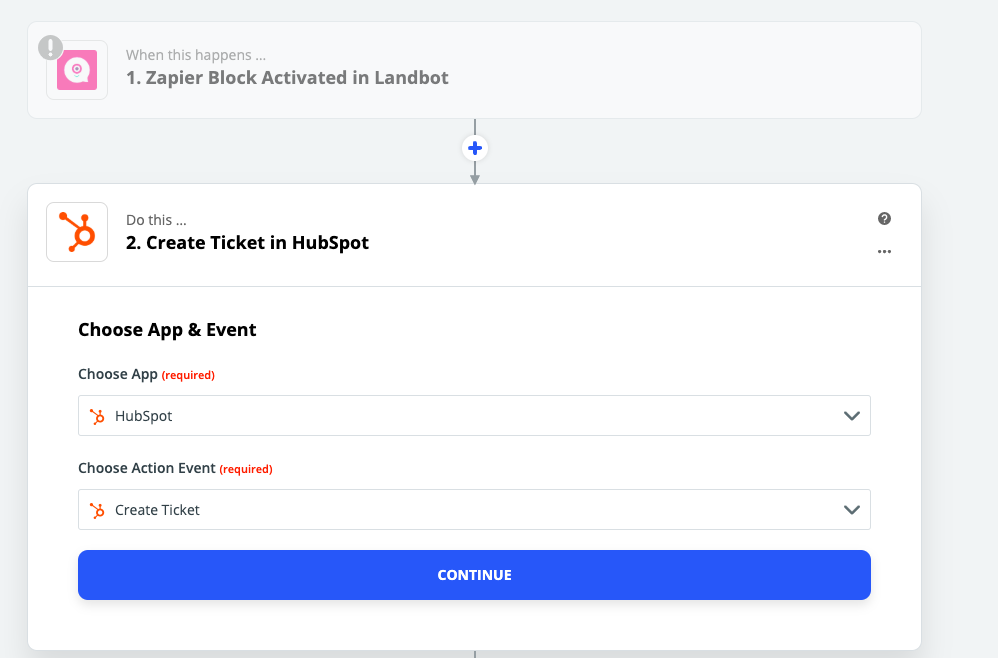
So far, you're doing well - click "Continue" and on the next page you'll be able to configure the fields of the ticket.


  • Author
  • January 15, 2020

Thank you @AndrewJDavison_Luhhu !

I hope you're fine ..

I was do it, but , i have get difficulties for configure some fields in "Customize Ticket" section.  I don't find the kind of input ( value ) who can corresponded to Ticket Pipeline Stage.

Capture d’écran 2020-01-15 à 12.35.51.png

Wherever ! indicate a value let's go from 1- 4 , i get an error message


Capture d’écran 2020-01-14 à 15.37.59.pngKnowing that , when i indicate any value this following message is displayed...
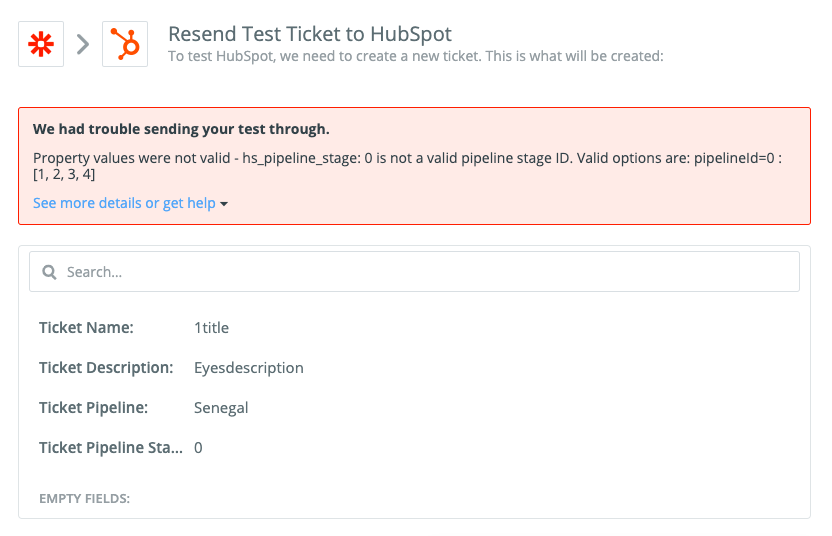

Capture d’écran 2020-01-15 à 12.48.20.png


Danvers
Forum|alt.badge.img+12
  • Zapier Staff
  • January 15, 2020

It looks like

Pipeline stage may need to be both

-

'[

,

,

,

]' looks like


It might be helpful here to build a Zap with the 'New ticket' trigger, so that you can look at the trigger sample to see how the Ticket Pipeline Stage information is formatted. Do you think you could give that a go and if you're not sure what the format is, take a screenshot of it and share it here so we can take a look 😊


PaulKortman
Forum|alt.badge.img+10
  • Zapier Solution Partner
  • Answer
  • January 15, 2020

@Modegra Based on what I can read from the Hubspot API documentation here: https://developers.hubspot.com/docs/methods/tickets/create-ticket it looks like the issue you're having is that the hs_pipeline needs to be a number, aka the ID of the pipeline, and then your pipeline stage will also be a number, 1 2 3 or 4. Those numbers correspond to the following found here.

For the hs_pipeline_status property, the default stage IDs are:

- New is 1

- Waiting on contacts is 2

- Waiting on us is 3

- Closed is 4

So as @Danvers pointed out if you were to create a different (temporary) zap that had a trigger of "new ticket" and looked at the sample data you'd be able to see that both the pipeline and the pipeline stage are numbers. Currently you're setting the Pipeline to "Senegal" which is not a number.

Funny how the hubspot API is choking on the pipeline stage and not the pipeline id.


  • Author
  • January 15, 2020

Hello @Danvers, thank you for your great and great idea.

finaly! I found another way by dint of testing.

In the "Ticket Pipeline" field, I chose "Senegal" Pipeline in place of « Custom value", and automatically, the values ​​I was looking for were displayed in the "Ticket pipeline stage" field

Thank you for your assistance


Danvers
Forum|alt.badge.img+12
  • Zapier Staff
  • January 16, 2020

That's great! Nice job, @Modegra 🙌