Question

Google Sheet Permissions on copied spreadsheet using Create Spreadsheet action

  • March 18, 2021
  • 2 replies
  • 647 views

Hey guys,


Need some help here.


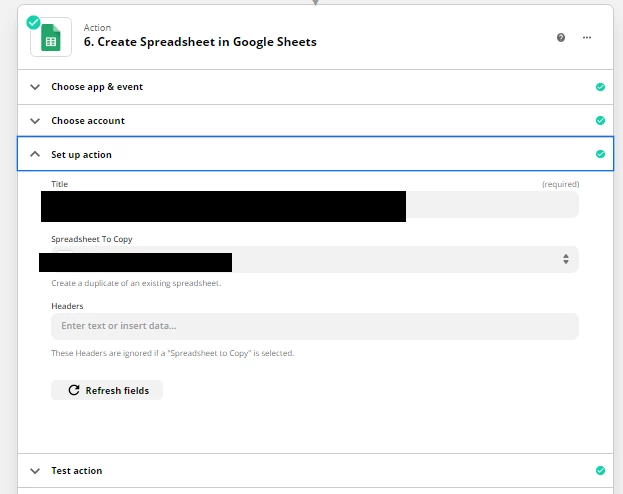
I have a step that creates a new spreadsheet from a template. The problem is this newly created worksheet is set to private and inaccessible by other members of my team.


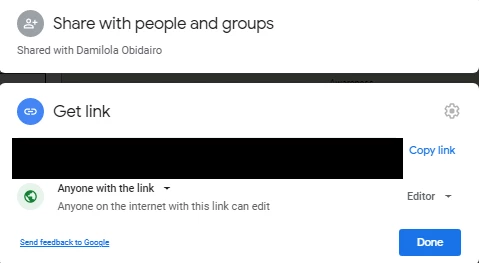
I have already set the template permission to literally anyone with the link can access as I thought the newly copied spreadsheet permission is copied from it. 


Can someone help please? I only want the new created sheet write-accessible to anyone with the link.


This post has been closed for comments. Please create a new post if you need help or have a question about this topic.

2 replies

Troy Tessalone
Zapier Orchestrator & Solution Partner
Forum|alt.badge.img+14
  • Zapier Orchestrator & Solution Partner
  • March 18, 2021

Hi @Limbic 

Try adding this step to your Zap: GDrive - Add File Sharing Preference


Forum|alt.badge.img+9
  • Zapier Staff
  • May 26, 2021

Hey @Limbic!

Do you own the spreadsheet that is selected as Spreadsheet to Copy or was it shared with you where you have editor permissions?

Unfortunately, using the Google Sheets API, we cannot access shared sheets, only sheets that are in your account. 

If you found a solution here, could you please share that with the Community?