Question

Google Drive Action - Replace File - Does it change the file ID?

  • February 3, 2022
  • 2 replies
  • 738 views

Hi. I’m working on a project where I received an emailed file each day from a reporting platform in XLSX format. Through a zap, I am picking up the attachment via email and replacing a file in Google Drive with it. I’m using that sheet as a data source for Google Data Studio, but when I replace the file, the connection breaks with my dashboard. 

I am wondering if the replace function changes the file ID, or if it’s something more mundane that’s causing the problem. Would appreciate any help or insights! 

This post has been closed for comments. Please create a new post if you need help or have a question about this topic.

2 replies

Troy Tessalone
Zapier Orchestrator & Solution Partner
Forum|alt.badge.img+14
  • Zapier Orchestrator & Solution Partner
  • 34052 replies
  • February 3, 2022

Hi @atwookie 

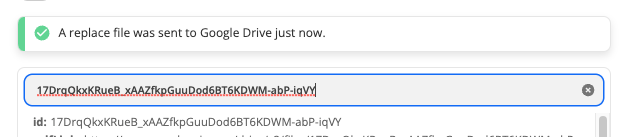
Yes, I believe the File ID changes when you replace a File on GDrive, but always best to test to verify the results.


GetUWired
Forum|alt.badge.img+12
  • Zapier Solution Partner
  • 1030 replies
  • February 4, 2022

@atwookie 

No, it does not. You are replacing the file located at the file id with another file. The id will stay the same. Think of the id as the location of where the file is in Google Drive. If it changed, you would be deleting the file and creating an entirely new one. Not replacing what was stored. 

File id before running Zap


File id after running Zap