There is an action to add (and remove) a label from an email; however, there isn’t a good explanation of what is expected in the “Message to be labeled” field. What is the syntax this field is looking for?

Best answer
Gmail Action: Add Label to Email - ?
Best answer by Troy Tessalone
Hi
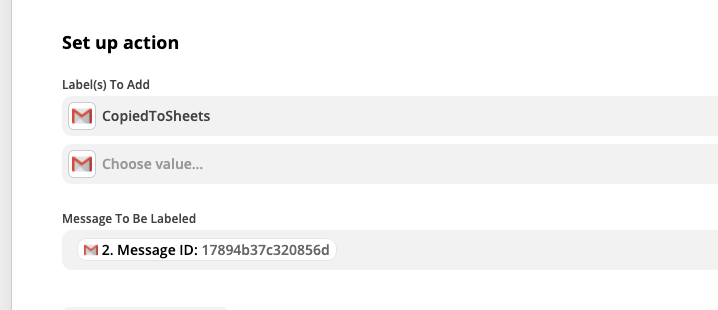
The ‘Message to be Labeled’ field expected the Gmail Message ID.
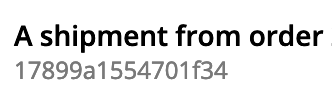
TIP: You can determined the expected value for a dropdown field by viewing the available options, which tends to be a unique system ID (but not always) shown as the smaller gray value underneath the friendly value.
Example
This post has been closed for comments. Please create a new post if you need help or have a question about this topic.




Early access

Next Gen Zaps
Build and deploy automations from AI tools you already use. With Agentic Management, if anything breaks, the agent diagnoses the issue and proposes a fix.
Request access now
Enter your E-mail address. We'll send you an e-mail with instructions to reset your password.