

Question

Get value function not working as expected

  • December 1, 2020
  • 4 replies
  • 74 views

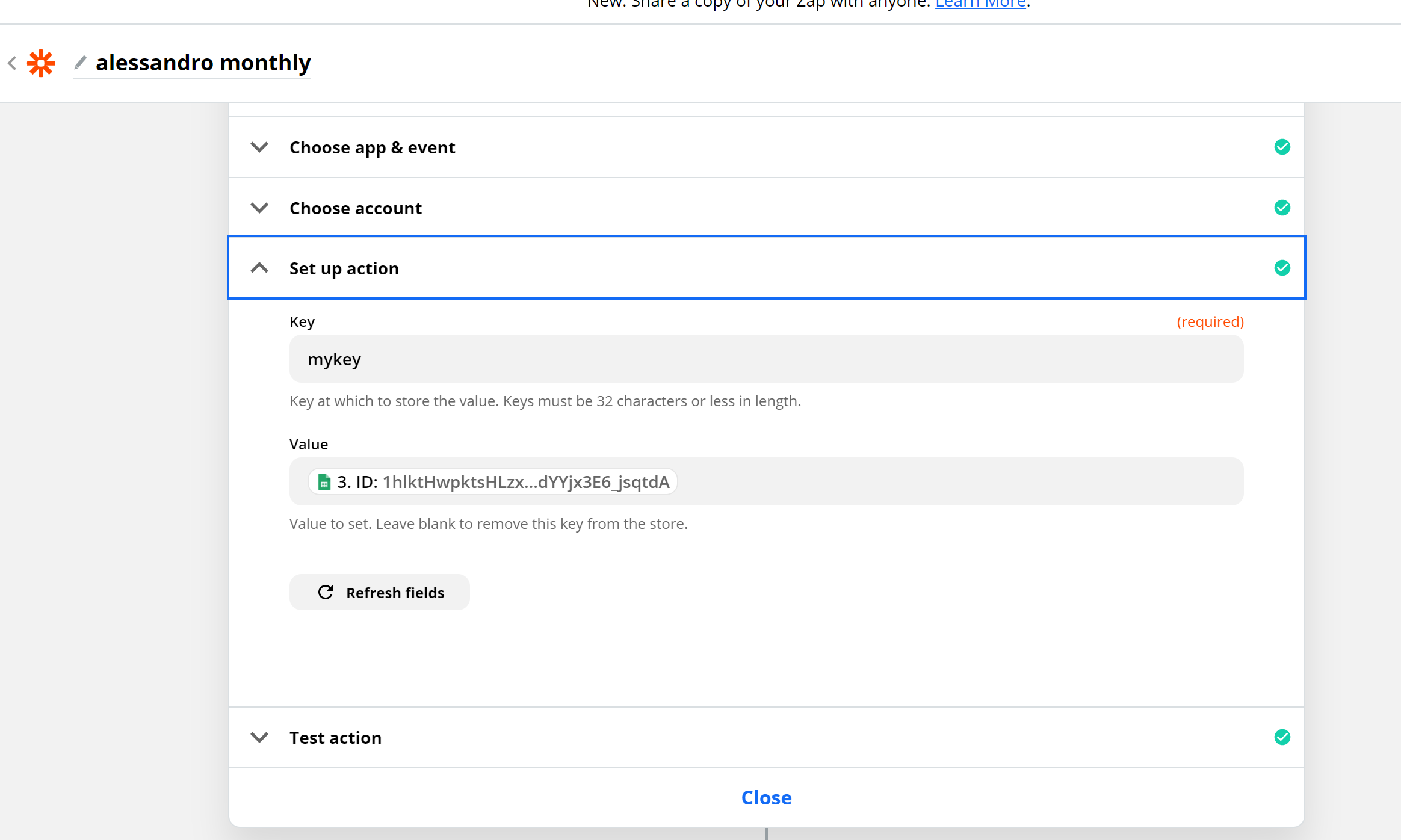
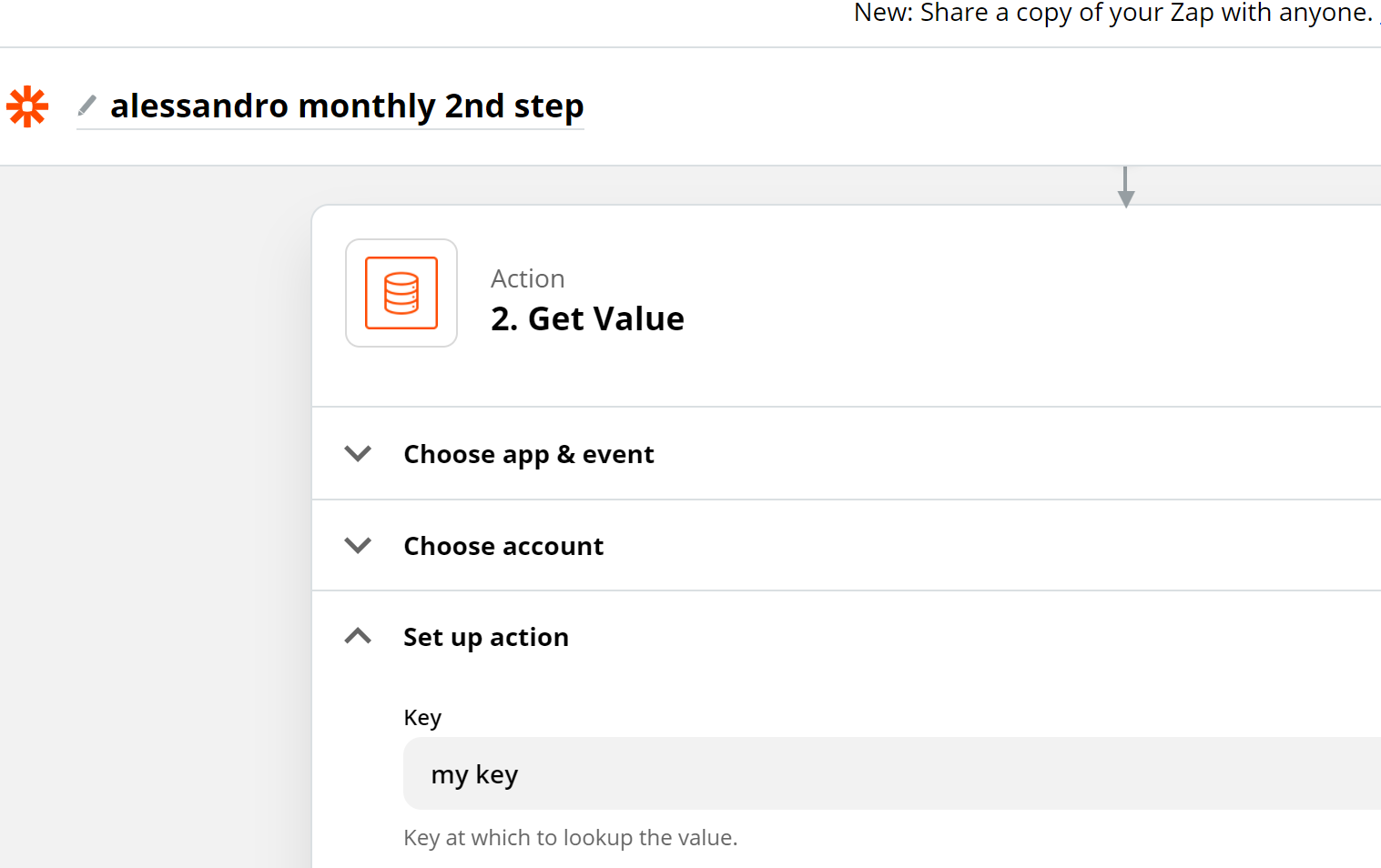
In the first zap, I create a spreadsheet every hour in the future and, as you can see in the screenshot, I store its ID in the name “mykey” which I then want to retrieve in another zap to perform some row addition triggered by a new google calendar entry. The problem is that these new rows are not created on the latest spreadsheet, but the ID where they get entered is always the first one when I created the zap, whereas I thought it would update every time the zap creates a new spreadsheet.


This post has been closed for comments. Please create a new post if you need help or have a question about this topic.

4 replies

GetUWired
Forum|alt.badge.img+12
  • Zapier Solution Partner
  • December 1, 2020

Can you please share screenshots of the full set up of each zap.


Troy Tessalone
Zapier Orchestrator & Solution Partner
Forum|alt.badge.img+14
  • Zapier Orchestrator & Solution Partner
  • December 1, 2020

Storage by Zapier help articles: https://zapier.com/apps/storage/help


nicksimard
Forum|alt.badge.img+11
  • Zapier Staff
  • December 5, 2020

Hi @AleAugugliaro!

Is this when the Zap is running live or when you’re testing the Zap? If it’s during testing, you’ll always have to test the Google Sheets trigger, then the Set Value test and then the Get Value step.

I also noticed that your keys in the screenshots don’t match (not sure if those are the actual ones or just an example). But if it’s the real keys then you’ll want to make sure they match :)


nicksimard
Forum|alt.badge.img+11
  • Zapier Staff
  • March 2, 2021

Hi @AleAugugliaro!

I wanted to check in with you on this one, since we didn't hear back after our last message. Did you still need help here or were you able to resolve things? Please let us know :)





