


Best answer

Get all google drive files under a folder, and send via SMTP email

  • May 17, 2022
  • 6 replies
  • 694 views

Hi,


I am trying to attach files to an email I am sending. These files are stored in a folder in google drive. The number of files varies per zap run. And also the name of the folder varies every time.


Is there a way to find the folder, and get the files within that folder and send them in the attachments of the email?

Best answer by christina.d

Hi friends! 👋🏽 I wanted to summarize some of Troy’s responses into one!


With GDrive Zap actions you can Find Files or you can Find Folders, but you can’t get the Files in a found Folder.

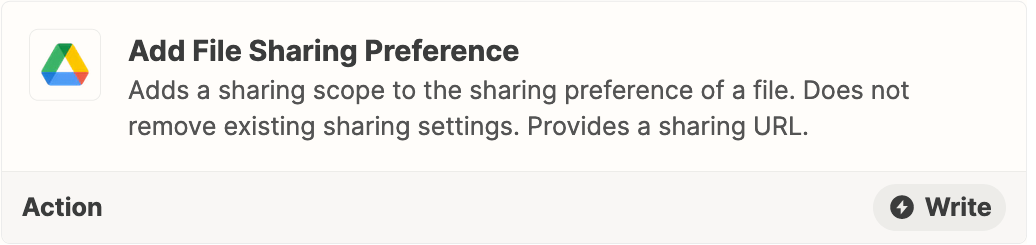
File/Folder sharing preferences can be change with this GDrive Zap action:


This post has been closed for comments. Please create a new post if you need help or have a question about this topic.

6 replies

Troy Tessalone
Zapier Orchestrator & Solution Partner
Forum|alt.badge.img+14
  • Zapier Orchestrator & Solution Partner
  • May 17, 2022

Hi @maor356 

Good question.

With GDrive Zap actions you can Find Files or you can Find Folders, but you can’t get the Files in a found Folder.

Why not send a link to view the Folder, then the recipient will have access to the Files?


  • Author
  • Beginner
  • May 17, 2022

Hi,


And is that link publicly available, cause from my experience, the link that it provides, it requires the user to be logged in in order view the folder. In my case the recipents that I will be sharing the link with will vary every time, thus I cannot assign a permission to view folder to a specific email. Also the folders change every time.


Thanks


Troy Tessalone
Zapier Orchestrator & Solution Partner
Forum|alt.badge.img+14
  • Zapier Orchestrator & Solution Partner
  • May 17, 2022

@maor356 

File/Folder sharing preferences can be change with this GDrive Zap action:


  • Author
  • Beginner
  • May 18, 2022

Thank you for the help.

Perhaps as an alternative, are there other apps I could use to better achieve my initial goal, of sending files directly rather than a link?

I know zapier also has integrations with one drive. (dropbox...etc)


Troy Tessalone
Zapier Orchestrator & Solution Partner
Forum|alt.badge.img+14
  • Zapier Orchestrator & Solution Partner
  • May 18, 2022

@maor356 

Keep in mind that sending files as email attachments is not a best practice.

Different apps have file size limits for sending/receiving.

Files could be marked as junk/spam by these apps.

Companies can implement restrictions on file size limits.

Email settings can be adjusted at the user level for how to handle files with attachments which may impact delivery.


christina.d
Forum|alt.badge.img+9
  • Zapier Staff
  • Answer
  • June 6, 2022

Hi friends! 👋🏽 I wanted to summarize some of Troy’s responses into one!


With GDrive Zap actions you can Find Files or you can Find Folders, but you can’t get the Files in a found Folder.

File/Folder sharing preferences can be change with this GDrive Zap action:



